Why it matters
Today's manual process, and the same job with the app
The contracts desk at a professional-services or engineering firm, booking subcontracts under a prime contract.
✕Today's manual process
1Read the subcontract against the prime contract's rate ceilings and payment terms, line by line.
2Work out the escalation manually on a spreadsheet, year by year, to see which rate clears the cap.
3Flag what's deficient from memory, hoping nothing in the fine print was missed.
4One missed ceiling means a rate that should have been negotiated gets booked as accepted.
Every subcontract read manually
✓With the app
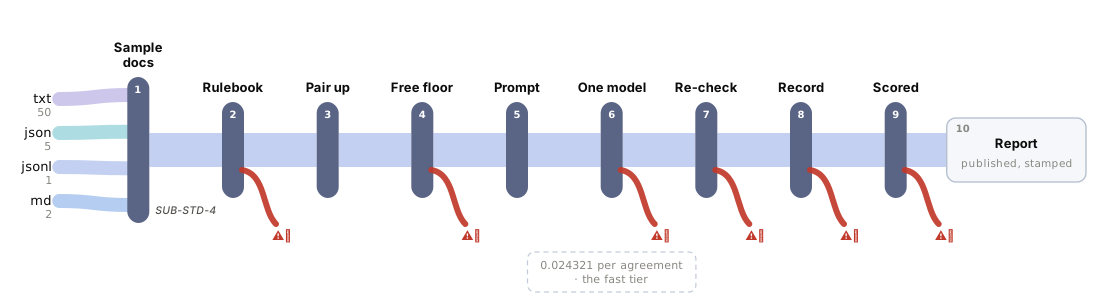
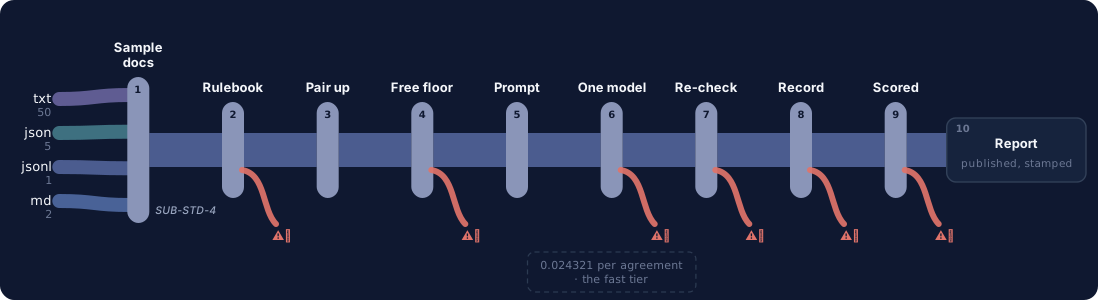
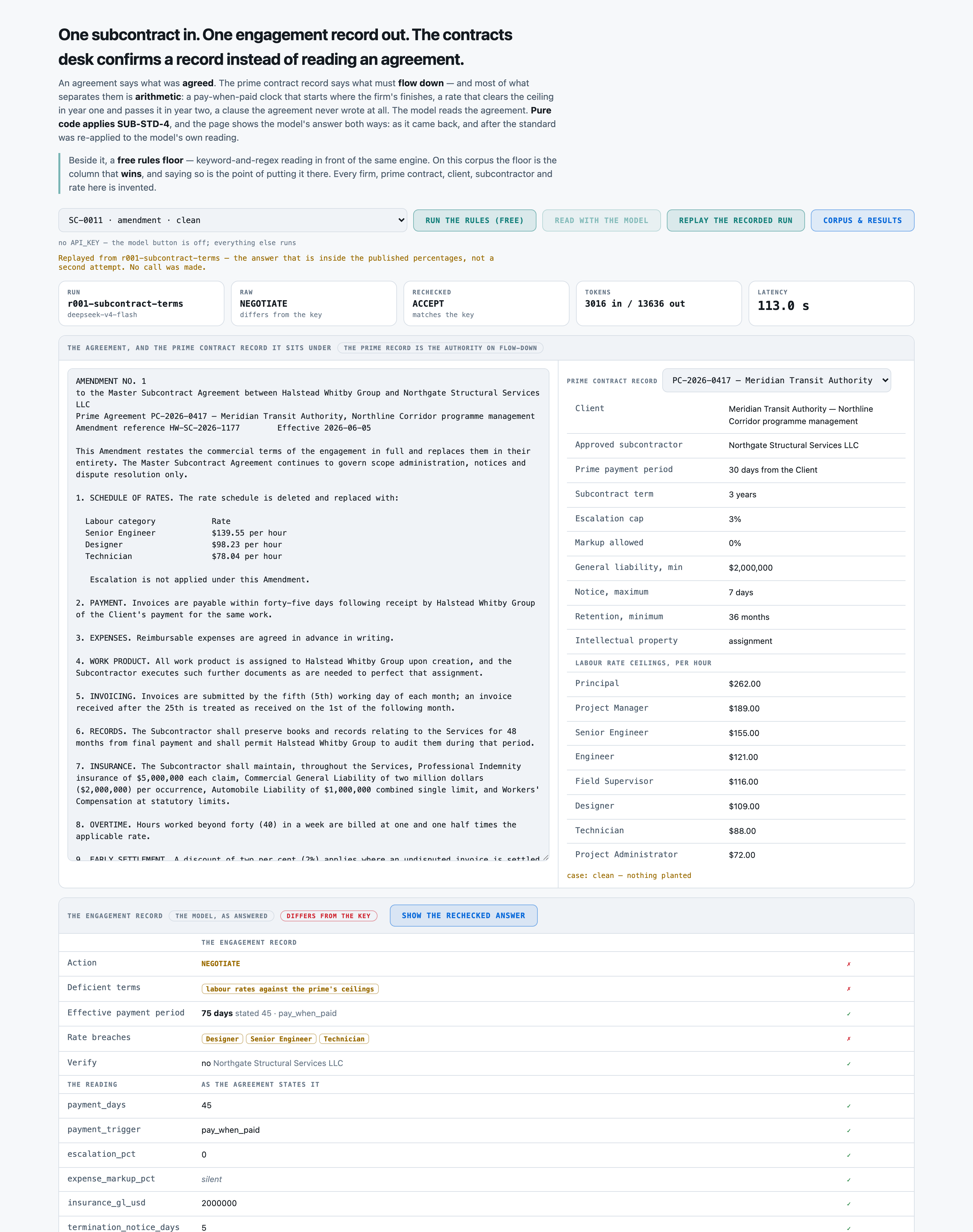
1The subcontract is read against the prime contract's rate ceilings and payment terms, automatically.
2Every rate is escalated year by year, against its ceiling, automatically.
3What's deficient is named the exact category, not just a flag.
4The engagement record is booked accept or negotiate, with every field checked against the agreement.
Every rate checked against its ceiling
See it work
One real case, read by the app, step by step
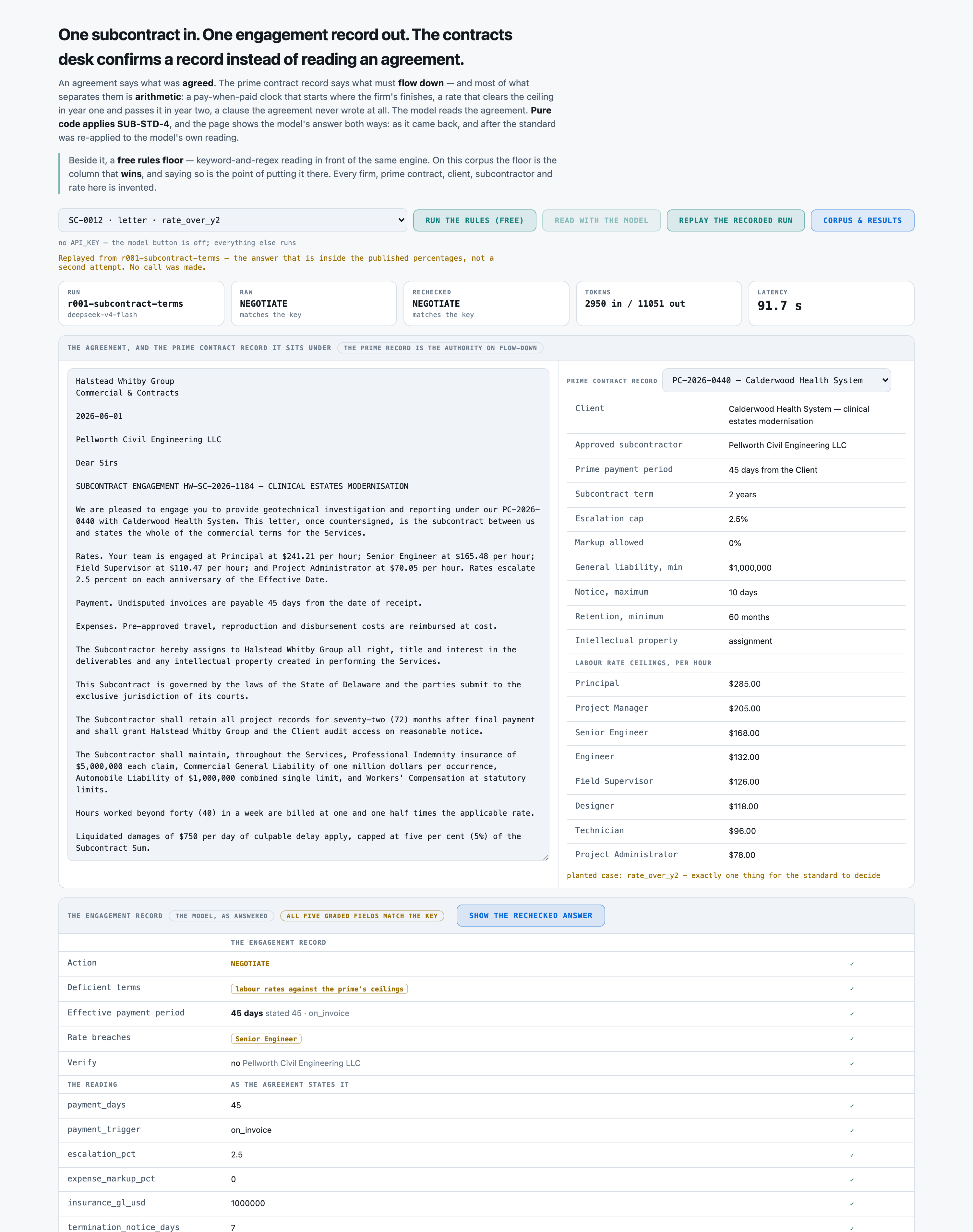
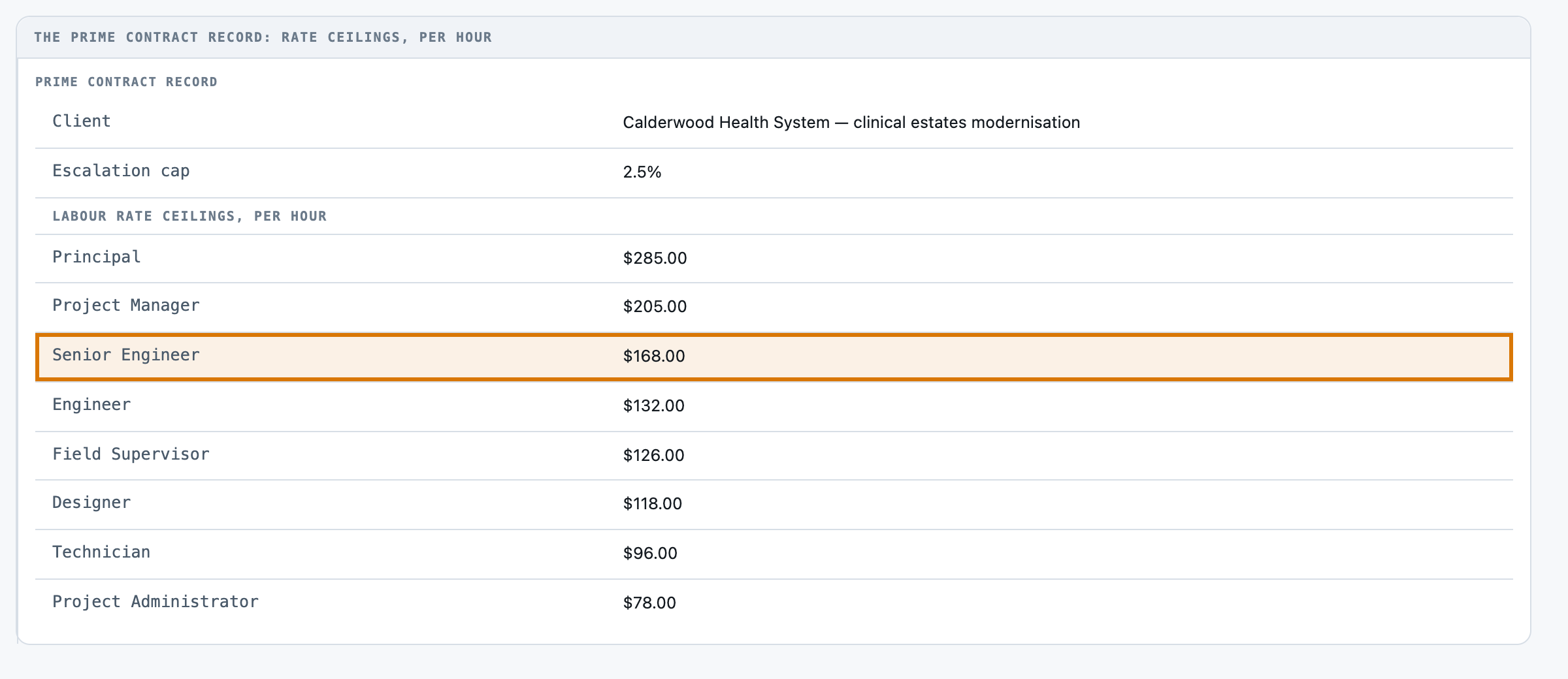
Pellworth Civil Engineering's Senior Engineer rate clears Calderwood Health System's ceiling in year one and passes it in year two.
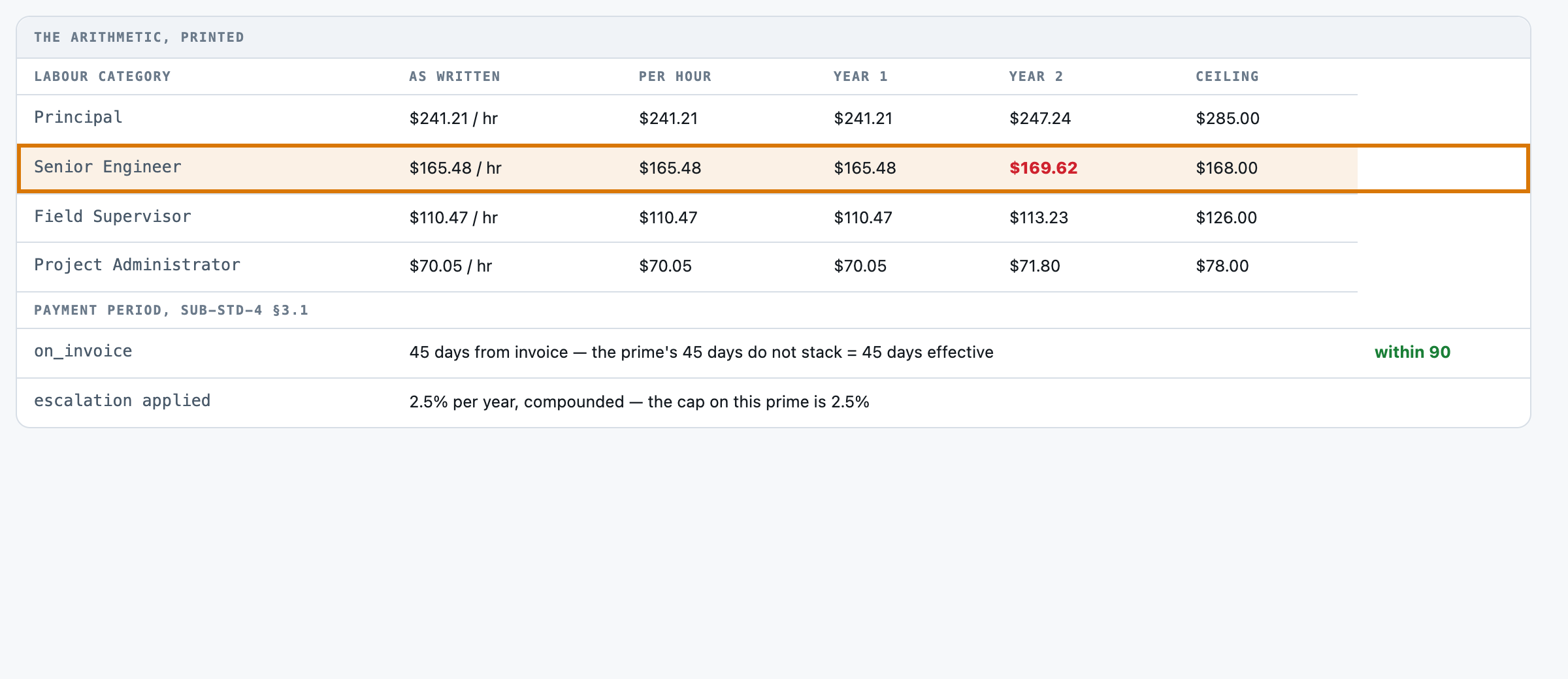
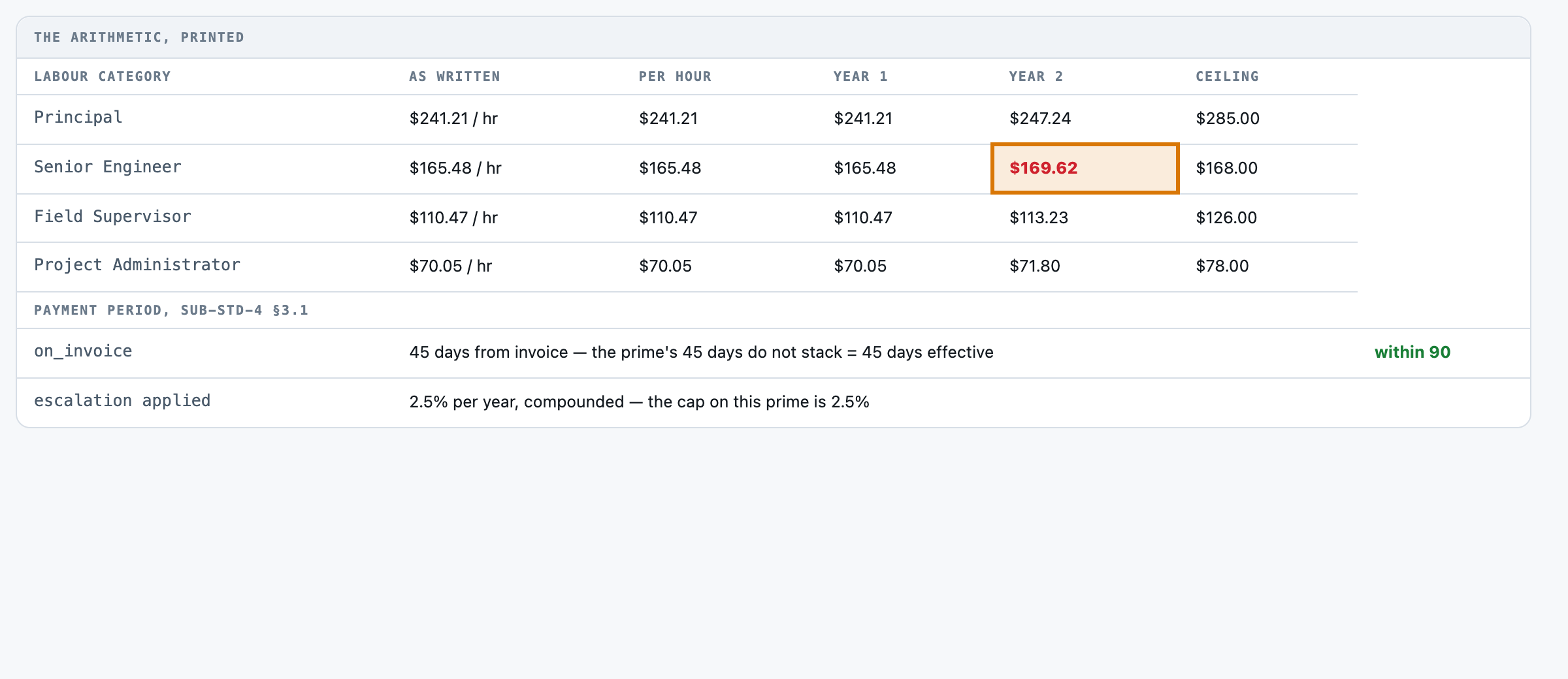
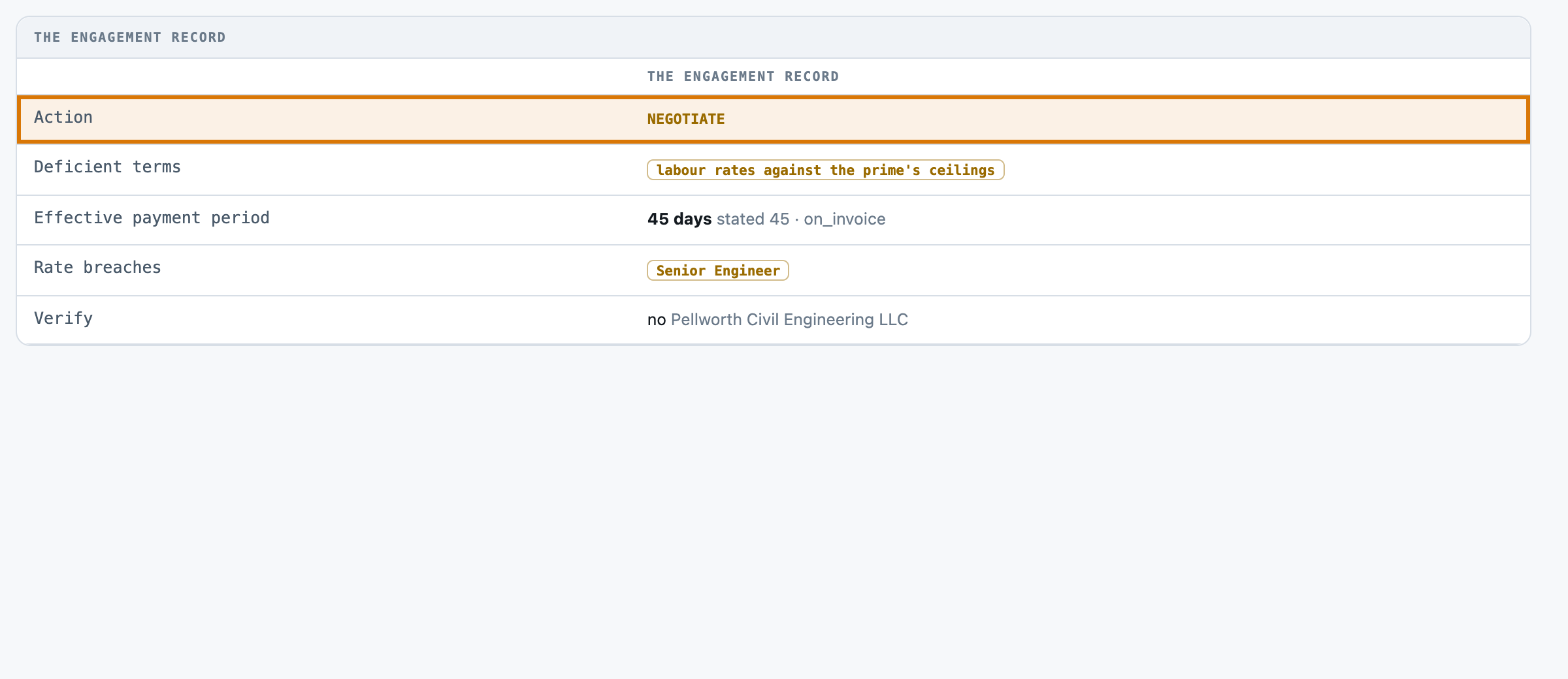
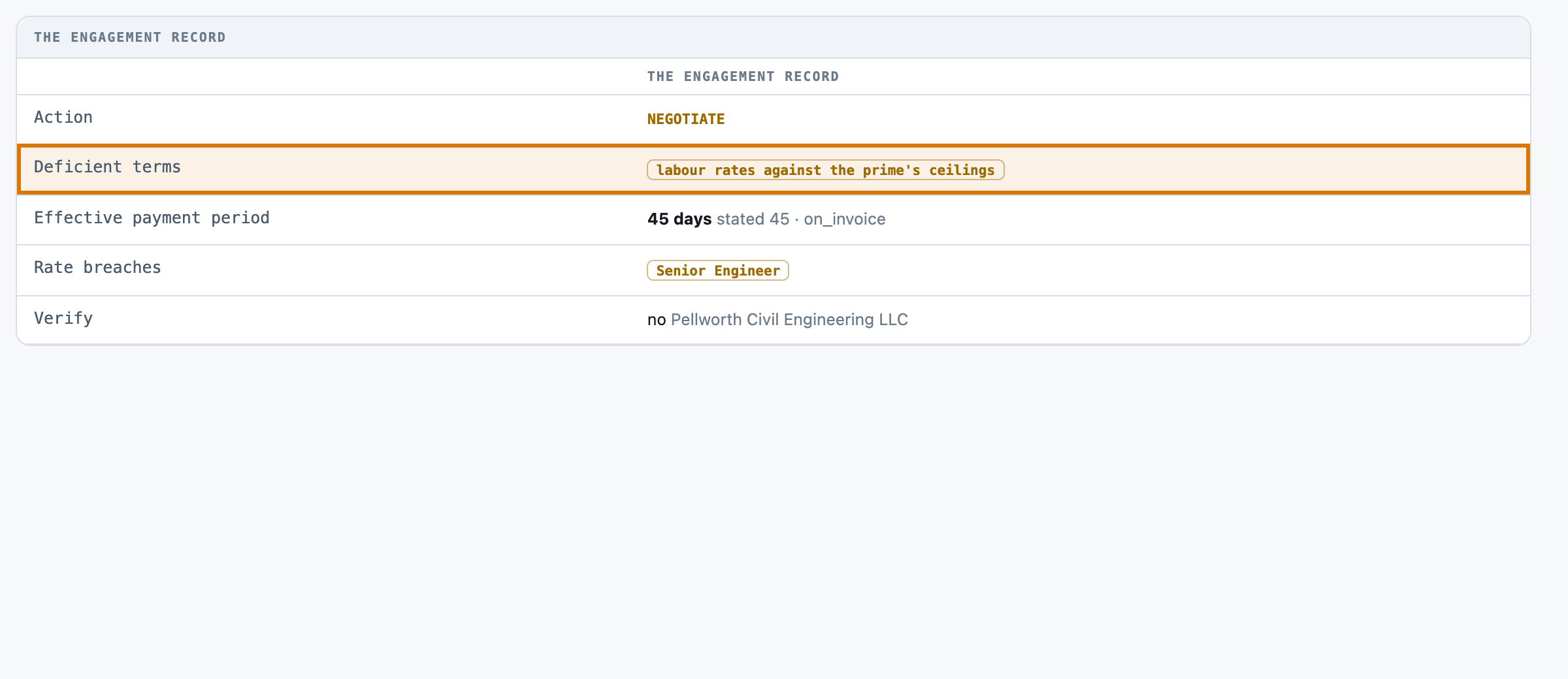
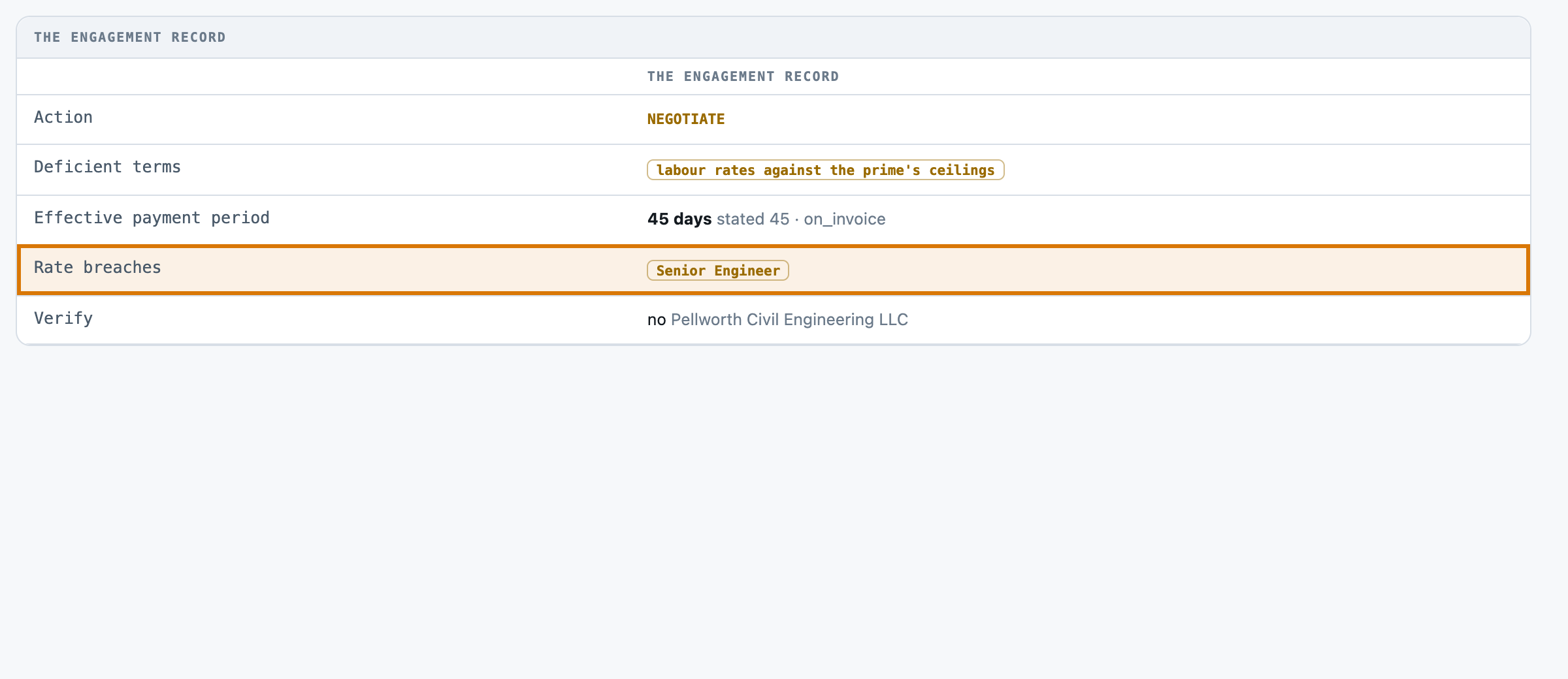
- 1The rate as agreed Senior Engineer priced at $165.48 an hour, rising 2.5% a year.
- 2The ceiling to clear The prime's ceiling on Senior Engineer: $168.00 an hour.
- 3Where it crosses By year two it compounds to $169.62, over the $168.00 ceiling.
- 4The verdict Negotiate, because the rate crosses the ceiling in year two.
- 5Why it's flagged the deficient term named: labour rates against the prime's ceilings.
- 6Which rate breaches Senior Engineer, named by category, not just flagged.
For engineers
How it is built, and how we measured it
All fourteen steps of the build are written up, from the business case to running it in your own environment.
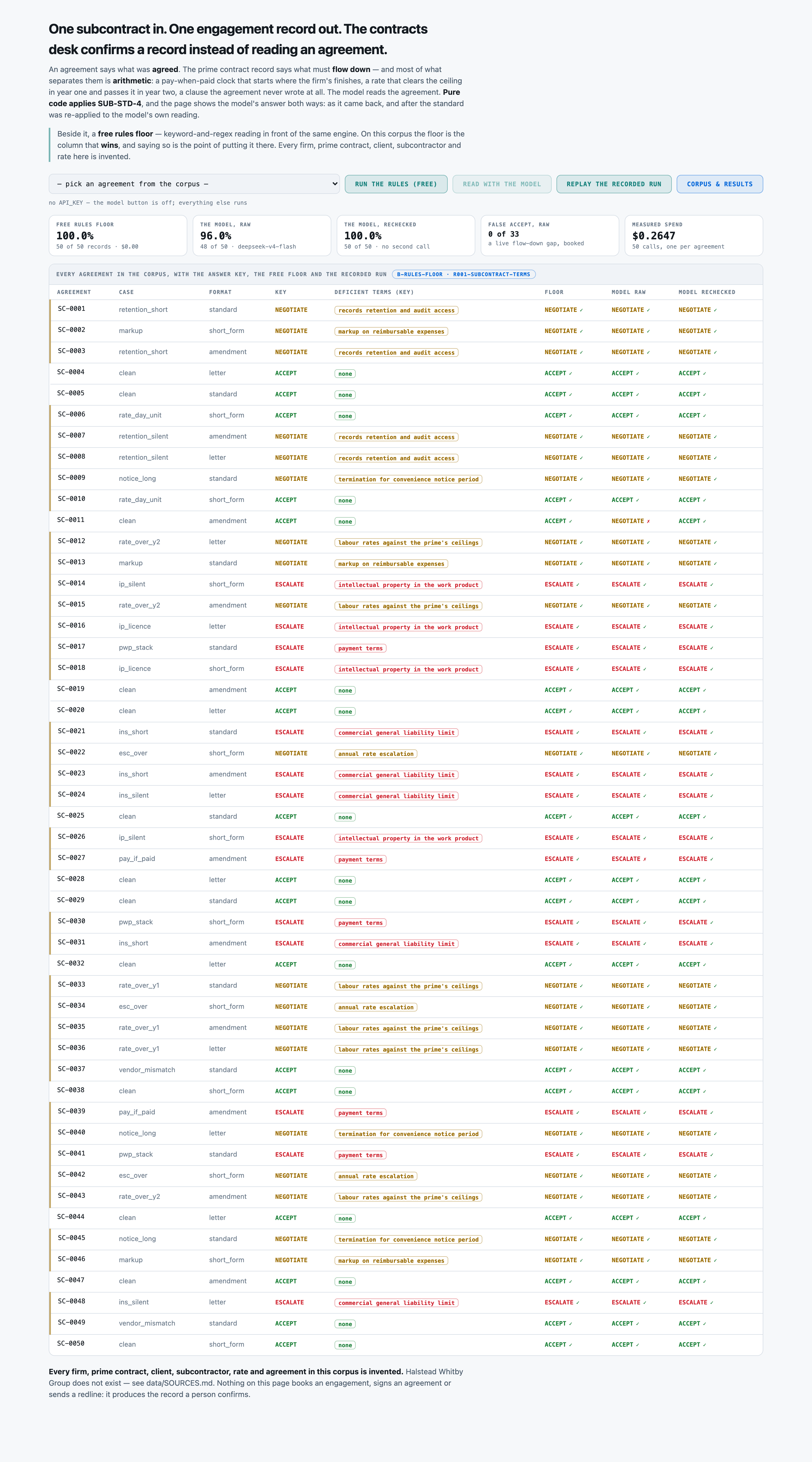
0 of 33risky agreements missedmeasured in 06 Evals →
48 of 50engagement records fully rightmeasured in 06 Evals →
1 of 17clean agreements wrongly stoppedmeasured in 06 Evals →
2.4¢to read one agreementmeasured in 07 Unit cost →
The build, step by step
14 steps06 Evals · the graders
Make it yours
What you see is a reference app. We shape it to how you work.
Every part of it is built to change, and none of it means starting over.
Your rulesYour escalation caps, payment triggers and what counts as a deficient term.
Your recordsYour own subcontracts, prime contracts and rate schedules, in the formats you already keep them.
Your systemsReads from your contract file store; records can post to your own contracts system.
Your screensThe fields, wording and layout your contracts desk already uses.
Want this for your team?
Talk to us
We can run this on your own subcontracts and prime contracts, inside your environment.
Talk to us →