Why it matters
Today's manual process, and the same job with the app
An on-call engineer at an online store, carrying the pager overnight for its orders, checkout, payments and login systems.
✕Today's manual process
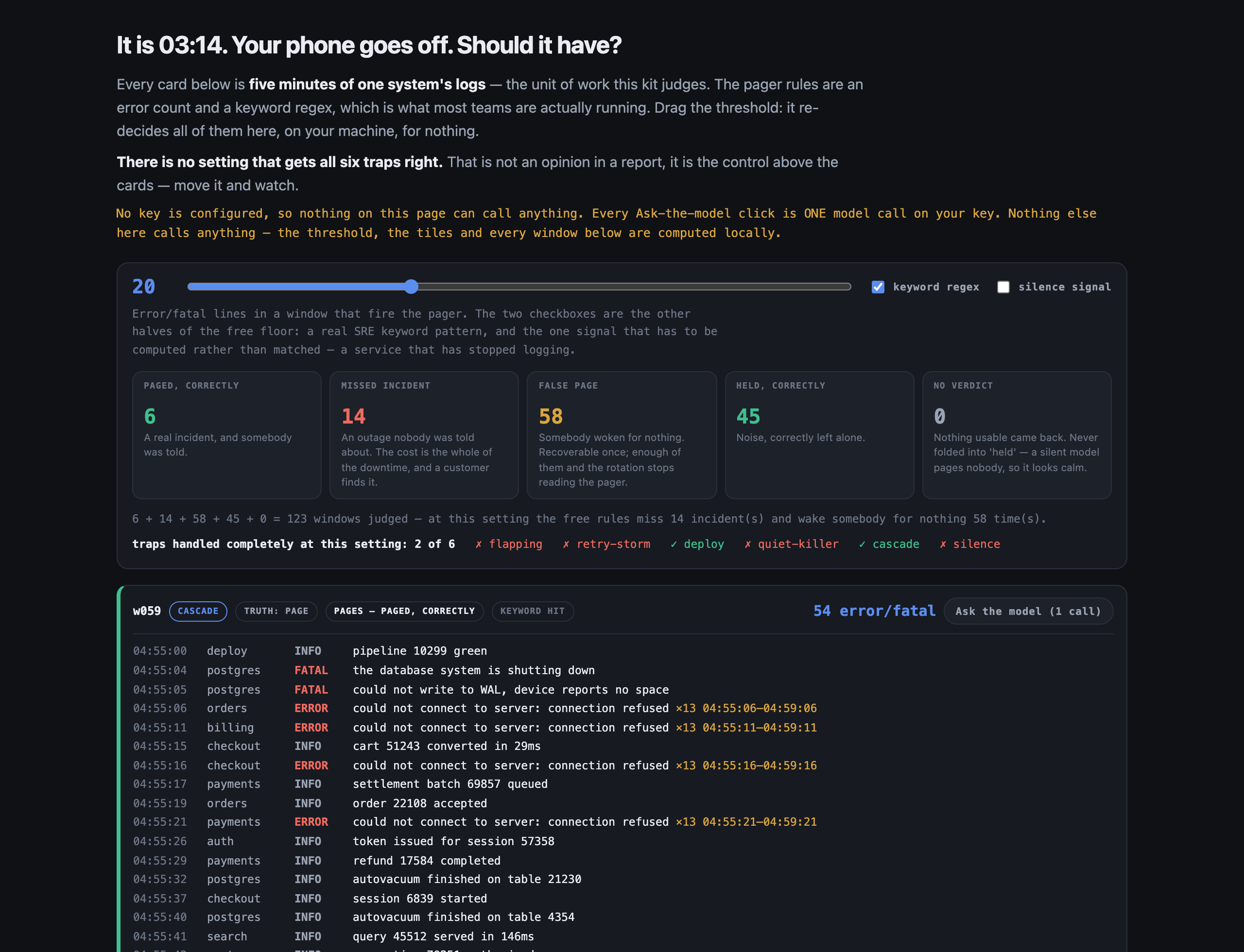
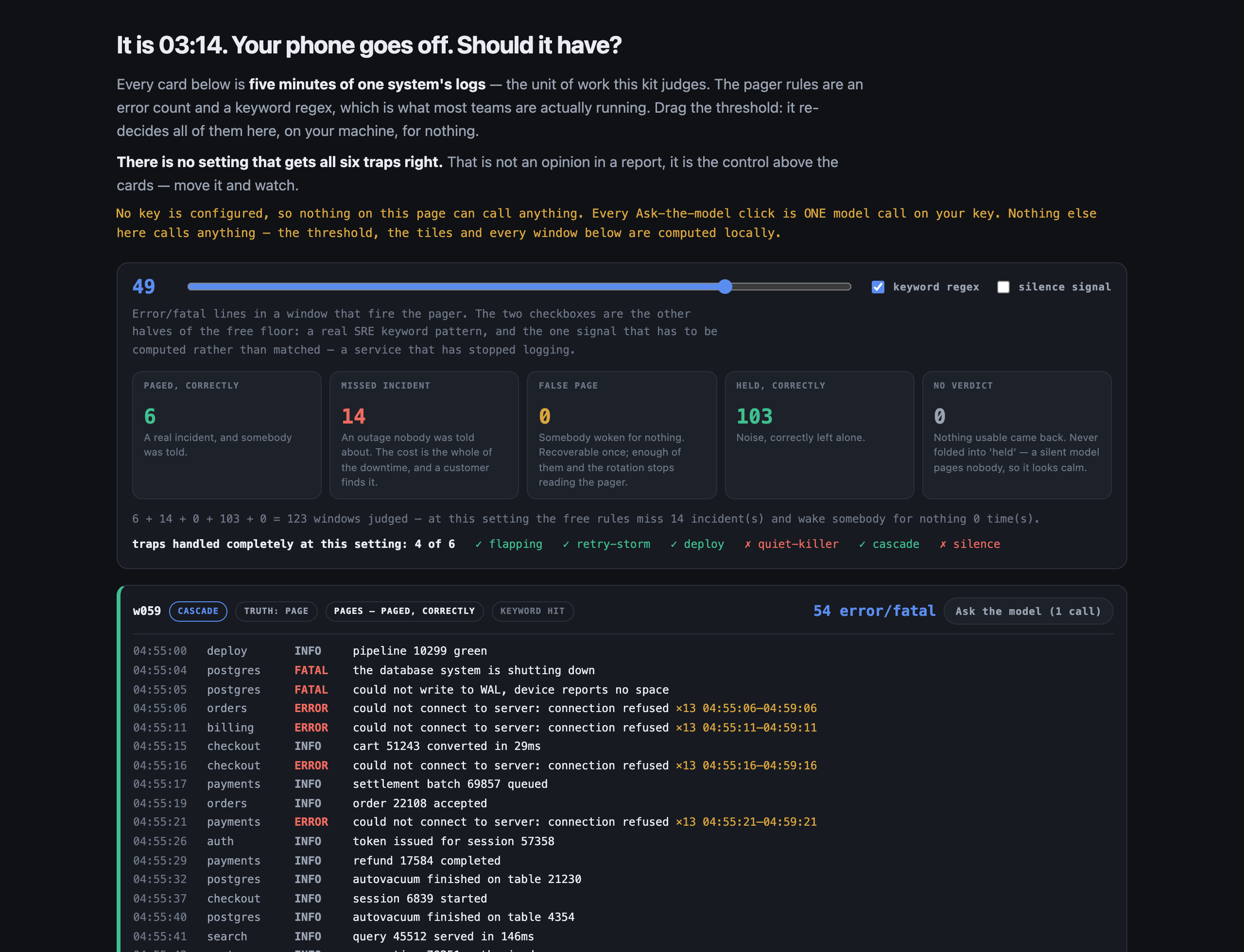
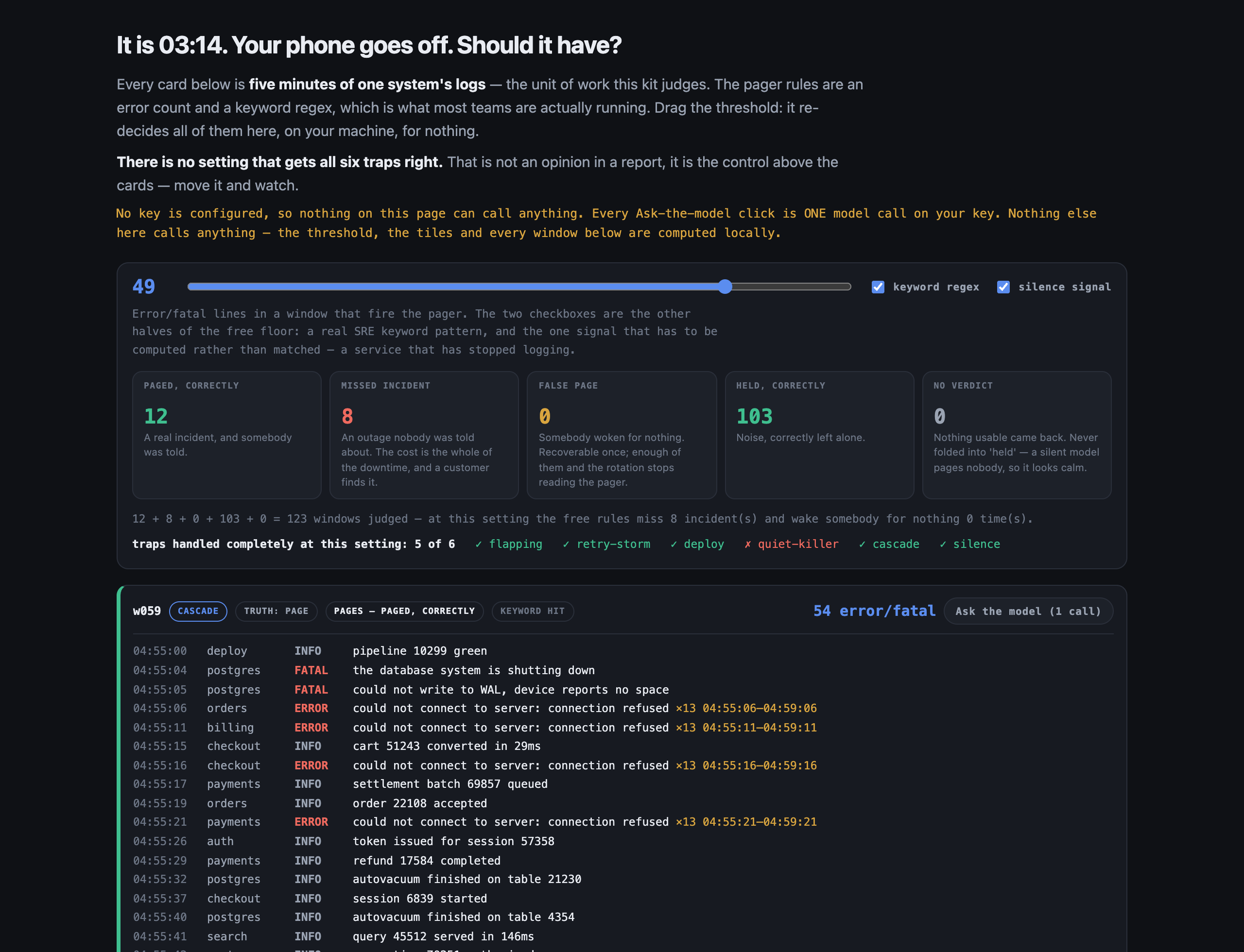
1Pager rules fire when the count of errors passes a set number, or an alarm word appears.
2A broken health check fails every few seconds, does no harm, and wakes someone night after night.
3A quiet warning about an expiring certificate, or a service gone silent, wakes nobody.
4One missed warning and every login stops two days later, and a customer finds it first.
The rules miss the quiet warnings
✓With the app
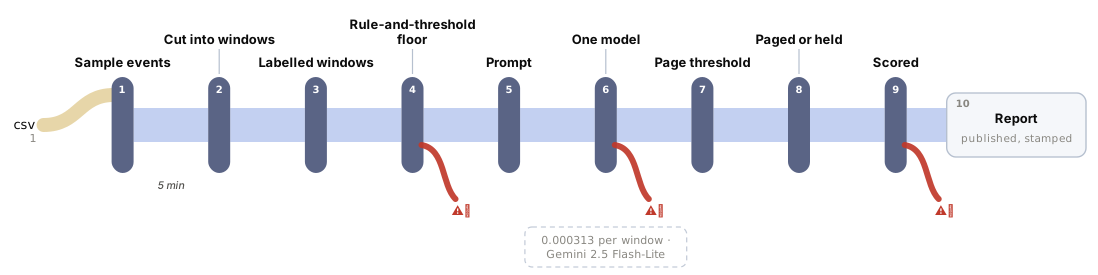
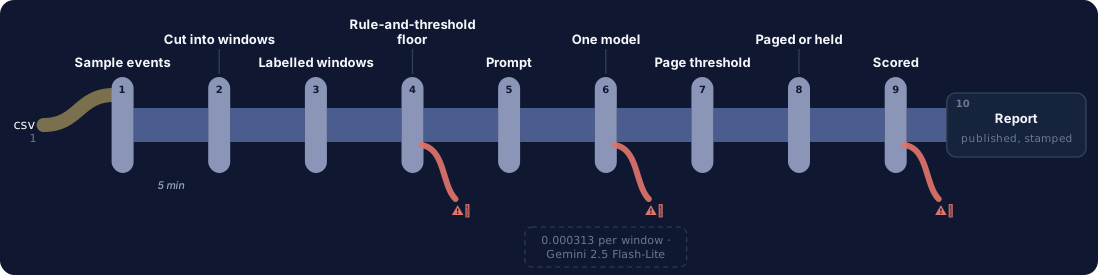
1Each five-minute window is read, with repeated lines folded into one and any silent service noted.
2The loud, harmless error still wakes someone too often. This is where the app is weakest.
3Quiet warnings are caught: every service gone silent, and most warnings like an expiring certificate.
4Fewer outages are missed, but it is not ready to run the pager on its own.
Quiet warnings caught, loud noise still pages
See it work
One real case: what the app reads, step by step
The store's database runs out of disk space at 04:55, and orders, billing, checkout and payments all lose their connection to it.
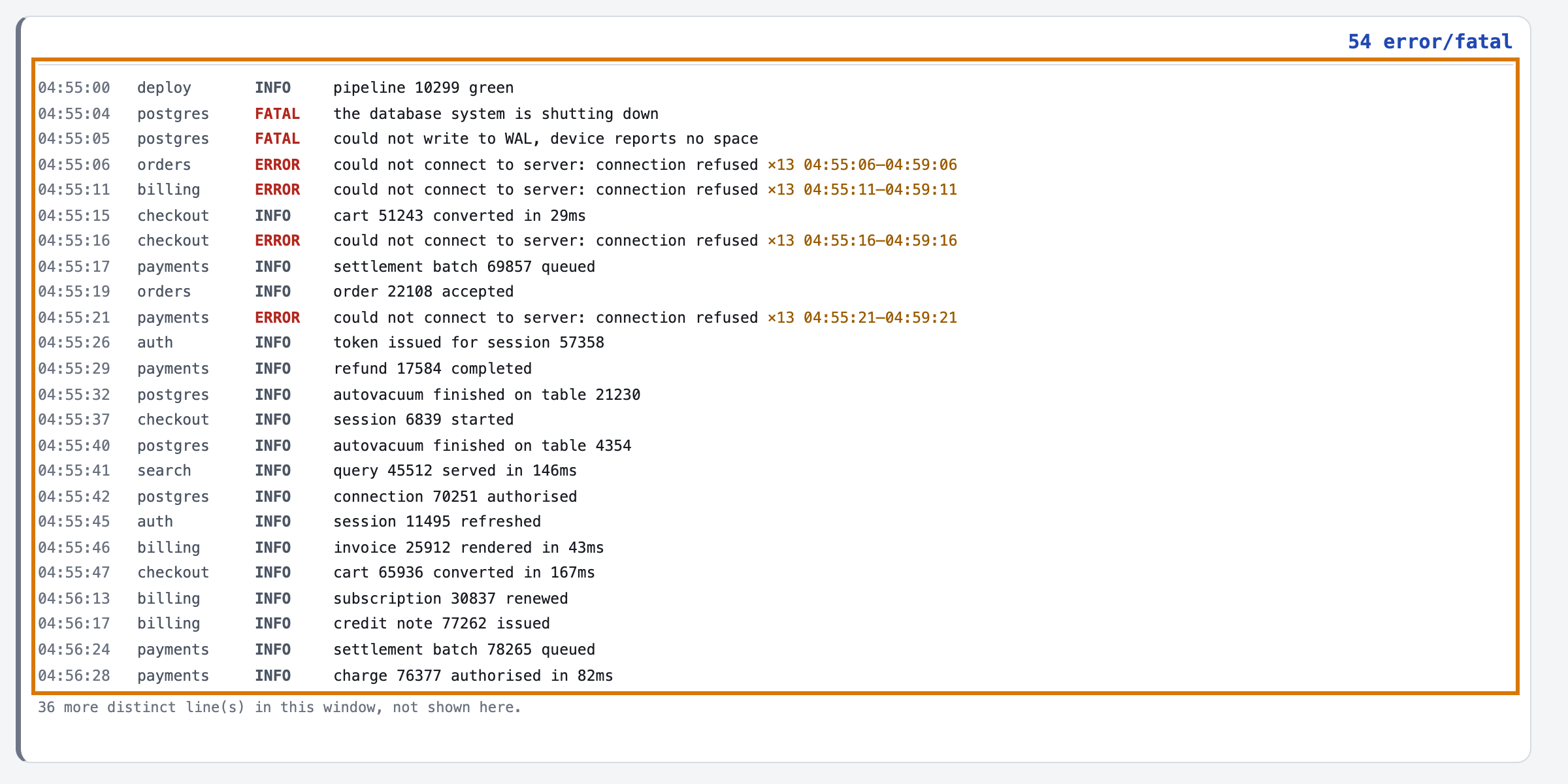
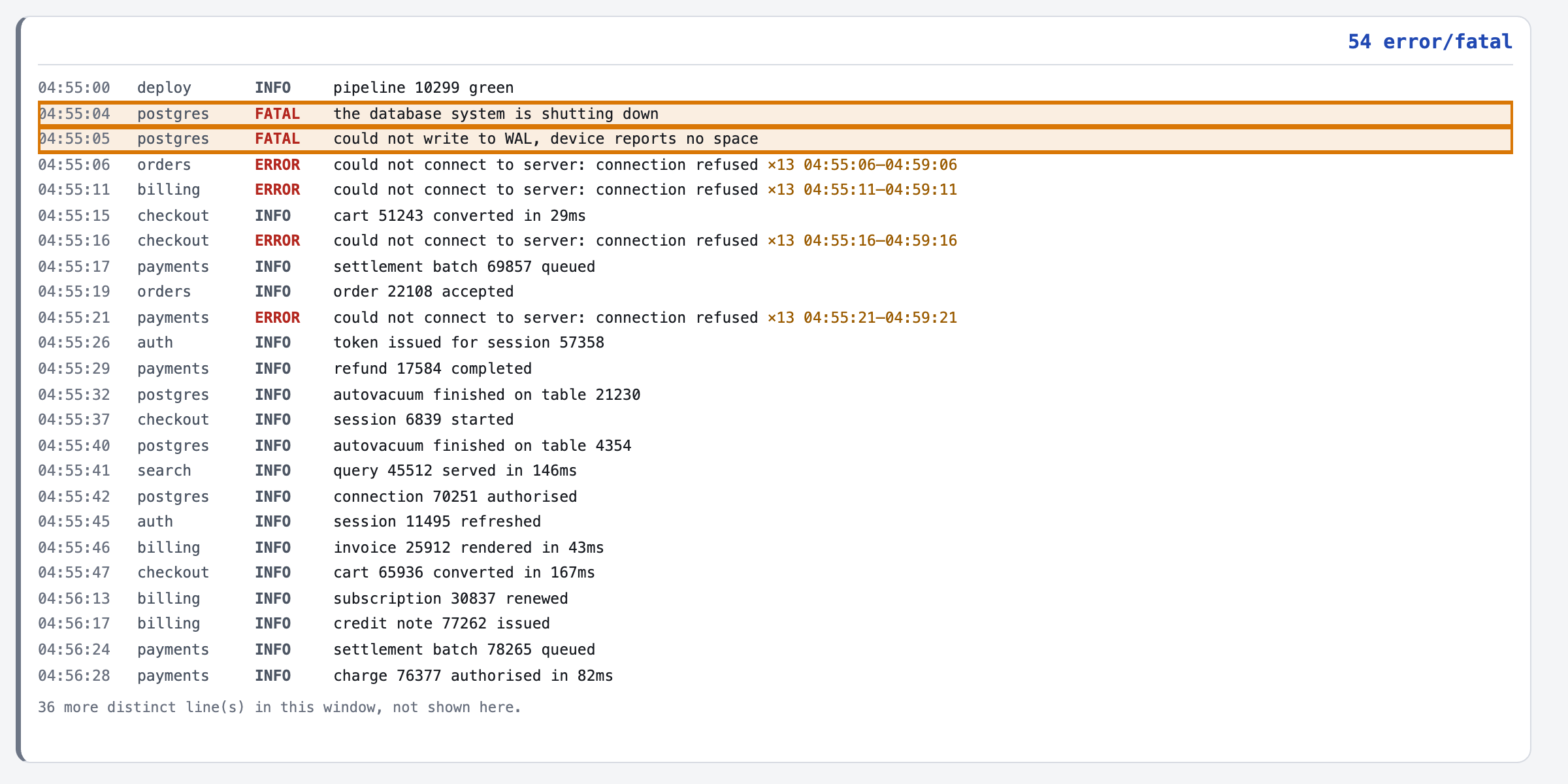
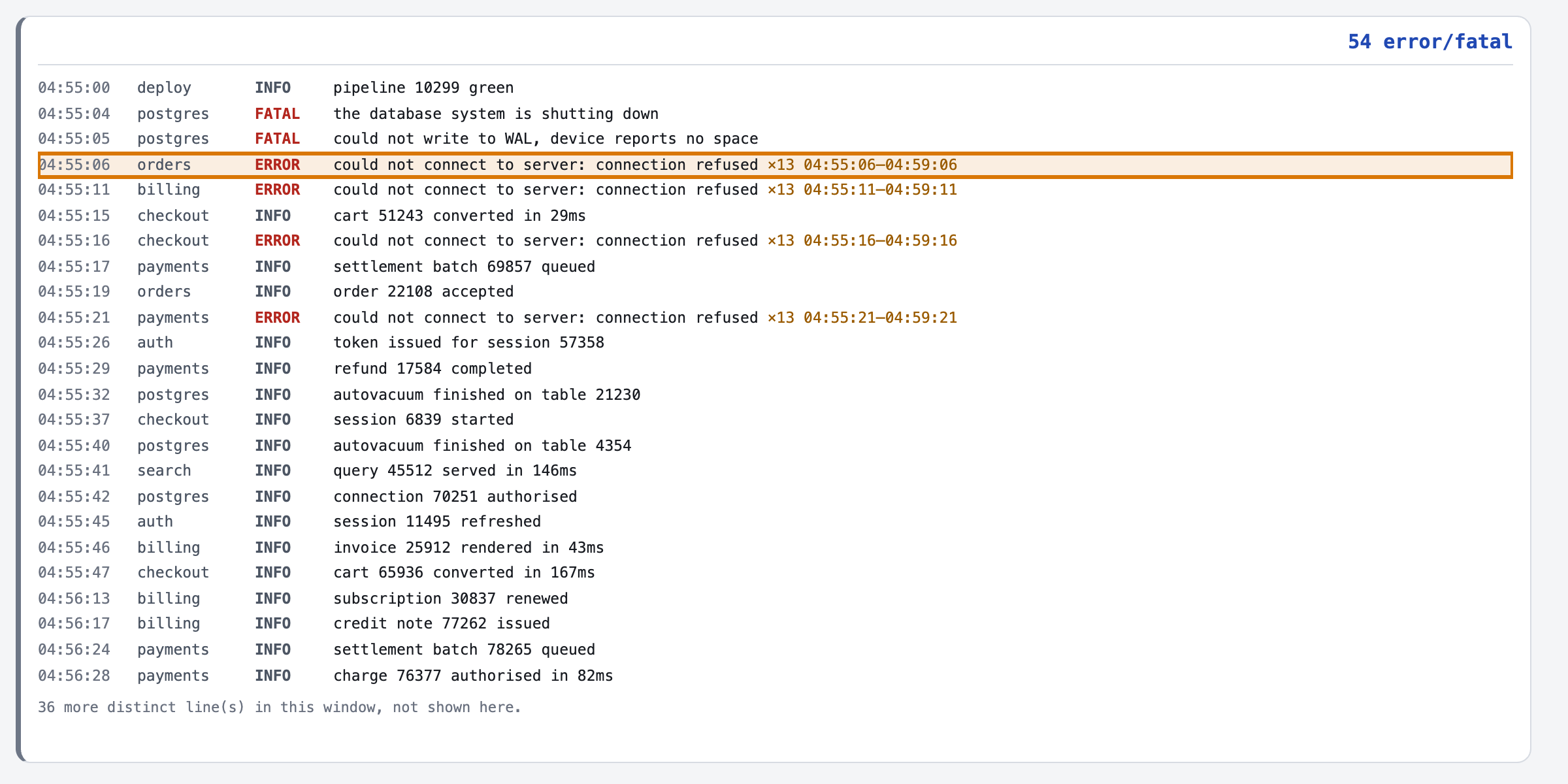
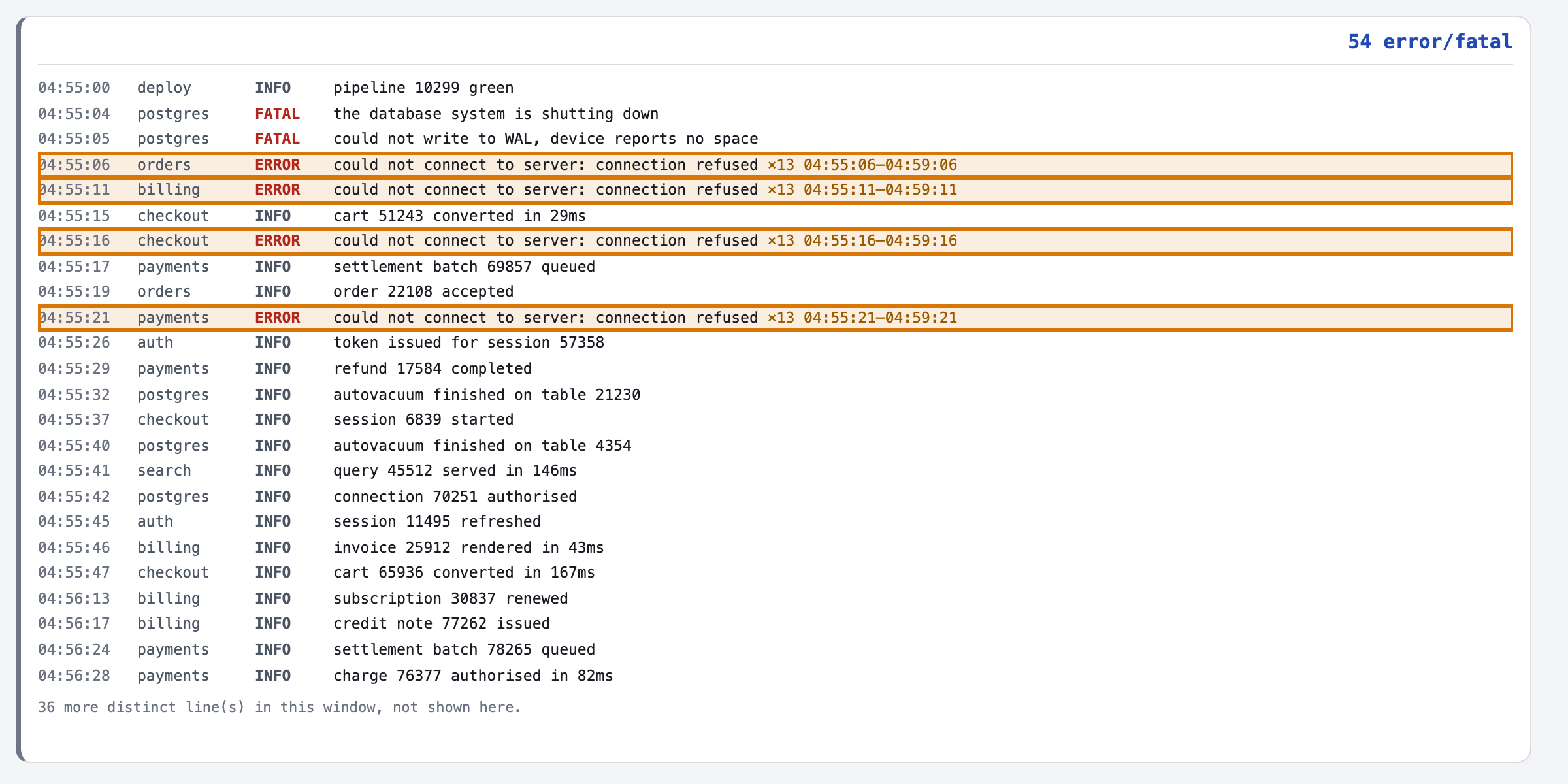
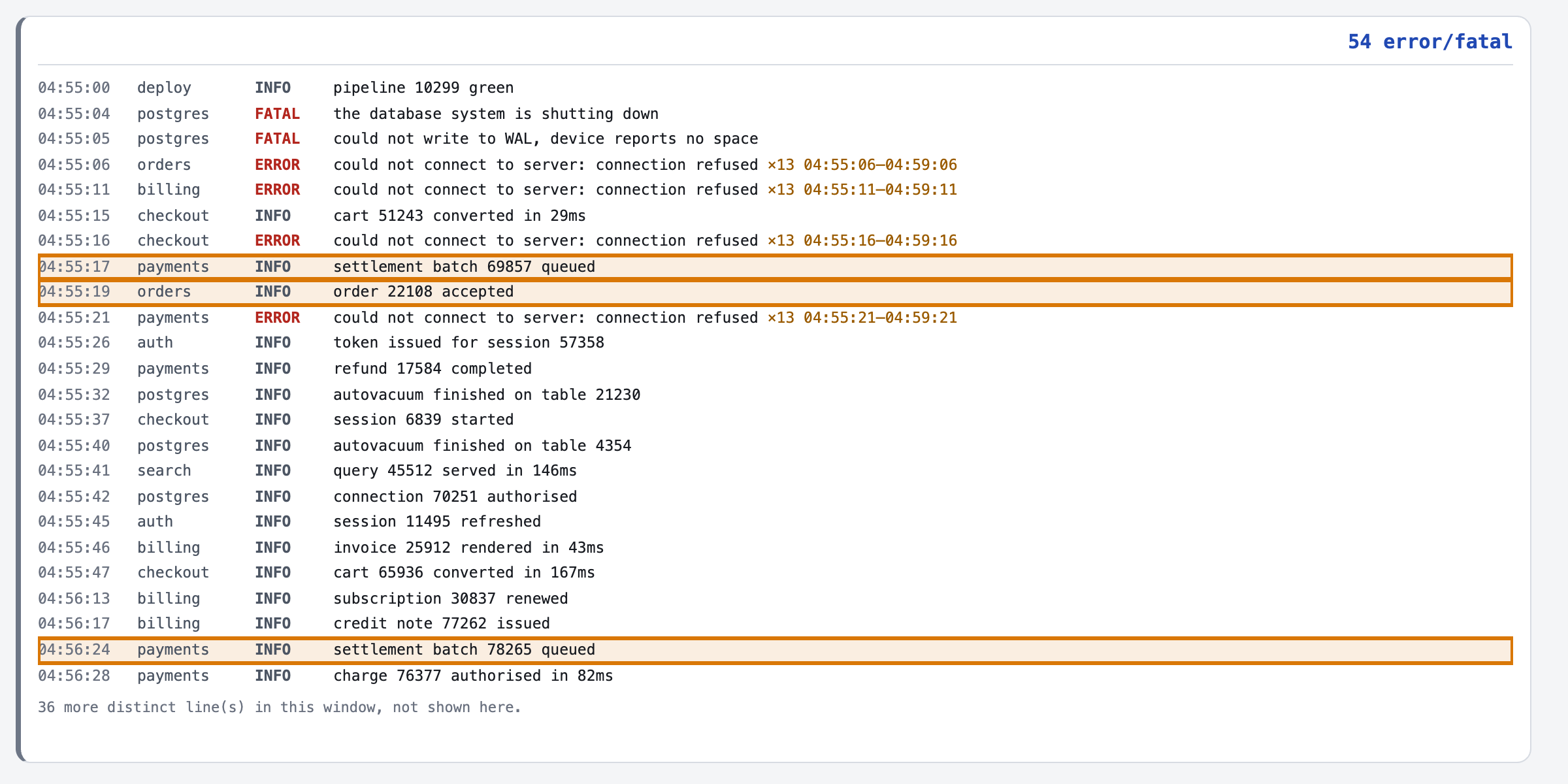
- 1One five-minute window the store's logs from 04:55, before the check runs.
- 2The database goes down two fatal lines, a second apart: out of disk space.
- 3Repeats folded into one line each repeating error shows once, with its count.
- 4Every service behind it fails orders, billing, checkout and payments cannot connect.
- 5Routine lines in between an order accepted, a settlement queued: not part of the failure.
For engineers
How it is built, and how we measured it
All fourteen steps of the build are written up, from the business case to running it in your own environment.
15 of 20real incidents that woke someonemeasured in 06 Evals →
25 of 40wake-ups that were for nothingmeasured in 06 Evals →
6 of 6windows with a silent service, caughtmeasured in 01 Business case →
3.8¢to judge all 123 windowsmeasured in 07 Unit cost →
The build, step by step
14 steps06 Evals · the graders
Make it yours
What you see is a reference app. We shape it to how you work.
Every part of it is built to change, and none of it means starting over.
Your rulesWhat should wake someone, what can wait until morning, and who owns each service.
Your logsThe logs your own services already write, cut into five-minute windows.
Your systemsIts decision goes to the paging tool your on-call team already carries.
Your screensYour service names, the fields your engineers read first, and your own wording.
Want this for your team?
Talk to us
We can run this on your own logs, with your own services and pager rules, inside your environment.
Talk to us →