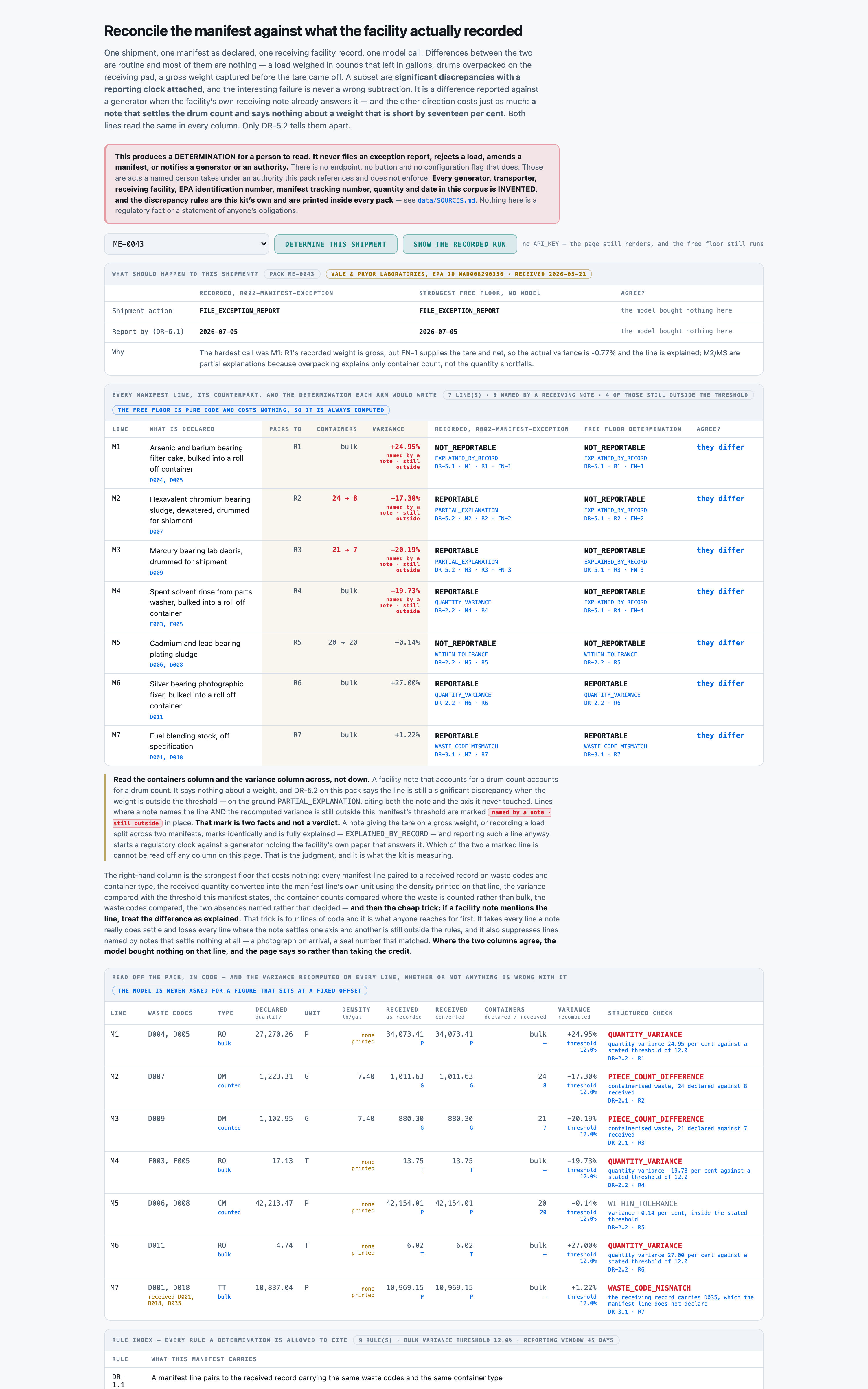
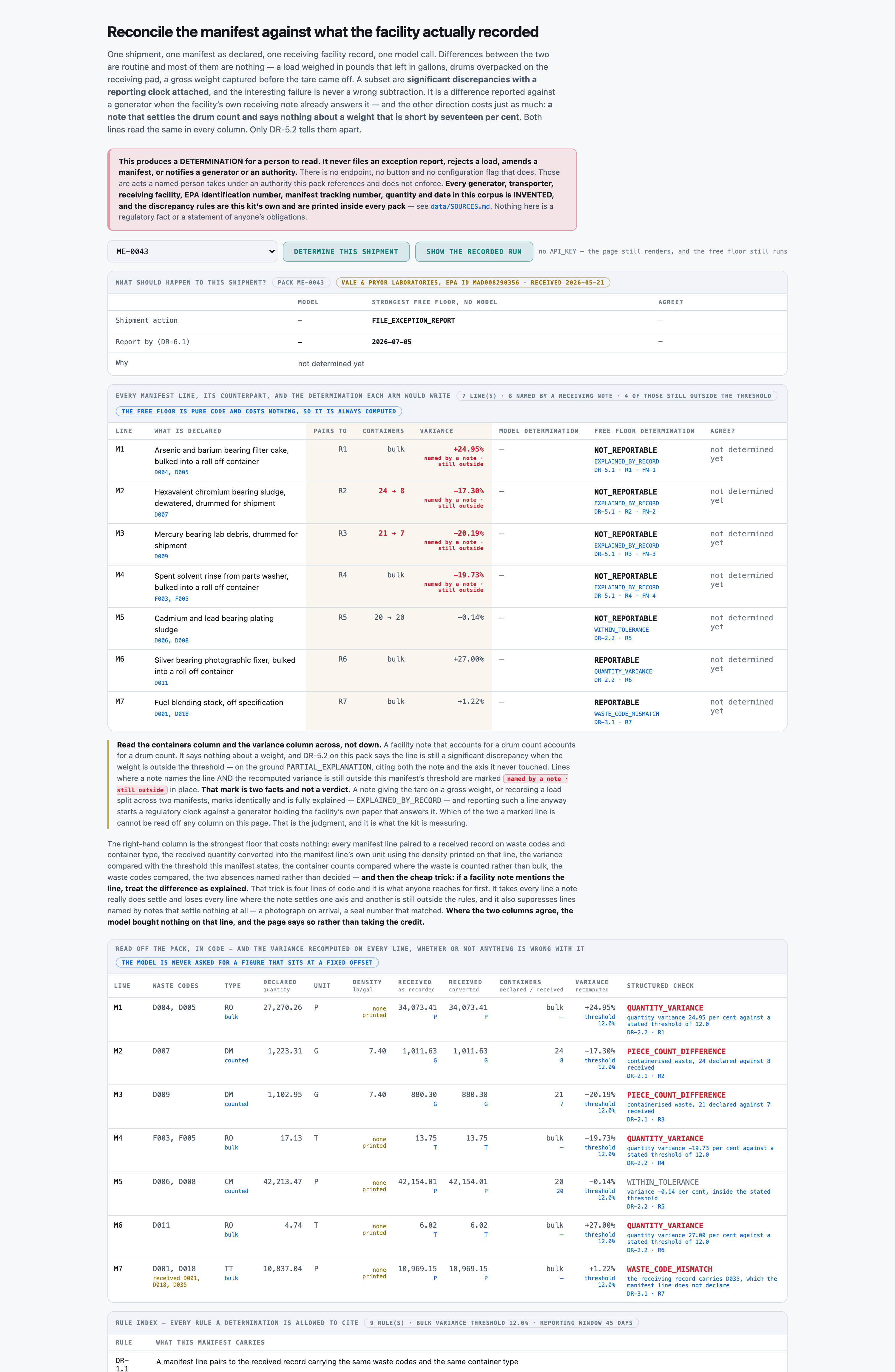
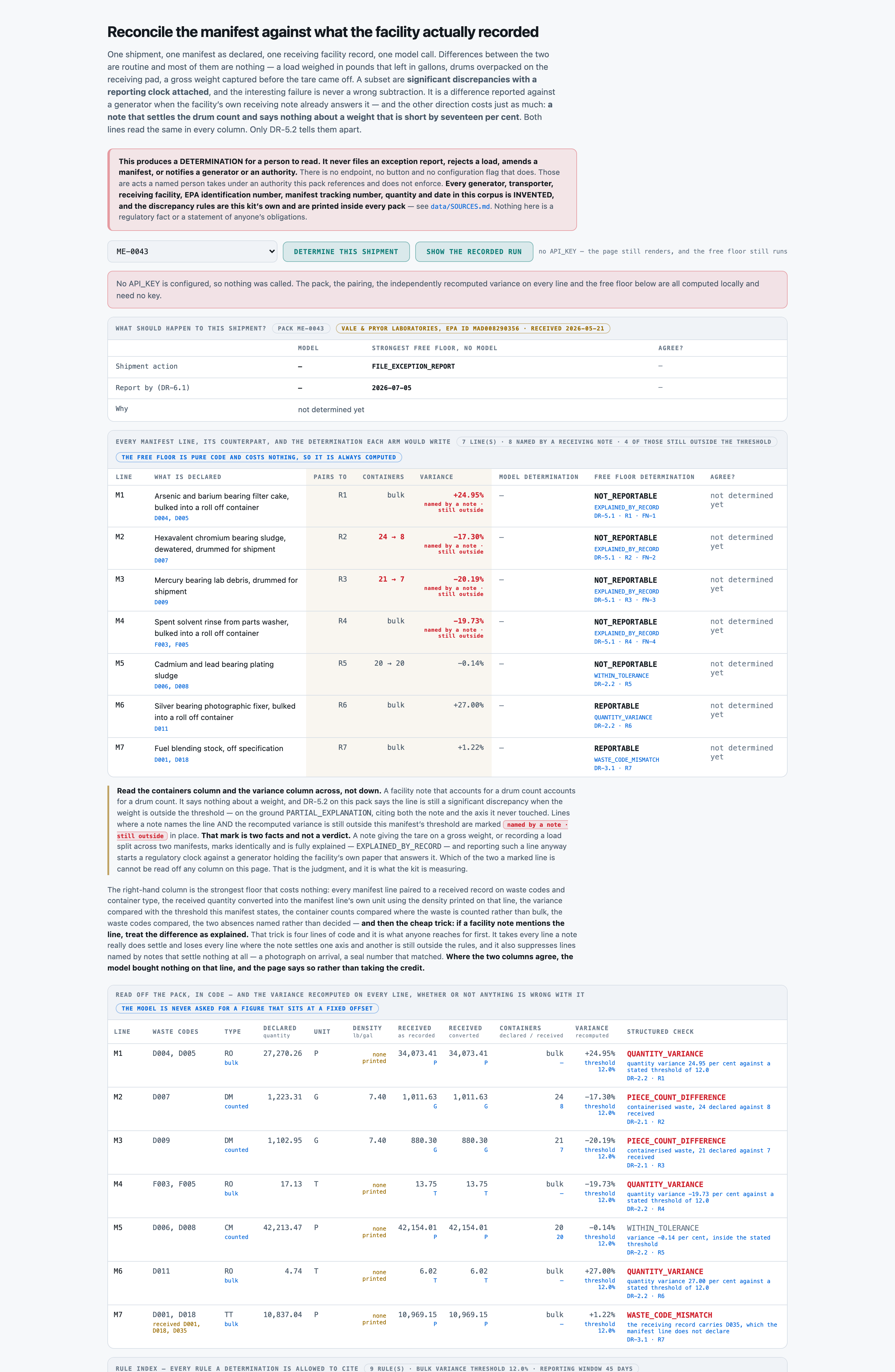
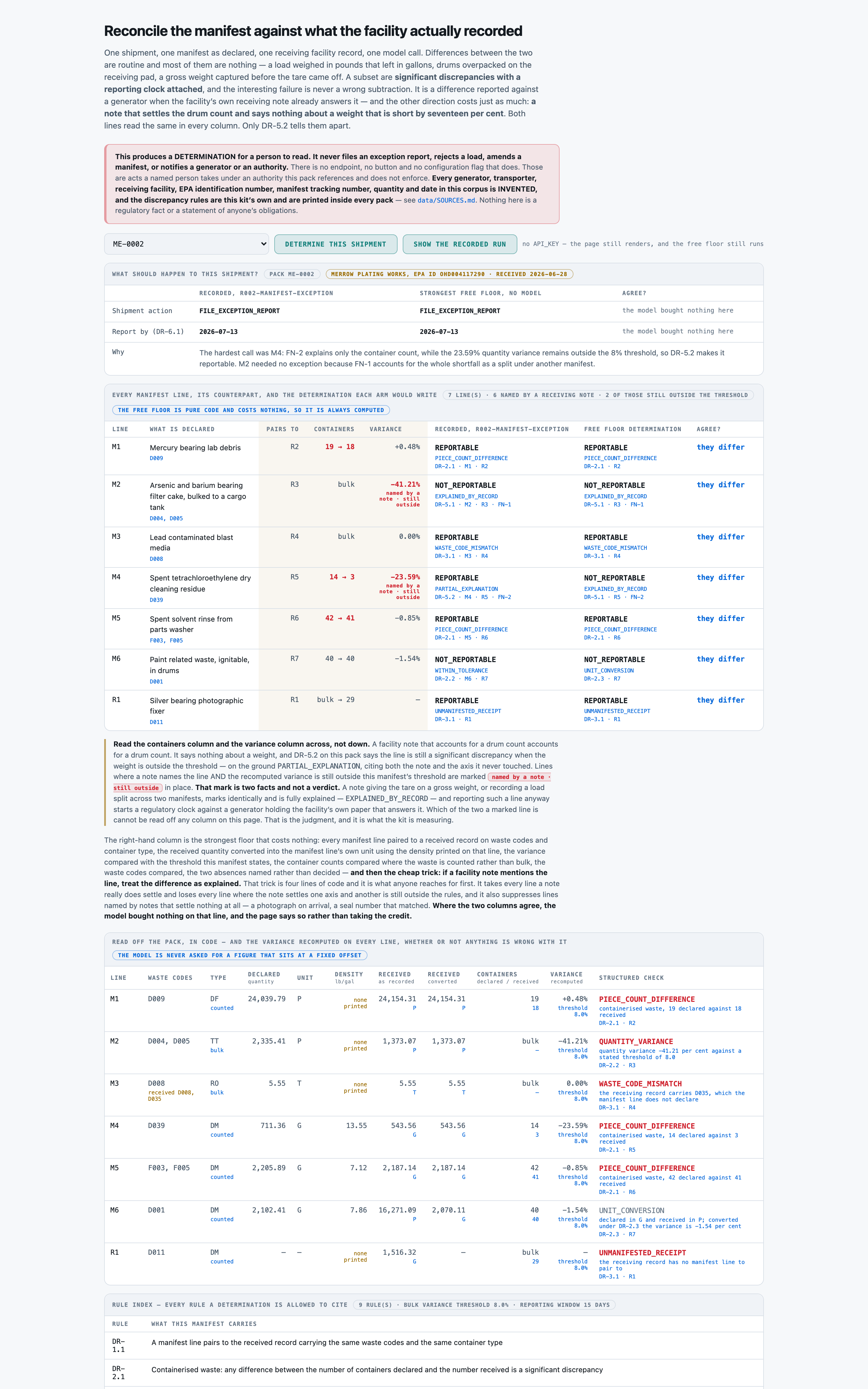
COUNTED243 · 208 · 199 · 117 / 274exception determination accuracy pct — the whole determination on each line -- pairing, disposition, ground, governing rule, the records it needs, and nothing invented, all at onceDecided by == against a fixed gold value. No model graded this and it reproduces to the digit — which makes it checkable, not necessarily right: it is only as good as the gold behind it.
COUNTED272 · 208 · 228 · 209 / 274determination accuracy pct — disposition only, three-way -- what a differ can score (all-NOT_REPORTABLE scores 46.35 pct)Decided by == against a fixed gold value. No model graded this and it reproduces to the digit — which makes it checkable, not necessarily right: it is only as good as the gold behind it.
COUNTED264 · 274 · 274 · 274 / 274pairing accuracy pct — paired to the record the key pairs it to -- a determination on the wrong counterpart is wrong in a way that reads as rightDecided by == against a fixed gold value. No model graded this and it reproduces to the digit — which makes it checkable, not necessarily right: it is only as good as the gold behind it.
COUNTED126 · 61 · 127 · 90 / 127reportable caught pct — significant discrepancies reportedDecided by == against a fixed gold value. No model graded this and it reproduces to the digit — which makes it checkable, not necessarily right: it is only as good as the gold behind it.
COUNTED100 · 0 · 46 · 28 / 127overreport rate pct — benign lines reported anyway -- LOWER IS BETTER, never averaged with the row aboveDecided by == against a fixed gold value. No model graded this and it reproduces to the digit — which makes it checkable, not necessarily right: it is only as good as the gold behind it.
COUNTED98 · 61 · 98 · 61 / 98record visible ground caught pct — discrepancies the printed tables settle -- free code takes all of these when no note names themDecided by == against a fixed gold value. No model graded this and it reproduces to the digit — which makes it checkable, not necessarily right: it is only as good as the gold behind it.
COUNTED28 · 0 · 29 · 29 / 29note only ground caught pct — discrepancies only a receiving note settles -- every free floor takes 0Decided by == against a fixed gold value. No model graded this and it reproduces to the digit — which makes it checkable, not necessarily right: it is only as good as the gold behind it.
COUNTED27 · 0 · 0 · 0 / 29partial explanation caught pct — PARTIAL_EXPLANATION, the named trap, both shapes togetherDecided by == against a fixed gold value. No model graded this and it reproduces to the digit — which makes it checkable, not necessarily right: it is only as good as the gold behind it.
COUNTED21 · 0 · 0 · 0 / 21partial explanation count caught pct — the count shape -- a consolidation note, and a weight still shortDecided by == against a fixed gold value. No model graded this and it reproduces to the digit — which makes it checkable, not necessarily right: it is only as good as the gold behind it.
COUNTED6 · 0 · 0 · 0 / 8partial explanation code caught pct — the code shape -- a tare note, and an undeclared waste code on the loadDecided by == against a fixed gold value. No model graded this and it reproduces to the digit — which makes it checkable, not necessarily right: it is only as good as the gold behind it.
COUNTED1 · 0 · 46 · 28 / 46silent report pct — lines the facility's own notes have ALREADY ANSWERED, reported anyway -- LOWER IS BETTERDecided by == against a fixed gold value. No model graded this and it reproduces to the digit — which makes it checkable, not necessarily right: it is only as good as the gold behind it.
COUNTED20 · 20 · 20 · 20 / 20unresolvable caught pct — lines the pack cannot settle, named rather than decidedDecided by == against a fixed gold value. No model graded this and it reproduces to the digit — which makes it checkable, not necessarily right: it is only as good as the gold behind it.
COUNTED255 · 208 · 199 · 162 / 274discrepancy ground accuracy pct — ground named correctlyDecided by == against a fixed gold value. No model graded this and it reproduces to the digit — which makes it checkable, not necessarily right: it is only as good as the gold behind it.
COUNTED255 · 208 · 199 · 152 / 274discrepancy rule accuracy pct — governing rule cited correctlyDecided by == against a fixed gold value. No model graded this and it reproduces to the digit — which makes it checkable, not necessarily right: it is only as good as the gold behind it.
COUNTED271 · 274 · 199 · 187 / 274record support completeness pct — required identifiers attachedDecided by == against a fixed gold value. No model graded this and it reproduces to the digit — which makes it checkable, not necessarily right: it is only as good as the gold behind it.
COUNTED209 · 233 · 233 · 233 / 233variance arithmetic pct — the independently recomputed variance, correct to two placesDecided by == against a fixed gold value. No model graded this and it reproduces to the digit — which makes it checkable, not necessarily right: it is only as good as the gold behind it.
COUNTED0 · 0 · 0 · 0 / 274invented identifier pct — an identifier not printed in the pack -- a FLOOR, not a ceilingDecided by == against a fixed gold value. No model graded this and it reproduces to the digit — which makes it checkable, not necessarily right: it is only as good as the gold behind it.
COUNTED0 · 0 · 0 · 0 / 274lines omitted pct — lines left off the determination entirelyDecided by == against a fixed gold value. No model graded this and it reproduces to the digit — which makes it checkable, not necessarily right: it is only as good as the gold behind it.
COUNTED45 · 37 · 44 · 43 / 45shipment action accuracy pct — shipment action, three-way (the single majority word scores 97.78 pct)Decided by == against a fixed gold value. No model graded this and it reproduces to the digit — which makes it checkable, not necessarily right: it is only as good as the gold behind it.
COUNTED44 · 36 · 44 · 43 / 44report due accuracy pct — the DR-6.1 reporting dateDecided by == against a fixed gold value. No model graded this and it reproduces to the digit — which makes it checkable, not necessarily right: it is only as good as the gold behind it.
NOT YET KNOWN—A person confirmed the gold is rightThe grader is == and needs no confirming. The gold does: it is machine-derived from the registry's structured modules, and every rate on this page rests on that derivation being faithful to what the prose actually says. Nobody has read a document against its gold record by hand.