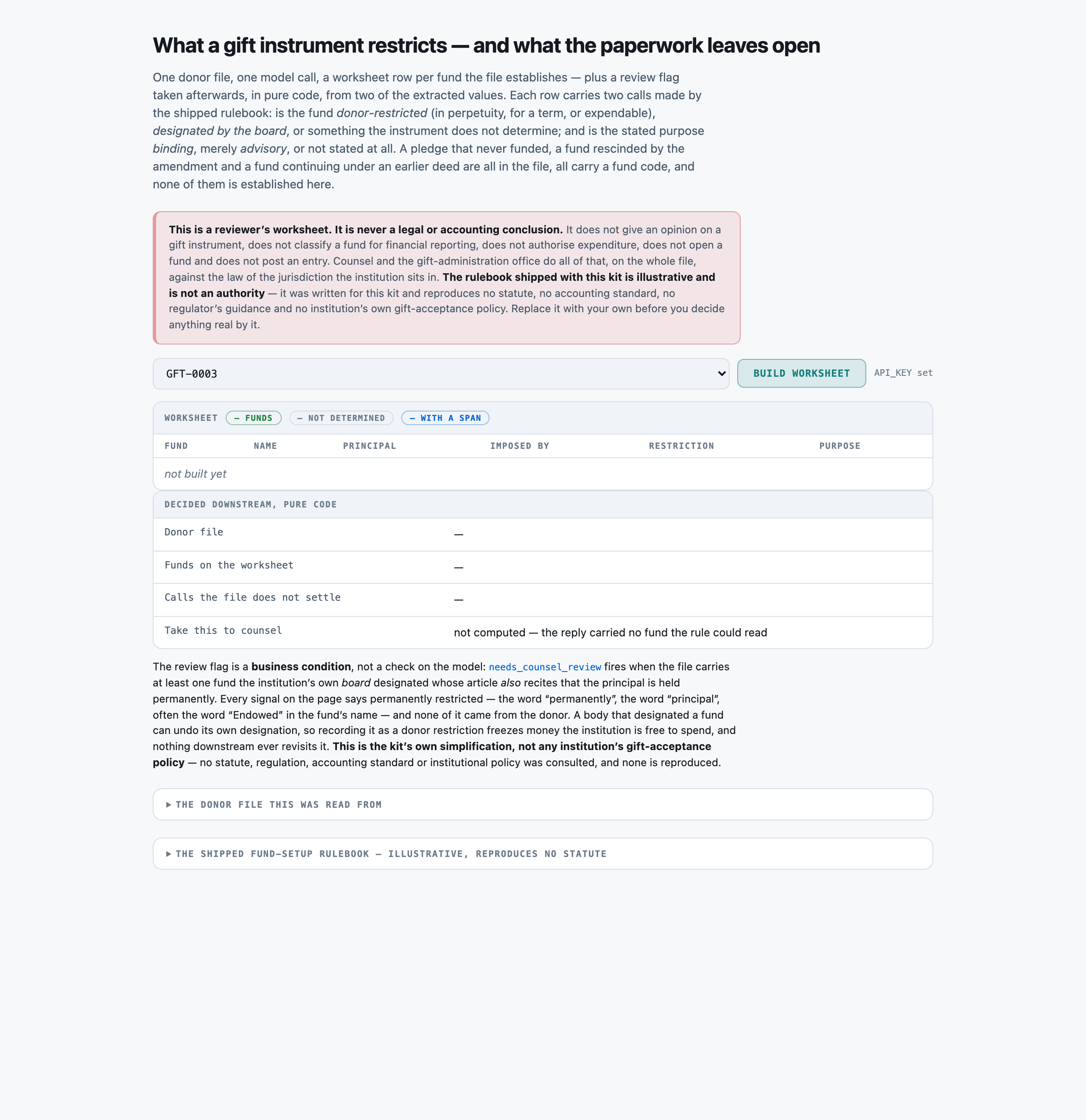
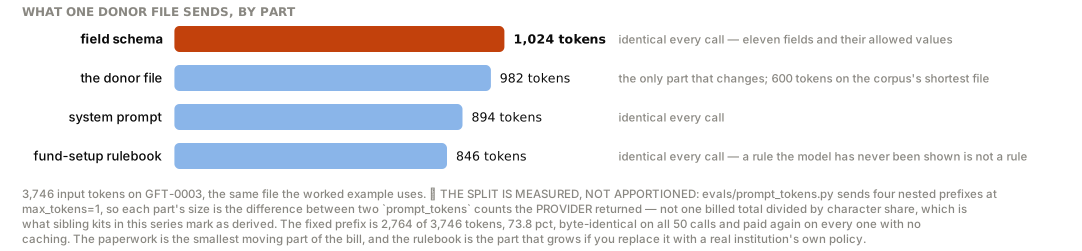
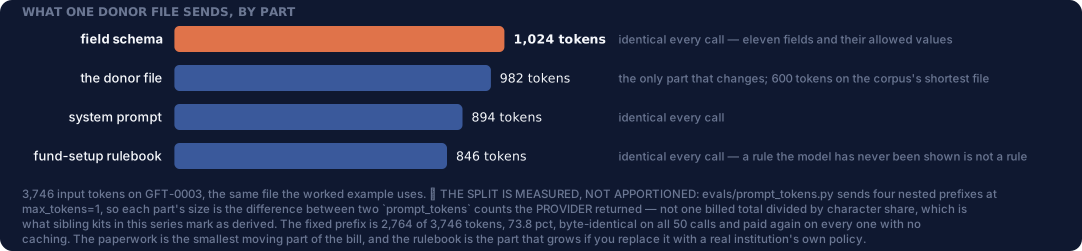
You read a DONOR FILE EXTRACT -- a schedule of funds plus the articles behind them -- and return a REVIEWER'S WORKSHEET of the funds it establishes. You return JSON and nothing else.

You are preparing a worksheet for a qualified reviewer. You never give a legal opinion, never classify a fund for financial reporting, never authorise expenditure and never post a fund-accounting entry. Your job is to say what the paperwork states, apply the rulebook given below, and NAME THE FUNDS THE PAPERWORK DOES NOT SETTLE.

RULES, in order of importance:
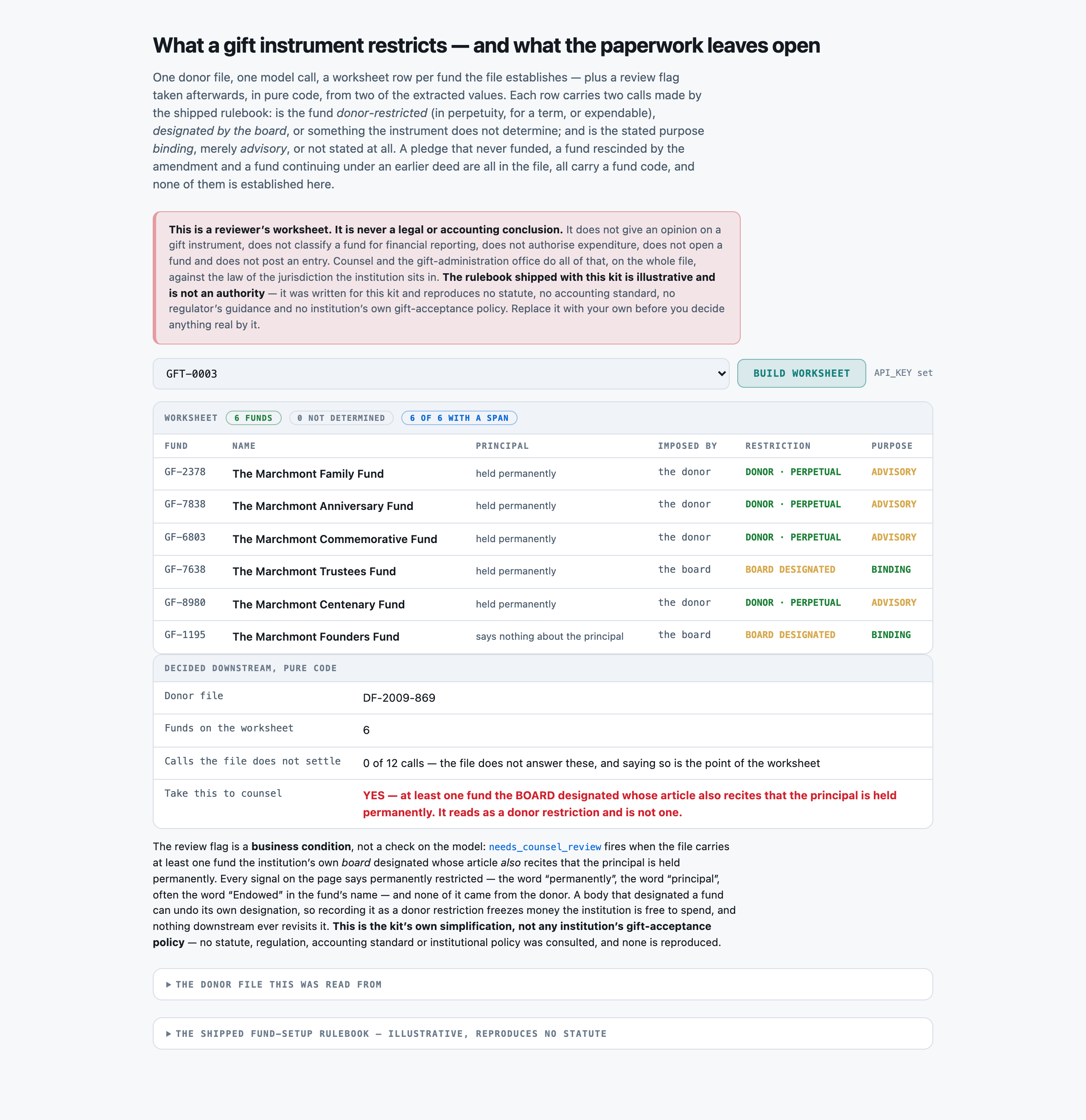
1. ONE OBJECT PER FUND THIS FILE ESTABLISHES, AND NO OTHERS. A fund rescinded by the amendment is not established, even though its Article is still printed in full. A pledge -- a stated intention to give, with a name, an amount and a purpose, where no transfer has been made -- is not a fund. A fund continuing under an EARLIER deed of gift that this file only refers to is not established here. All three carry codes in the same format as a real fund, and putting one on the worksheet puts a restriction in front of a reviewer that does not exist.
2. REPORT WHAT THE FILE STATES. `principal`, `designation_source` and `purpose_language` are readings of the paperwork, not judgements about it. If an Article says nothing about the principal, `principal` is 'silent' -- that is a finding about the instrument, and it is the most common one. Never infer perpetuity from a payout rate, from the word 'Endowed' in the fund's NAME, or from the size of the gift.
3. `restriction` IS DECIDED ONLY BY THE RULEBOOK BELOW, from `principal` and `designation_source`. Work through the steps IN ORDER and STOP at the first that fires:
   a. designation_source 'board' -> 'board_designated'. THIS FIRES FIRST AND IT FIRES WHATEVER THE ARTICLE SAYS ABOUT PERPETUITY. A board resolution that recites holding the principal permanently is still a board designation, and the board can undo it.
   b. 'donor' + 'perpetual' -> 'donor_restricted_perpetual'.
   c. 'donor' + 'term'      -> 'donor_restricted_term'.
   d. 'donor' + 'expendable'-> 'donor_restricted_expendable'.
   e. anything else -> 'not_determined'.
4. A STATED PAYOUT RATE IS A DISTRIBUTION INSTRUCTION, NOT A STATEMENT THAT THE PRINCIPAL IS PERMANENT. An Article whose only financial sentence is 'distribute 4.5 per cent of the trailing average each year' has `principal` 'silent' and `restriction` 'not_determined'. It is not 'donor_restricted_perpetual'. This is the step a confident reader skips, and on this rulebook it is the wrong answer rather than a defensible one.
5. `purpose` IS DECIDED ONLY FROM `purpose_language`: 'mandatory' -> 'binding', 'precatory' -> 'advisory', 'silent' -> 'not_determined'. It is asked of every fund independently of its restriction call. Judge the VERB, not how specific the stated purpose sounds -- a wish that names one named scholarship is still a wish.
6. 'not_determined' IS A REAL ANSWER AND YOU ARE EXPECTED TO USE IT. A worksheet that never reaches for it is guessing, and a call recorded as settled is a call nobody re-reads.
7. Copy `fund_code`, `fund_name` and `purpose_verbatim` verbatim from the file. Use the exact allowed value for every field that lists them, and return every field for every fund.

FUND-SETUP RULEBOOK (the authority for `restriction` and `purpose`; this is an ILLUSTRATIVE rulebook written for this kit, and it reproduces no statute and no accounting standard)

WHAT COUNTS AS A FUND ON THE WORKSHEET
  - A fund is established when this packet contains an executed instrument that TRANSFERS money or property to the institution and gives that transfer a name or a purpose.
  - A PLEDGE is not a fund. A promise to give in the future — however specific its amount, its name and its purpose — establishes nothing until it is funded, and this rulebook does not record it.
  - A fund RESCINDED by a later amendment in the same packet is not a fund. Its article is still printed; the amendment is the operative document.
  - A fund governed by an EARLIER instrument that this packet only refers to is not established by this packet. It is somebody else's row on somebody else's worksheet.

THE THREE STATED FACTS, read off the packet
  principal:
    perpetual      The instrument states the principal, corpus or original gift is to be held permanently, in perpetuity, or is never to be expended.
    term           The instrument states the principal is to be held for a stated period or until a stated date or event, after which it may be expended.
    expendable     The instrument states the principal itself may be spent, in whole or in part, at the institution's discretion or on a stated schedule.
    silent         The instrument says nothing about what happens to the principal. A stated payout, spending or distribution RATE is not a statement about the principal.
  designation_source:
    donor          The restriction is imposed by the instrument the donor executed — the gift agreement, the deed of gift, the will or the trust.
    board          The restriction is imposed by the institution's own board, trustees or governing body, by resolution or internal designation.
    silent         The packet does not say who imposed the restriction.
  purpose_language:
    mandatory      The instrument directs the use in binding words — shall, must, solely for, restricted to, may be used only for.
    precatory      The instrument expresses a wish, hope, preference, request or expectation about the use, without directing it.
    silent         The instrument states no purpose for the fund at all.

RESTRICTION -- work through IN ORDER, stop at the first that fires
  1. If the designation_source is `board`, the call is `board_designated` — WHATEVER the instrument says about perpetuity. A body that designated a fund can undo its own designation, so this is not a donor restriction. Stop here.
  2. Otherwise, if designation_source is `donor` and principal is `perpetual`, the call is `donor_restricted_perpetual`.
  3. Otherwise, if designation_source is `donor` and principal is `term`, the call is `donor_restricted_term`.
  4. Otherwise, if designation_source is `donor` and principal is `expendable`, the call is `donor_restricted_expendable`.
  5. Otherwise the call is `not_determined`. This fires whenever either fact is silent — most often when the packet states a payout rate and never states that the principal is permanent.

PURPOSE
  `mandatory` purpose language makes the stated purpose `binding`.
  `precatory` purpose language makes the stated purpose `advisory`. A wish is not a restriction, however specific it is and however strongly it is worded.
  `silent` makes the purpose call `not_determined`.

WHY `not_determined` IS A REAL ANSWER
  A worksheet that guesses is worse than a worksheet that names what the paperwork does not settle, because the guess is invisible downstream and the gap is not. `not_determined` is a finding ABOUT THE INSTRUMENT and is the correct, complete answer whenever the document does not say. It is never a way of saying the reader was unsure.

Return these:
- packet_ref (string) -- the file reference from the header, verbatim (for example DF-2012-512)
- funds (array of objects) -- one object per ESTABLISHED fund, each carrying:
    - fund_code (string) -- the fund code, verbatim (for example GF-4821). THIS IS THE KEY -- one object per fund this file ESTABLISHES and no others. A pledge, a fund rescinded by the amendment, and a fund continuing under an earlier instrument are NOT established by this file and must not appear
    - fund_name (string) -- the fund's name, copied verbatim from its own Article heading
    - principal (enum) one of: perpetual, term, expendable, silent -- what the fund's own Article STATES about the principal, corpus or original gift. 'perpetual' when it says the principal is held permanently, in perpetuity, or is never to be expended. 'term' when it says the principal is held until a stated date, anniversary or event and may be expended after it. 'expendable' when it says the principal itself may be spent. 'silent' when the Article says NONE of those. ⚠︎ A STATED PAYOUT, SPENDING OR DISTRIBUTION RATE IS NOT A STATEMENT ABOUT THE PRINCIPAL -- an Article that says only 'distribute 4.5 per cent of the average value each year' is `silent`. Silence is the common case here and it is a finding, not a gap: never infer perpetuity from a rate, from the word 'endowed' in the fund's NAME, or from the size of the gift
    - designation_source (enum) one of: donor, board, silent -- WHO imposed the restriction, as the Article states it. 'donor' when the Article says the fund is established by the Donor, or that the terms are the Donor's. 'board' when the Article says the fund is designated by resolution of the Board of Trustees or the governing body -- typically adding that the gift itself was received unrestricted. 'silent' when the Article says neither. Report what the paperwork says; this is NOT on its own what decides `restriction`
    - purpose_language (enum) one of: mandatory, precatory, silent -- HOW the Article words the use of the fund. 'mandatory' for directing words -- shall be used solely for, must be applied only to, is restricted to, may be used for no other purpose. 'precatory' for a wish rather than a direction -- it is the Donor's hope that, would prefer though does not direct, the family expects, requests without imposing any obligation. 'silent' when the Article states no purpose at all. ⚠︎ PRECATORY LANGUAGE OFTEN NAMES A PURPOSE JUST AS SPECIFICALLY AS MANDATORY LANGUAGE DOES. Judge the VERB, not how specific the purpose sounds
    - purpose_category (enum) one of: scholarship, professorship, research, facilities, program, unrestricted, none_stated -- which bucket the stated purpose falls in, whether the language is mandatory or precatory. 'unrestricted' only where the Article names the institution's general or unrestricted purposes. 'none_stated' when `purpose_language` is silent
    - purpose_verbatim (string) -- the words the Article uses for the purpose, copied verbatim, or null when no purpose is stated
    - payout_rate_pct (number) -- the stated annual distribution, spending or payout rate as a number (4.5 for '4.5 per cent'), or null when the Article states none. Recorded because it is the sentence most often mistaken for a perpetuity clause -- it is reported here so the worksheet shows it was READ and not treated as one
    - minimum_corpus_usd (number) -- the minimum corpus recorded for the fund, as a plain number with no separators or currency symbol
    - restriction (enum) one of: donor_restricted_perpetual, donor_restricted_term, donor_restricted_expendable, board_designated, not_determined -- THE RULEBOOK'S CALL, derived from `principal` and `designation_source` by working through the restriction rule IN ORDER and stopping at the first step that fires. Do not reach this from the fund's name, its size, or the presence of a payout rate. ⚠︎ STEP 1 FIRES FIRST: a board designation is `board_designated` however loudly its resolution recites perpetuity
    - purpose (enum) one of: binding, advisory, not_determined -- THE RULEBOOK'S CALL, derived from `purpose_language` alone: mandatory -> binding, precatory -> advisory, silent -> not_determined. Asked of every fund independently of its restriction call

Return a JSON object with exactly these top-level keys: packet_ref, funds
`funds` is an array. Return it empty only if the file establishes no fund at all.

DONOR FILE EXTRACT
------------------
RAVENSMOOR TRUST
OFFICE OF GIFT ADMINISTRATION — DONOR FILE EXTRACT

Donor file:      Marchmont Charitable Remainder Trust
File reference:  DF-2009-869
Extract id:      GFT-0003

This extract is prepared for fund-setup review. The Schedule below lists the funds this
file establishes. The Articles that follow set out the terms of each.

SCHEDULE OF FUNDS ESTABLISHED BY THIS FILE
------------------------------------------------------------------------------
CODE        FUND NAME                                   MINIMUM CORPUS
------------------------------------------------------------------------------
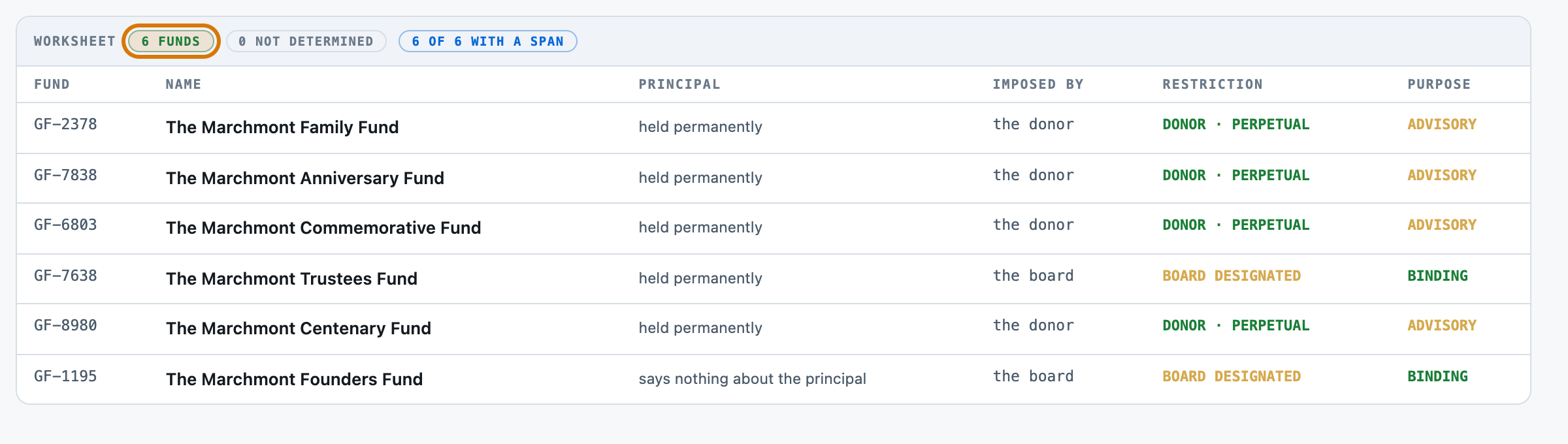
GF-2378     The Marchmont Family Fund                   USD 1,145,000
GF-7838     The Marchmont Anniversary Fund              USD 1,440,000
GF-6803     The Marchmont Commemorative Fund            USD 865,000
GF-7638     The Marchmont Trustees Fund                 USD 1,625,000
GF-8980     The Marchmont Centenary Fund                USD 1,285,000
GF-1195     The Marchmont Founders Fund                 USD 960,000
------------------------------------------------------------------------------

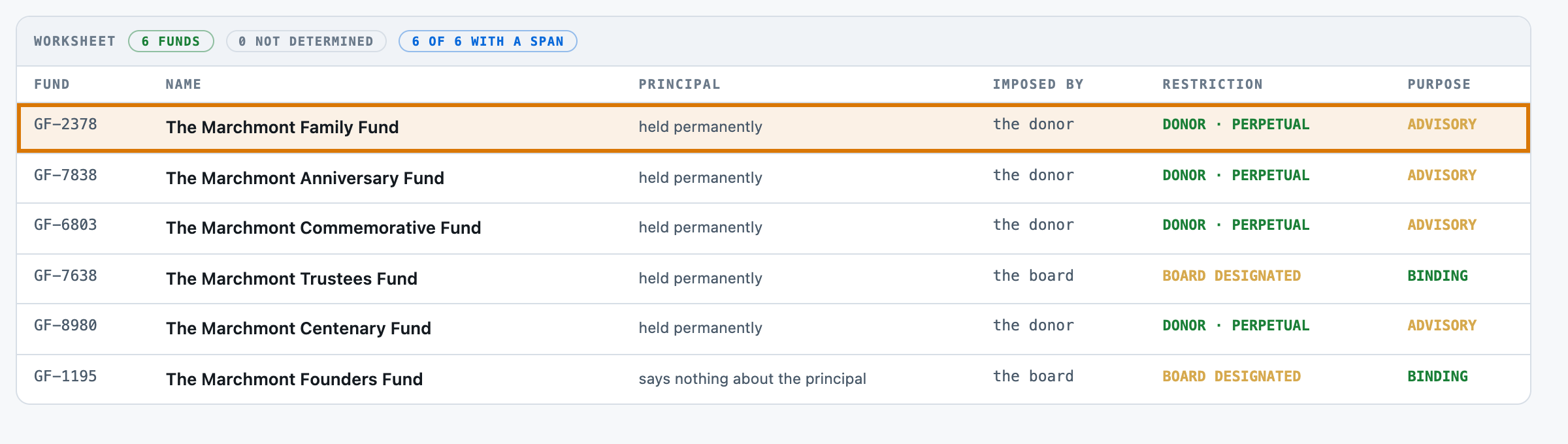
ARTICLE 1 — The Marchmont Family Fund (GF-2378)

  This Fund is established by the Donor under the terms of this Agreement.
  The original gift shall be maintained in perpetuity as the corpus of the Fund.
  The Donor would prefer, though does not direct, that the Fund support research equipment and
  instrumentation.
  The minimum corpus recorded for this Fund is USD 1,145,000.

ARTICLE 2 — The Marchmont Anniversary Fund (GF-7838)

  The restrictions recorded in this Article are those imposed by the Donor.
  No part of the corpus of the Fund may be expended, whether for the stated purpose or
  otherwise.
  The Institute shall distribute 3.9 per cent of the Fund's trailing twelve-quarter average
  market value each year.
  The Donor's family expects that the Fund will ordinarily be used for the student exchange
  programme.
  The minimum corpus recorded for this Fund is USD 1,440,000.

ARTICLE 3 — The Marchmont Commemorative Fund (GF-6803)

  The restrictions recorded in this Article are those imposed by the Donor.
  The original gift shall be maintained in perpetuity as the corpus of the Fund.
  The Institute shall distribute 4.8 per cent of the Fund's trailing twelve-quarter average
  market value each year.
  It is the Donor's hope that the Fund will be applied to grounds and landscape upkeep.
  The minimum corpus recorded for this Fund is USD 865,000.

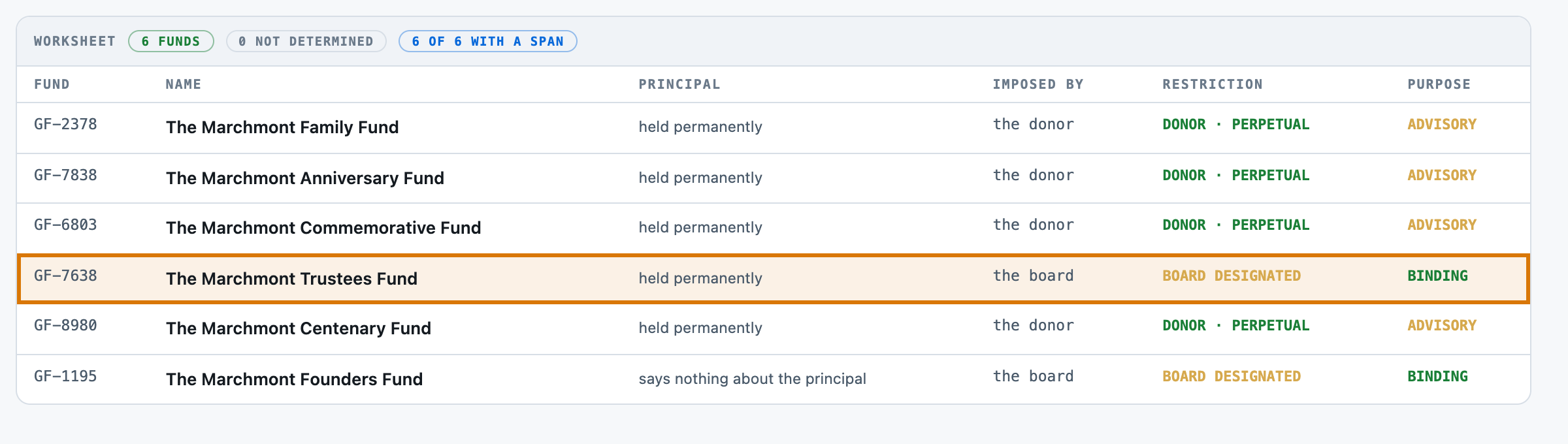
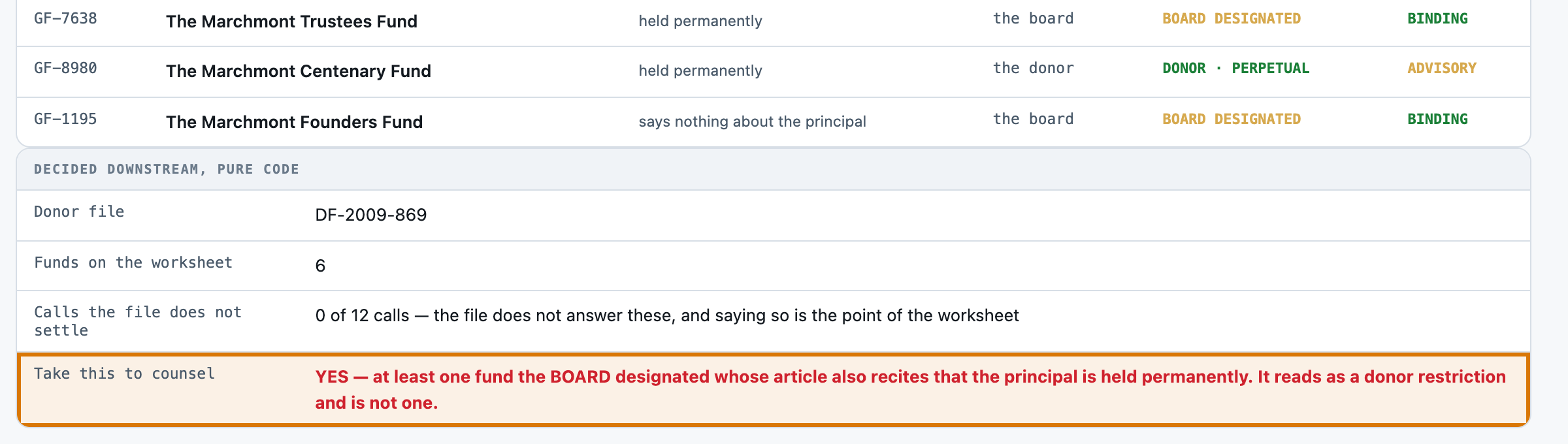
ARTICLE 4 — The Marchmont Trustees Fund (GF-7638)

  This Fund is designated by resolution of the Board of Trustees of the Institute. The gift
  itself was received without restriction from the Donor.
  The Board further resolves that the principal so designated shall be held permanently and
  shall not be expended.
  Distributions from the Fund must be applied only to faculty chair support.
  The minimum corpus recorded for this Fund is USD 1,625,000.

ARTICLE 5 — The Marchmont Centenary Fund (GF-8980)

  This Fund is established by the Donor under the terms of this Agreement.
  No part of the corpus of the Fund may be expended, whether for the stated purpose or
  otherwise.
  The Donor requests, without imposing any obligation, that the Fund be applied to capital
  renewal of the athletics centre.
  The minimum corpus recorded for this Fund is USD 1,285,000.

ARTICLE 6 — The Marchmont Founders Fund (GF-1195)

  By resolution of the governing body, and not by direction of the Donor, the following
  unrestricted gift is designated as set out below.
  The Institute shall distribute 4.4 per cent of the Fund's trailing twelve-quarter average
  market value each year.
  The Fund shall be used solely for the unrestricted operating needs of the Institute.
  The minimum corpus recorded for this Fund is USD 960,000.

MEMORANDUM OF INTENDED GIFT (NOT AN EXECUTED INSTRUMENT)

  The Donor has indicated an intention to establish The Marchmont Bicentenary Fund (GF-7990)
  with a gift of USD 2,730,000 for grounds and landscape upkeep. No transfer has been made and
  no instrument has been executed. This memorandum records the intention only.