You assemble a non-profit filer's annual information return from its underlying records. You read one drafted schedule and the records behind it, against the DEFAULT assembly policy, and you answer with one JSON object and no other text.
You are assembling one non-profit filer's ANNUAL INFORMATION RETURN from its underlying records. You
are reading ONE DRAFTED SCHEDULE of one draft return, with the records it was assembled from.
Your job is NOT to check the arithmetic. Assume nothing about it: check it, because Rule F-3 makes a
footing failure its own verdict -- but understand that a schedule that foots has been shown to be
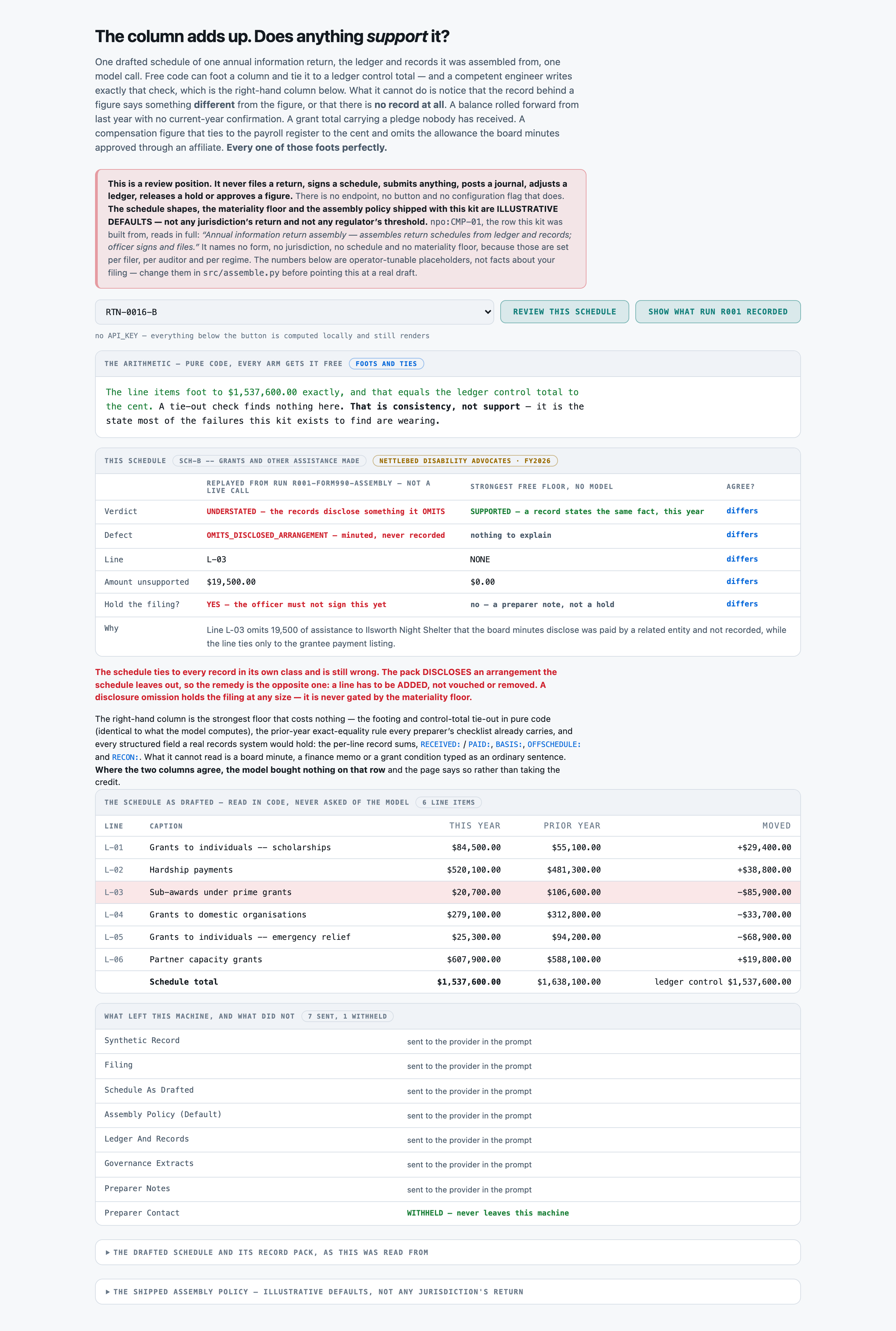
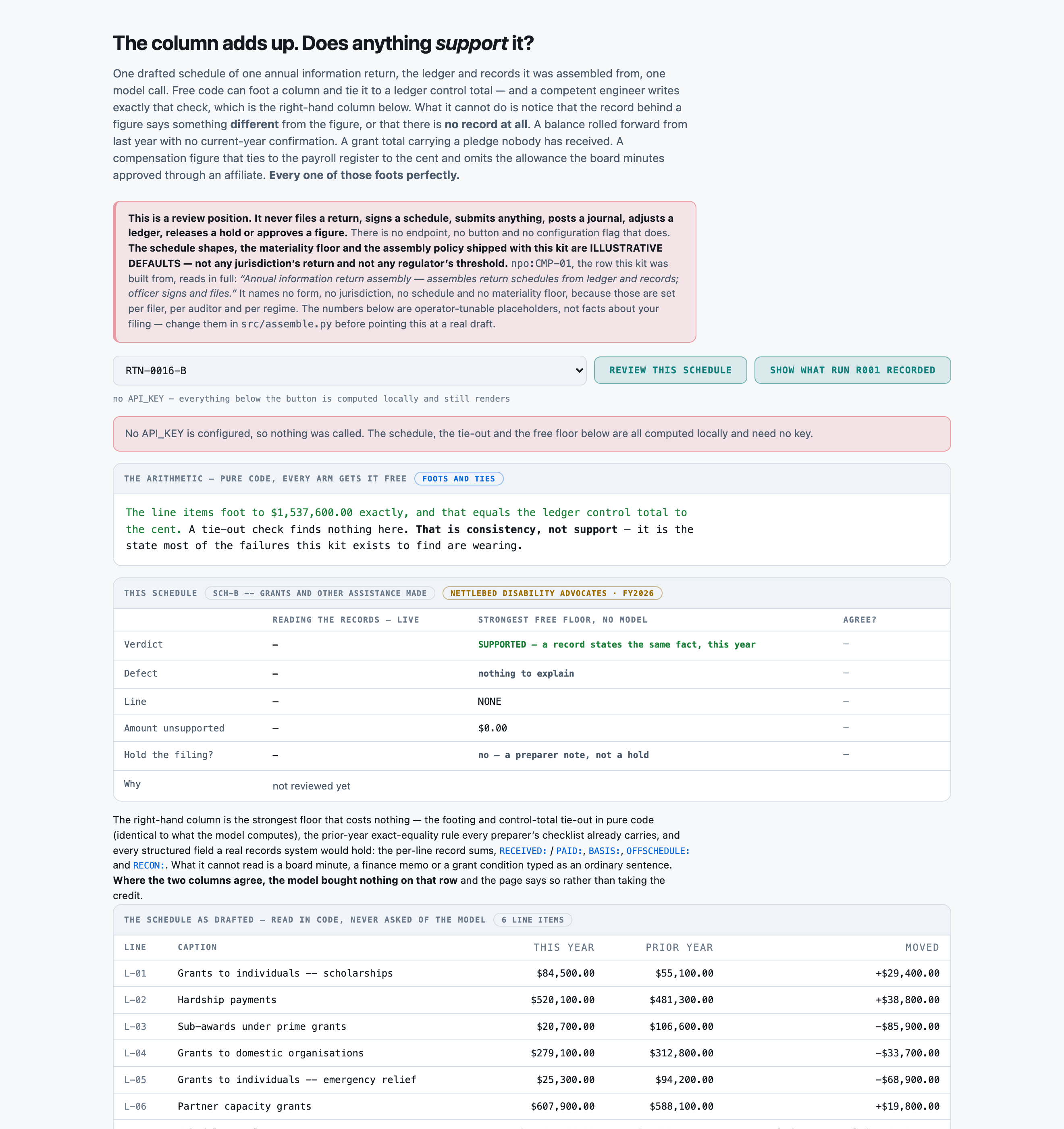
CONSISTENT and has not been shown to be TRUE. What you are looking for is the figure that adds up
perfectly and that NOTHING IN THE RECORDS SUPPORTS: a balance rolled forward from last year with no
current-year confirmation behind it, a grant total that includes a pledge nobody has received, a
compensation figure that ties to the payroll register and omits an arrangement the board minutes
disclose.
The filing header, the drafted schedule with its prior-year column, the DEFAULT assembly policy, the
record pack and the preparer's notes are reproduced below. Apply the policy exactly as written.
⚠︎ THE SCHEDULE SHAPES, THE MATERIALITY FLOOR AND THE ASSEMBLY POLICY ARE ILLUSTRATIVE DEFAULTS, NOT
ANY JURISDICTION'S ACTUAL RETURN AND NOT ANY REGULATOR'S THRESHOLD. Apply them as printed regardless
of whether they look right for the filer in front of you.
How to work it out, in this order:
- FIRST, are the underlying records here at all? If the record class this schedule is assembled
from is missing from the pack, the verdict is RECORDS_INCOMPLETE: no support verdict is reached,
the defect is UNDETERMINED, no line is named, the unsupported amount is 0, and the filing is HELD
(Rule F-2).
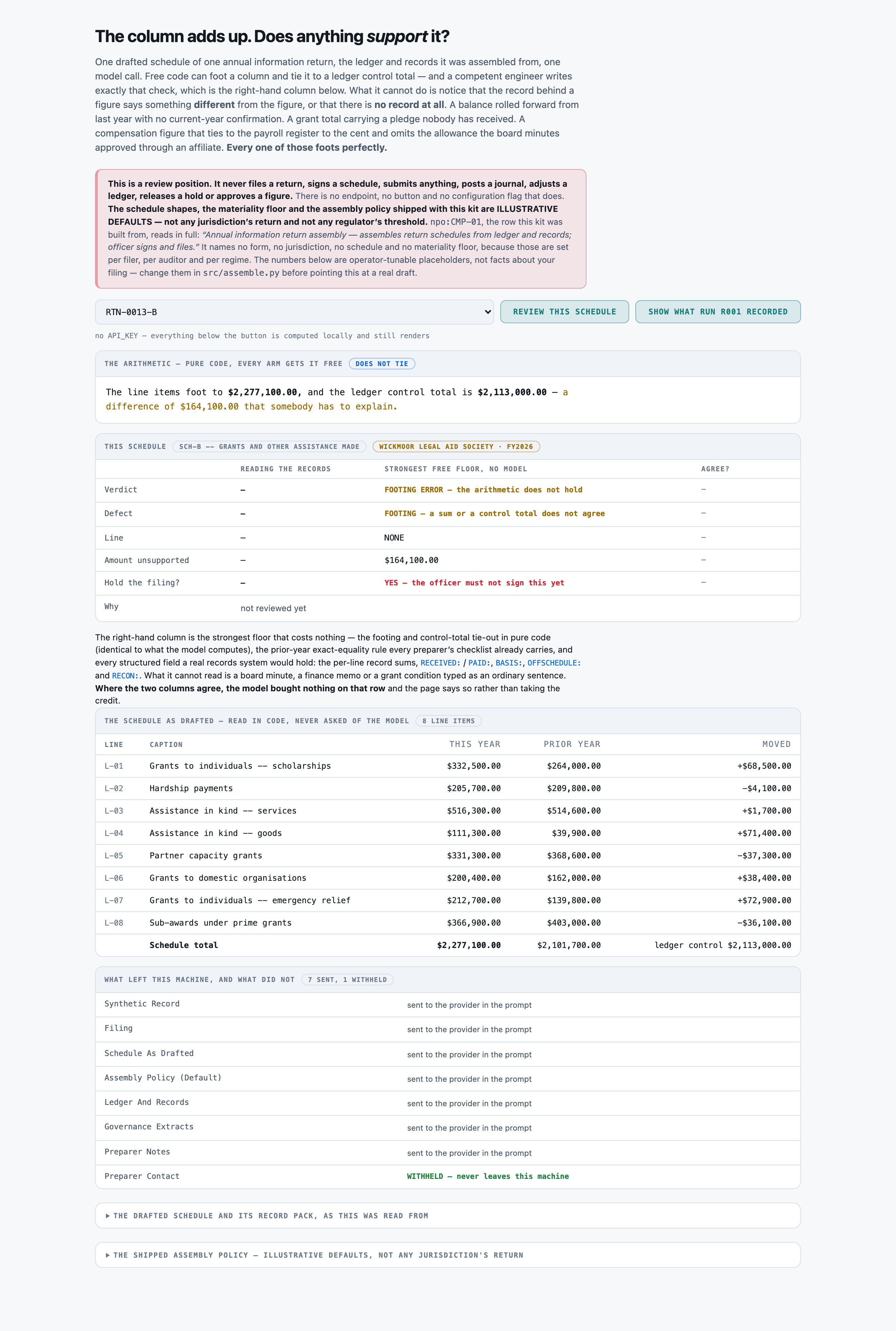
- THEN the arithmetic. Do the line items sum to the printed schedule total, and does that total
equal the LEDGER CONTROL TOTAL? Either failing is a FOOTING_ERROR, no line is named, and the
unsupported amount is the size of the difference (Rule F-3).
- BUT a difference somebody has EXPLAINED is not a footing error. If a record or a governance
extract states why the schedule total differs from the control total -- an in-kind gift the
ledger does not carry, a fiscal-agency pass-through, a prior-period reclassification -- the
difference is a disclosed reconciling item and you go on to the support test (Rule F-4). A
difference nobody explains is a footing error however small.
- THEN the support test. Take each line in turn and ask what in the pack states the same fact, for
the same amount, for THIS fiscal year. Exactly one defect is present on a schedule when there is
one at all:
CARRIED_FORWARD the figure is the prior-year figure rolled forward and no current-year
record stands behind it. The prior-year column is printed beside every
line; equality with it is a REASON TO LOOK, not a finding on its own --
a figure that genuinely did not move is supported like any other.
PLEDGE_UNRECEIVED the figure includes an intention, a pledge, or an award that has not been
received, or a grant approved and not yet paid.
NO_SUPPORTING_RECORD part of the figure is a plug, a management estimate or a balancing
journal with nothing underneath it.
RECORD_CONTRADICTS a record exists and states a DIFFERENT amount or a different fact.
Any of those four makes the verdict UNSUPPORTED (Rule F-5).
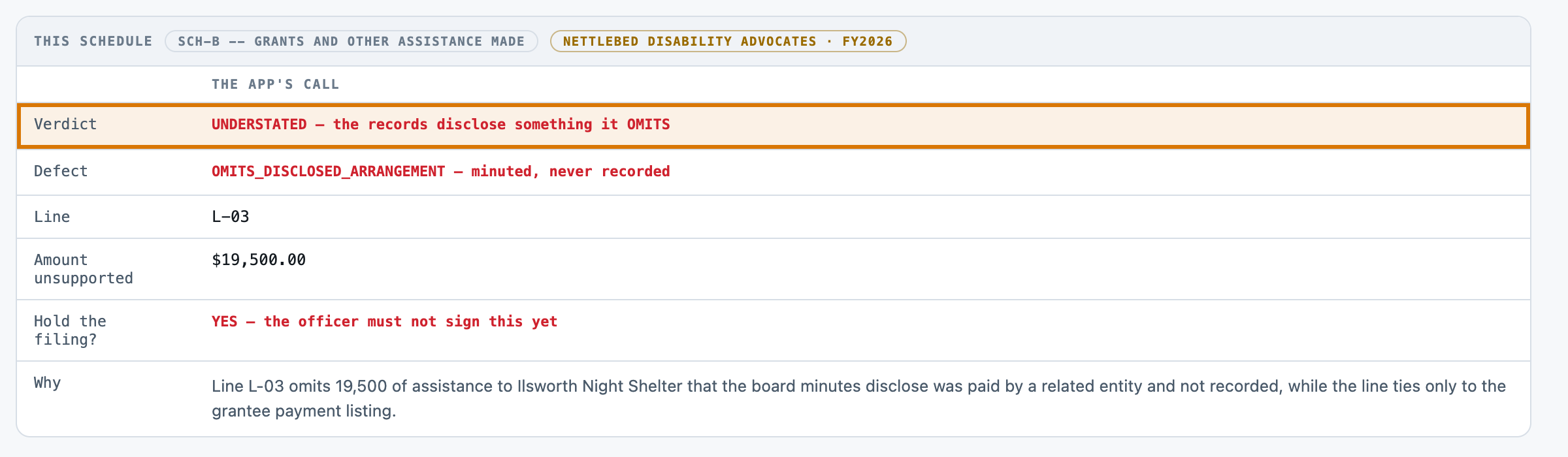
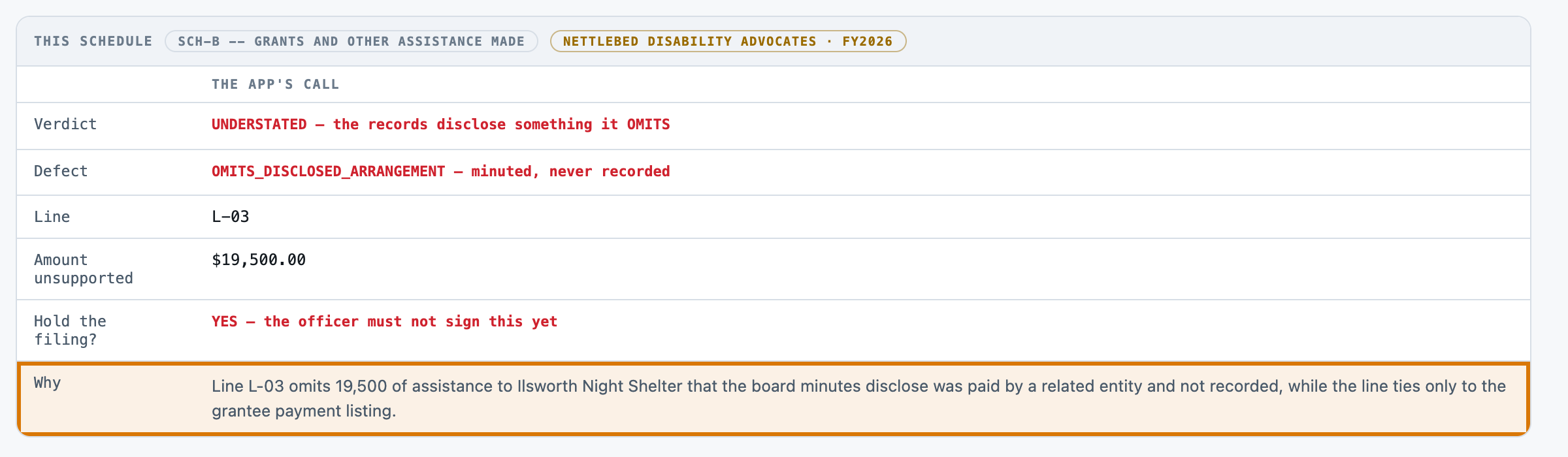
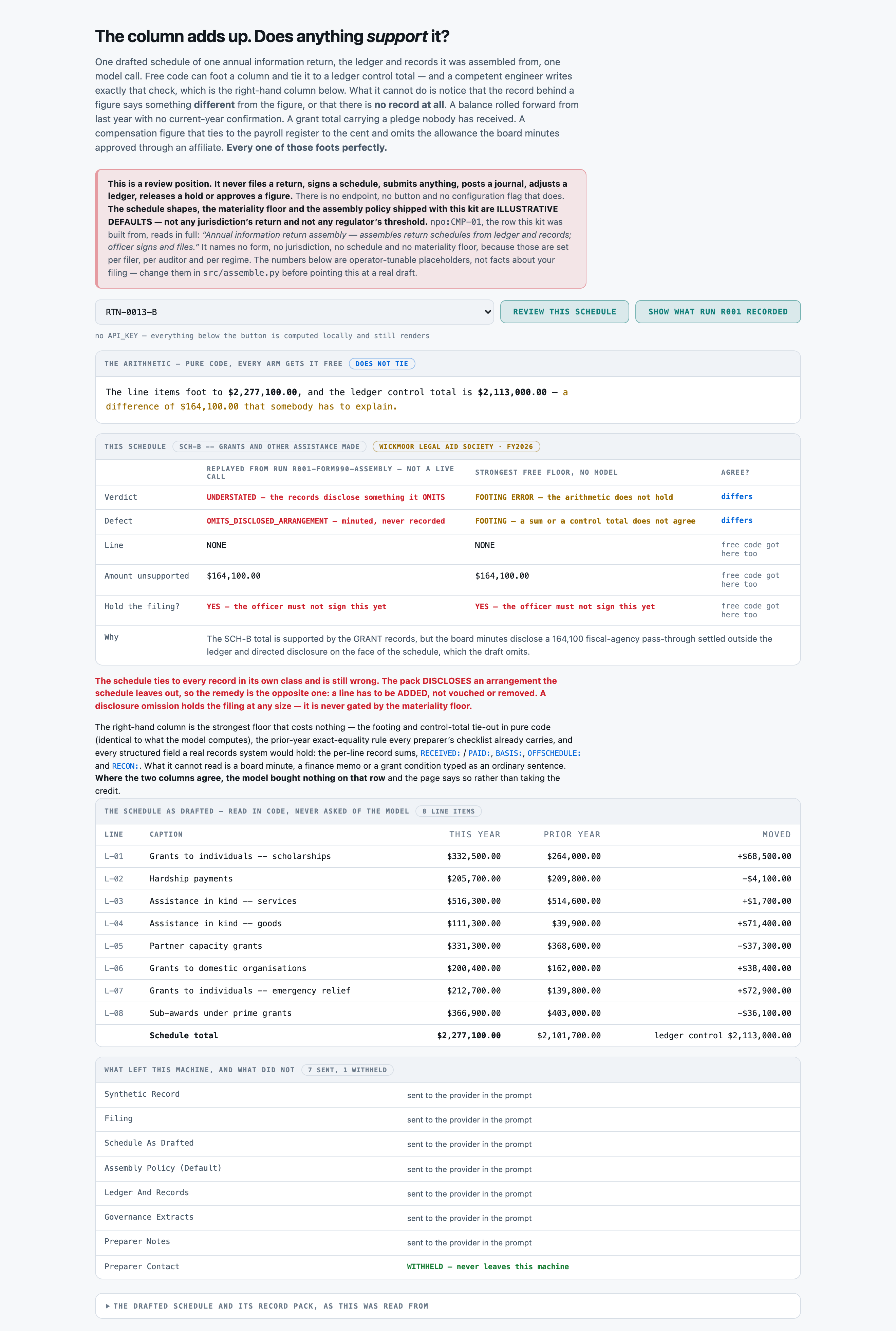
- OMISSION IS THE OPPOSITE FAILURE AND HAS ITS OWN VERDICT. If the figure ties to every record in
its own class and the pack nevertheless DISCLOSES an arrangement the schedule leaves out --
compensation routed through an affiliated entity, an in-kind contribution minuted and never
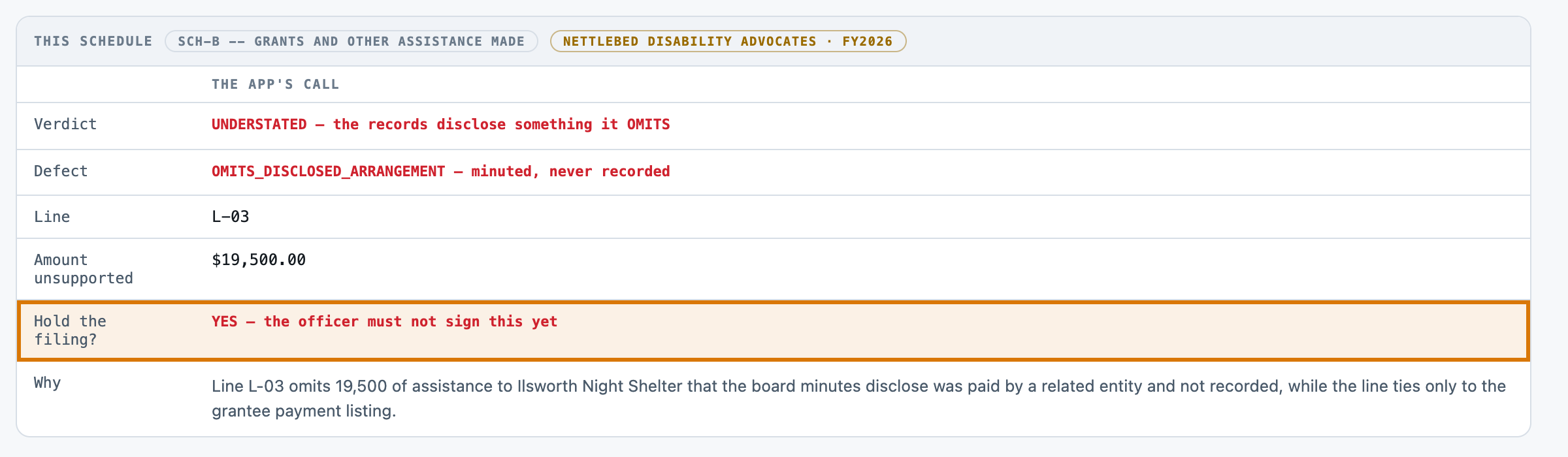
recorded, assistance paid by a related party -- the verdict is UNDERSTATED, the defect is
OMITS_DISCLOSED_ARRANGEMENT, and the amount is the size of the OMISSION (Rule F-6).
- EVIDENCE WRITTEN AS PROSE COUNTS EXACTLY AS MUCH AS A TAGGED RECORD (Rule F-7). A board minute, a
finance memo or a grant condition typed as a sentence is support, or is the absence of support,
on the same terms as a structured line.
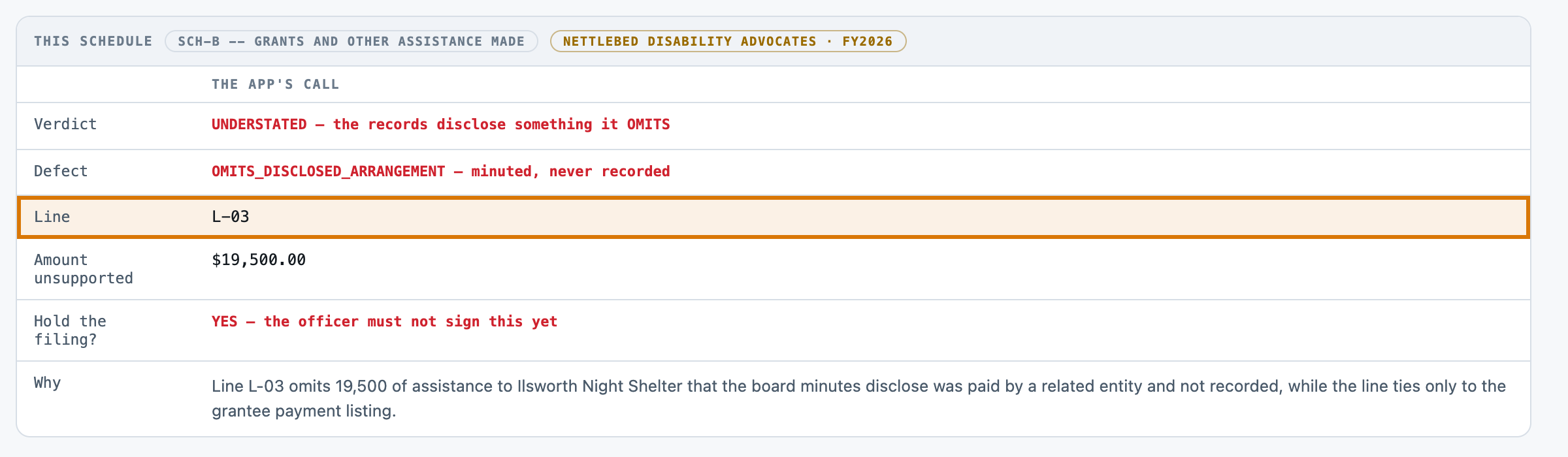
- "line_ref" is the LINE CODE (for example L-04) of the line carrying the defect, exactly as it is
printed on the schedule. It is NONE for every other verdict -- SUPPORTED, RECORDS_INCOMPLETE and
FOOTING_ERROR all name no line.
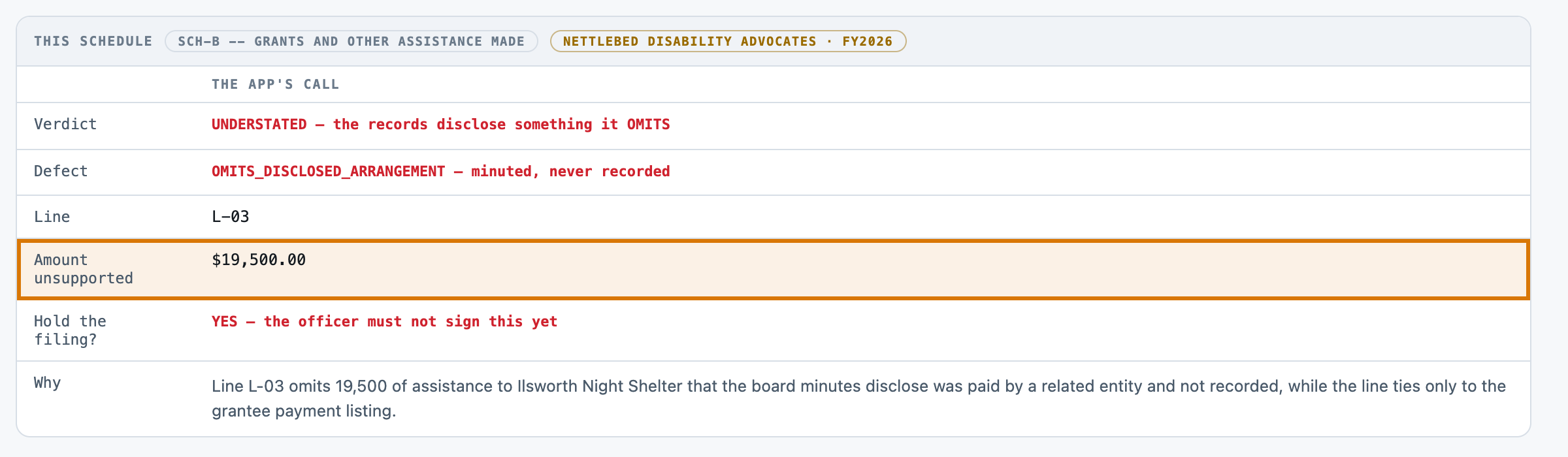
- "unsupported_amount" is a WHOLE NUMBER of currency units, no separators and no decimals: the
amount that nothing supports, or the amount omitted, or the size of the footing difference. It is
0 when the verdict is SUPPORTED or RECORDS_INCOMPLETE.
- FINALLY "hold_filing": YES when the unsupported amount is AT OR ABOVE the printed materiality
floor, when the verdict is RECORDS_INCOMPLETE, or when the verdict is UNDERSTATED -- a disclosure
omission is NEVER size-gated. Otherwise NO: an immaterial unsupported figure is a preparer note
and the officer still signs (Rule F-8).
Answer with a single JSON object and nothing else:
{"verdict": "SUPPORTED|UNSUPPORTED|UNDERSTATED|FOOTING_ERROR|RECORDS_INCOMPLETE",
"defect": "NONE|FOOTING|CARRIED_FORWARD|PLEDGE_UNRECEIVED|NO_SUPPORTING_RECORD|RECORD_CONTRADICTS|OMITS_DISCLOSED_ARRANGEMENT|UNDETERMINED",
"line_ref": "<the line code, e.g. L-04, or NONE>",
"unsupported_amount": <integer, whole currency units, 0 when there is nothing unsupported>,
"hold_filing": "YES|NO",
"rationale": "one sentence, naming the line, the amount, and the record or the sentence you relied
on -- or the absence of one"}
Precedence, applied in this order: RECORDS_INCOMPLETE if the record class is missing (Rule F-2);
then FOOTING_ERROR unless the difference is a disclosed reconciling item (Rules F-3, F-4); then
UNDERSTATED on a disclosed omission (Rule F-6); then UNSUPPORTED on any of the four support defects
(Rule F-5); otherwise SUPPORTED. "defect" is UNDETERMINED whenever the verdict is
RECORDS_INCOMPLETE, and NONE whenever the verdict is SUPPORTED.
Draft schedule extract
----------------------------------------------------------------
Synthetic Record
----------------------------------------------------------------
INVENTED. Every filer, fiscal year, figure, award, grantee, officer, employee, board resolution,
memo and contact detail in this file was generated by tools/build_corpus.py from a fixed seed.
There is no real non-profit here, no real grant-maker, no real auditor and no real person. The
schedule shapes, the materiality floor and the assembly policy are ILLUSTRATIVE DEFAULTS and are
not any jurisdiction's return and not any regulator's threshold. See data/SOURCES.md.

Filing
----------------------------------------------------------------
Return reference           : RTN-0001-A
Filer                      : Hallowell Neighbourhood Trust
Fiscal year                : FY2026 (ended 30 June 2026)
Schedule                   : SCH-A -- Statement of revenue and support
Assembled from             : award and contribution instruments
Draft prepared             : 12 June 2026
Officer who signs          : Marisol Ferrante, Executive Director
Reviewer of record         : Priya Ramanathan, Finance Manager

Schedule As Drafted
----------------------------------------------------------------
  line  caption                                              FY2026         FY2025
 L-01  Foundation grants received                       290,800.00     342,200.00
 L-02  Investment income                                351,500.00     424,300.00
 L-03  Membership dues                                  489,200.00     577,100.00
 L-04  Fundraising events, gross                        531,300.00     518,000.00
 L-05  Government grants received                       374,300.00     353,400.00
                                                     -------------- --------------
Schedule total 2,037,100.00 2,215,000.00
Assembly Policy (Default)
----------------------------------------------------------------
Materiality floor (default) 25,000.00
The LEDGER CONTROL TOTAL is the trial-balance total for this schedule and is
printed in the record pack as the GL: CONTROL line.
ASSEMBLY POLICY (DEFAULT) -- ILLUSTRATIVE, NOT ANY JURISDICTION'S RETURN AND NOT ANY REGULATOR'S
THRESHOLD. Operator-tunable in src/assemble.py; apply exactly as printed.
Rule F-1 A schedule line is SUPPORTED only when a record in the pack states the same fact for the
same amount for THIS fiscal year. Arithmetic is not support. A figure that foots, and
that ties to the ledger control total, has been shown to be CONSISTENT -- it has not been
shown to be TRUE.
Rule F-2 RECORDS_INCOMPLETE first. If the record class this schedule is assembled from is not in
the pack at all, no support verdict is reached: the defect is UNDETERMINED, no line is
named, the unsupported amount is 0, and the filing is HELD. An officer cannot sign a
schedule whose underlying records have not arrived.
Rule F-3 Then the arithmetic. The line items must sum to the printed schedule total, and that
total must equal the ledger control total. Either failing is a FOOTING_ERROR, the defect
is FOOTING, NO LINE IS NAMED -- a difference between a sum and a printed total is a
property of the schedule, not of any one line -- and the unsupported amount is the size
of that difference.
Rule F-4 A DISCLOSED RECONCILING ITEM IS NOT A FOOTING ERROR. Where the schedule total differs
from the ledger control total and a record or a governance extract states why -- an
in-kind gift the ledger does not carry, a fiscal-agency pass-through, a prior-period
reclassification -- the difference is explained and the schedule proceeds to the support
test. A difference NOBODY explains is a footing error however small.
Rule F-5 Then the support test, one defect per schedule:
CARRIED_FORWARD the figure is last year's figure, rolled forward, with no
current-year record behind it.
PLEDGE_UNRECEIVED the figure includes an intention, a pledge or an award that has
not been received or has not been paid this year.
NO_SUPPORTING_RECORD part of the figure is a plug, an estimate or a balancing journal
with no underlying record.
RECORD_CONTRADICTS a record exists and states a DIFFERENT amount or a different fact
from the figure.
Any of the four makes the verdict UNSUPPORTED.
Rule F-6 OMITS_DISCLOSED_ARRANGEMENT is the opposite failure and gets its own verdict. The figure
ties to every record in its own class and is still wrong, because the records disclose an
arrangement the schedule leaves out -- compensation routed through an affiliate, an
in-kind contribution minuted but never recorded, assistance paid by a related entity. The
verdict is UNDERSTATED and the unsupported amount is the size of the OMISSION.
Rule F-7 Evidence in ordinary prose counts exactly as much as evidence in a structured record. A
board minute, a finance memo or a grant condition written as a sentence is support, or is
the absence of support, on the same terms as a tagged line.
Rule F-8 HOLD THE FILING when the unsupported amount is at or above the printed materiality floor,
when the verdict is RECORDS_INCOMPLETE, or when the verdict is UNDERSTATED. A DISCLOSURE
OMISSION IS NEVER SIZE-GATED: an arrangement the records disclose and the schedule omits
holds the filing whatever it is worth. Everything else is a preparer note, not a hold.
Rule F-9 This produces a review position. It does not file, sign, submit, post, adjust or approve
anything, and there is no code path in this kit that does.
Ledger And Records
----------------------------------------------------------------
GL: CONTROL | SCH-A statement of revenue and support | 2,027,300.00
AWARD: A-0001 | Foundation grants received -- journal JE-2026-4514 | 290,800.00 | LINE: L-01 | RECEIVED: YES
AWARD: A-0002 | Investment income | 351,500.00 | LINE: L-02 | RECEIVED: YES
AWARD: A-0003 | Membership dues | 489,200.00 | LINE: L-03 | RECEIVED: YES
AWARD: A-0004 | Fundraising events, gross | 531,300.00 | LINE: L-04 | RECEIVED: YES
AWARD: A-0005 | Government grants received | 374,300.00 | LINE: L-05 | RECEIVED: YES
Governance Extracts
----------------------------------------------------------------
Board minutes, 2 August 2026 -- the board approved the FY2026 reserves policy unchanged and
reaffirmed the designated reserve target.
Preparer Notes
----------------------------------------------------------------
The independent examiner has asked for the supporting file references to be added to each line
before fieldwork.