Sort new federal rules and notices for a compliance team
New federal rules, proposed rules and notices keep landing in your compliance inbox, and a proposed rule filed as a notice quietly loses your chance to comment. This app reads each one and picks its queue: binding, open for comment, or for information.
PresenterOpens the private repo. Visible to admins only.
For the compliance teamCross-domain
Why it matters
Today's manual process, and the same job with the app
The compliance team at a regulated company, and the lawyer who reads whatever lands in the binding queue.
✕Today's manual process
1Open each new document from the federal agencies as it lands in the compliance inbox.
2Read its title and summary to tell a final rule from a proposed rule or a notice.
3Send the binding ones to a lawyer, who reads each against what the company does today.
4One slip files a proposed rule as a notice, and the chance to comment is gone.
Every document read and filed manually
✓With the app
1Each new document is read in about two seconds, title and summary.
2It picks one of three queues: binding, open for comment, or for information.
3Each queue says what it commits you to: a deadline, a chance to comment, or nothing to do.
4A person still spot-checks each queue, because a wrong pick can look as sure as a right one.
Sorted in seconds, still spot-checked
See it work
One real case: what the app reads, step by step
A new federal document must go to one of three queues, and a proposed rule filed as a notice loses its comment window.
Sort new federal rules and notices for a compliance teamReference appBuilt to be shaped to your process
5
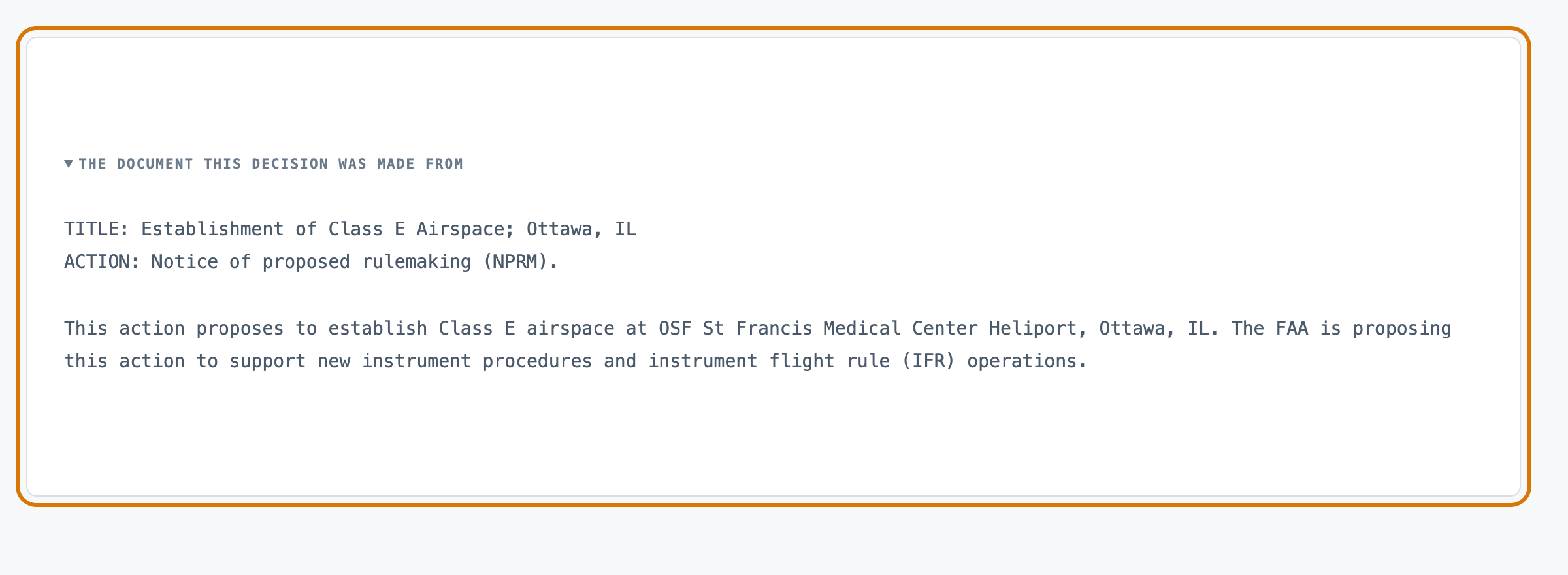
1The filing one new document, before anything is decided.
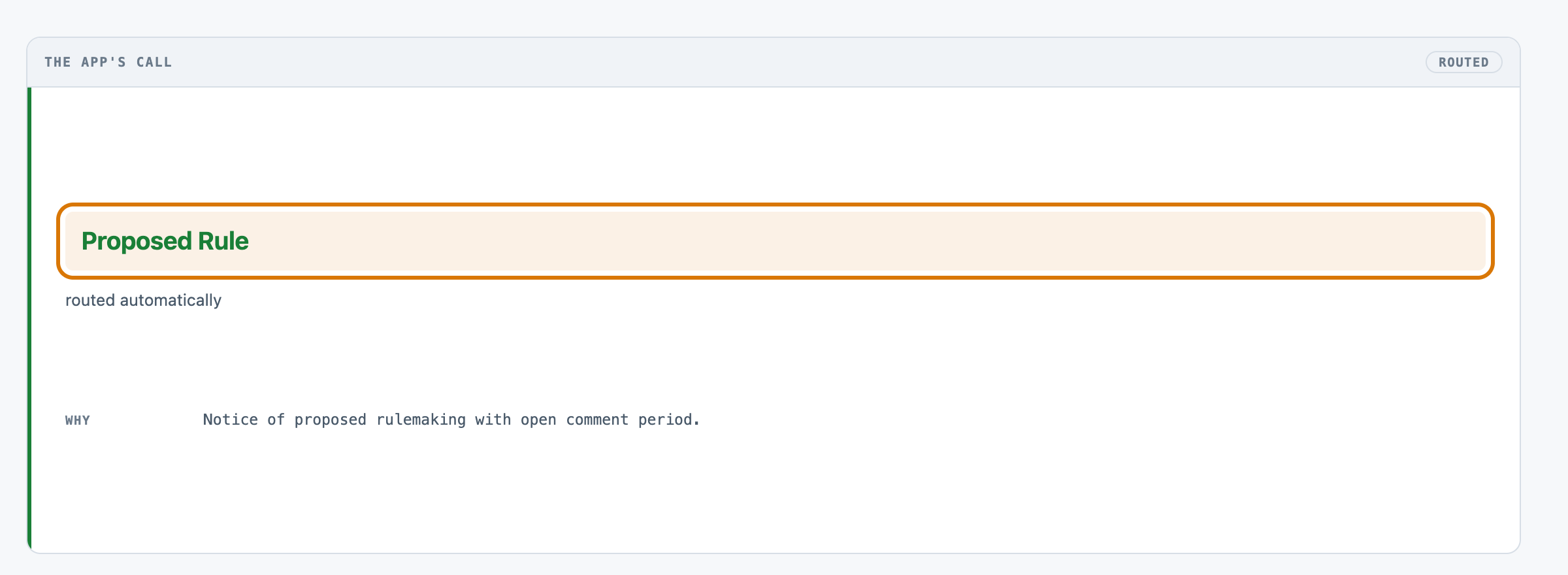
2What it decided a proposed rule, not yet binding.
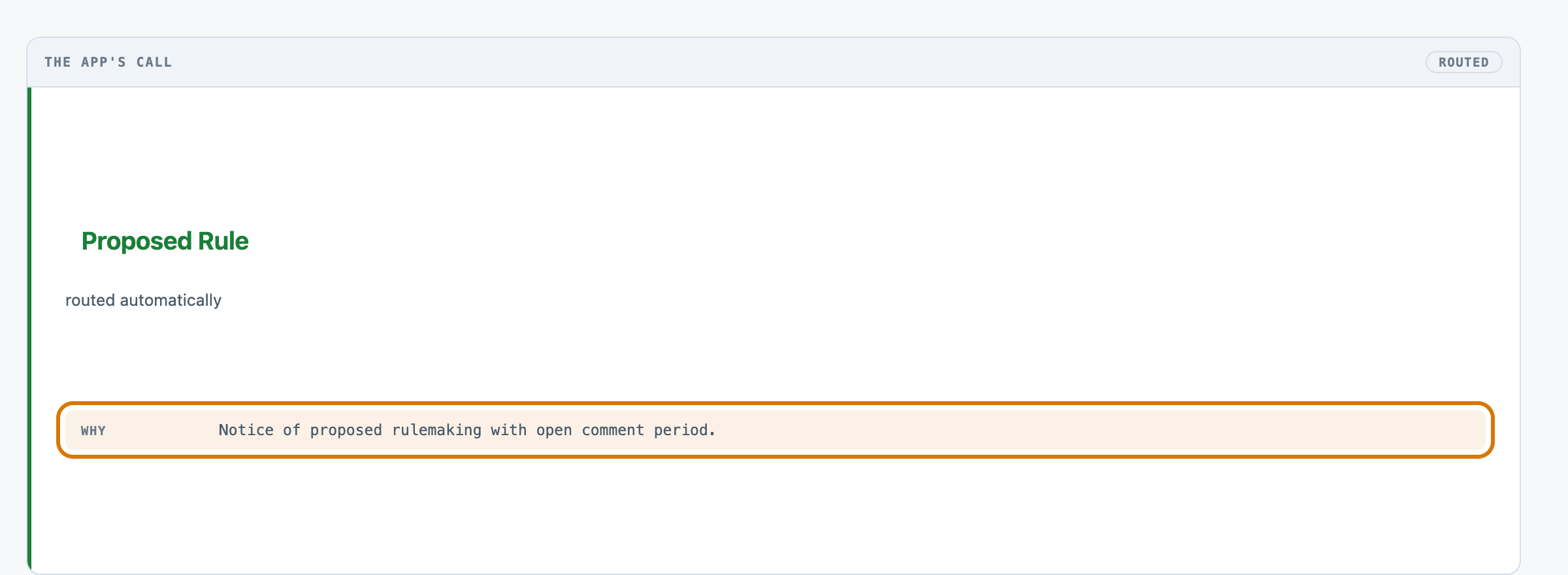
3Its reason the sentence it gives for that queue.
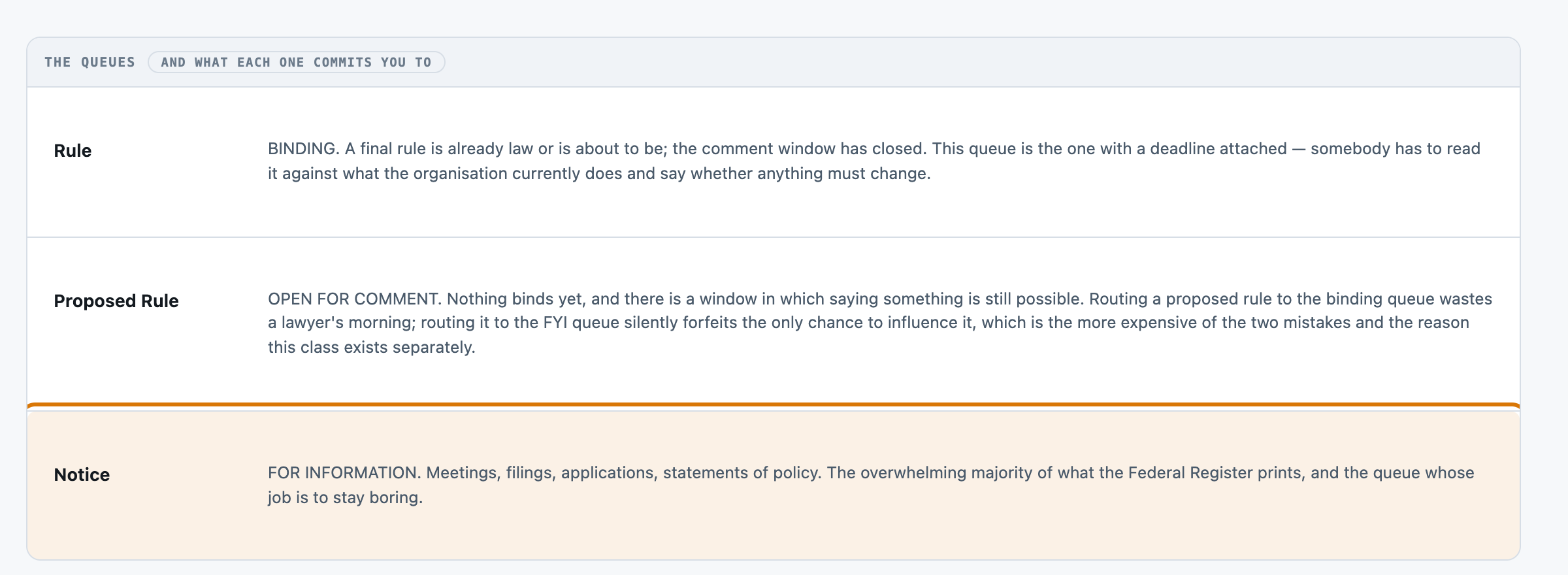
4Not this queue filings with nothing left to act on.
5Where it lands open for comment, while the window still stands.
For engineers
How it is built, and how we measured it
All fourteen steps of the build are written up, from the business case to running it in your own environment.
Sort new federal rules and notices for a compliance team
A small, forkable project that does one job end to end. Run twice for real over the same set, and every figure on these pages captured from those runs.
PresenterOpens the private repo. Visible to admins only.
The business caseThe problem this solves
Regulatory documents arrive continuously and the cost of misfiling them is asymmetric: a proposed rule filed as a notice silently forfeits the only window in which comment is possible, while a notice escalated to the legal queue merely wastes an hour. A person opening each incoming Federal Register document and deciding which of three queues it belongs in — binding, still open for comment, or for information.
Audience
Whoever owns the compliance inbox, and the lawyer whose morning is spent on whatever reaches them. Every number on these pages came from one real run of this code, not from a vendor page.
The inputThe actual documents
The corpus is 120 documents, 0.08 MB (txt 120). The gold label is the PUBLISHER'S. The Office of the Federal Register assigns a type to every document it prints, years before this kit existed and with no knowledge of this eval — so there is a right answer nobody here wrote, and == is a legitimate verdict. That is the whole reason this kit can be scored by machine when docs-summarise cannot.
The corpus
The 120 documentsunder its source's terms — https://www.federalregister.gov/api/v1/documents.json — the Office of the Federal Register's own public API. tools/fetch_corpus.py fetches; tools/build_corpus.p.
Where each came fromrecorded in the kit's own SOURCES.md, beside the corpus it describes.
Swap this folder for your own material and the kit is pointed at your documents. That is the whole change — there is no database to migrate.
The outcomeWhat a good result looks like
Each document lands in one of three queues within about two seconds, with the queue's consequence stated rather than its label alone.
And when it cannot
It routes a document confidently into the wrong queue. On r003 that happened 11 times in 119, and the model reported a confidence of at least 0.85 on every one of them.
Where it fitsWhat did work
Every line below is a measured result from this kit's own runs, with the figure that supports it. The headline above is not softened by any of them.
High volume, errors cheap to undo — the keyword router 79.2% for nothing, and every mistake is visible in the queue it lands in
A taxonomy of your own — flash the keyword rules are corpus-specific and would have to be rewritten; the model needs only src/taxonomy.py edited
And where nothing here is good enough:
Errors expensive and asymmetric — neither, yet the guardrail does not work — self-reported confidence is 0.85+ on every wrong flash answer and 0.90+ on every wrong pro one (one at a full 1.0), so nothing here reliably tells you which ~9% to check
At a glanceHow the whole thing runs
84–92%accuracy over the balanced set (120 documents; flash scored over 119 after one network failure) · 2 runs, no ordering
1,694 msp50, end to end
$0.11per 1,000 documents · Google Gemini 2.5 Flash-Lite
Run twice over the same set, for real, the last on 2026-08-07. Every figure on these pages was captured from those runs — nothing is written from intent.
14 steps, grouped by the question that sends you to them rather than by build order. Each tile carries the one figure that step is about, and opens the page behind it.
Sort new federal rules and notices for a compliance team14 steps · 4 questions · run once, for real · 2026-08-07
Every tile is a linkall 14 steps · no step without a page
Should you use this?What you bring, where it stops, and when not to use it
Before you commit an afternoon to this, these are the answers that decide it. Each one is rendered from the record it lives in — and links the page that holds it in full.
What do I have to bring?
Point tools/build_corpus.py at your own documents and write your own data/gold.jsonl — one line per document, {doc_id, queue}. Corpus lens →
When is this the wrong choice?
Avoid: Paying per document for 10 points you will not act on. That is the case against the best-fitting scenario (“High volume, errors cheap to undo”). 3 scenarios scored in all, each with its own.Eval lens →
Where does it stop working?
A document with no abstract. 12 of 60 notices fetched had none and were skipped; Presidential Documents have none at all, 20 of 20 sampled, which is why they are not a fourth class. 3 recorded failure modes, each from a run rather than a guess.Corpus lens →
What was never verified?
Whether any usable confidence signal exists. The self-reported one does not: 0.85 or above on every wrong flash answer, 0.90 or above (one at a full 1.0) on every wrong pro answer. 4 items this kit says it could not check.Eval lens →
Can I run this on a model I control?
Yes — any OpenAI-compatible endpoint, including one on your own hardware. The shipped adapter takes its host from BASE_URL and its model from MODEL, so nothing in src/ changes. The published figures come from 2 models on the fast tier and the deliberating tier, one provider, one key. Prompt lens →
And if it fits — what do I stand up?
4 artifacts with a stated home and a stated egress, and 3 decisions each with what you provision past its ceiling — plus what was not measured. That is the next page, not this one.step 14 — Run it in your environment →
Not asked of this kit — 2 questions: clone (a fresh clone of this kit runs with nothing fetched); judge (nothing here is graded by a model).
Last verified 2026-08-07 — r003-docs-route-flash. Every figure on these pages was captured from that run.
Run itHow this reaches your data
Every result on this page was produced by pure code over checked-in files, with no API key — which is why you can read the numbers before anyone spends anything.
Run this on your own data
The pipeline, its eval harness and the runs behind every numberdeployed inside your environment, on your own model endpoints, against your own documents.
The corpus above is the shape, not the limitit is a folder swap, and there is no database to migrate.
Checked before this shipped — Clone, python -m tools.fetch_corpus, python -m tools.build_corpus, python -m evals.run --run-id b001 --baseline keyword. Four commands, no key, no cost, and a scored board at the end of it.
Sort new federal rules and notices for a compliance team
PresenterOpens the private repo. Visible to admins only.
Step 01 of 14Business case
Written for: product manager · Measured during the eval run. Never estimated, never quoted from a vendor page.
In brief
99.2%rows answered
1,694 msp50, end to end
4,943 msp95
12 minclone to first result
What the clock covers. the model call only, one per document, 119 documents run serially (the 120th failed on a network timeout before any reply arrived). It is NOT the wall clock of the run — that was 336 seconds — and it excludes the corpus build, which needs no model and takes under a second.
Current processWhat it replaces
A person opening each incoming Federal Register document and deciding which of three queues it belongs in — binding, still open for comment, or for information.
Where it is not good enough
The confidence floor — the thing that decides what a person still sees — STILL DOES NOT WORK ON THIS MODEL, and the re-run at a fixed 1200-token ceiling proves it is not a ceiling artifact. All 11 wrong answers carried a self-reported confidence of 0.85 or above; a floor of 0.6 escalates nothing, and the first floor that catches every error is 0.99, which escalates 48.7% of the traffic to do it. So the kit routes 90.8% correctly and still cannot cheaply tell you WHICH ~9% to check. ⚠︎ THE ORIGINAL COMPARISON WAS CONFOUNDED, AND THE RE-RUN RESOLVES IT: both r001 and r002 shared a 400-token output ceiling that silently truncated 6 and 12 replies respectively, understating pro because it reasons more. Re-run at the corrected 1200-token ceiling (r003 flash, r004 pro), pro now scores 91.7% against flash's 90.8% — pro ahead, as the ceiling defect had been hiding. See Eval.repeat for the full before/after.
One question, end to end. Colour on the fan-in is the corpus format; a red hook marks every station with a recorded failure, and the words — every sub line, failure and report field — are in the ledger beneath. Every station is a link — click one to jump to its row, and each row links to the lens that explains it.
Run twice, for real — flash and pro, both at a 400-token output ceiling since raised to 1200 and not yet repeated. Every figure on the page comes from these two runs.
The swap seams
Seam
File
What changes
The queue list
src/taxonomy.py
the queues themselves — change QUEUES and ORDER and the prompt, the scorer and the UI all follow, because none of them holds a second copy of the class list
The provider
src/adapters/__init__.py
the provider, unchanged from every other kit here
The thing to beat
evals/baseline.py
the thing the model has to beat. KEYWORDS is thirty lines; a fairer or harsher baseline is an edit to one list
The guardrail
src/route.py — CONFIDENCE_FLOOR
where the guardrail sits, or whether it sits anywhere
Components
Component
File
Role
Fetch
tools/fetch_corpus.py
three API requests, one per document type, into data/_fetched/
Corpus boundary
tools/build_corpus.py
the corpus boundary — writes what the router may see and splits the gold label into data/gold.jsonl
The queues
src/taxonomy.py
the three queues and what routing to each one commits you to; every other module reads them from here
Prompt and parse
src/prompt.py
builds the prompt FROM the taxonomy, and parses the reply into four distinct states
The call, and the floor
src/route.py
the one model call, and the confidence floor that turns a low-confidence answer into an escalation
The two free routers
evals/baseline.py
the null router and the keyword router — both free, both on the board
Scorer
evals/score.py
confusion matrix, per-class rates, two accuracies, and the floor sweep. The only module that opens gold.jsonl
Where it breaks at scale
One call per document, serially. 119 documents took 336 seconds on flash and 120 took 492 on pro, so a real inbox of thousands a day needs concurrency this kit does not have — deliberately, because a concurrent harness makes a rate-limit error look like a model failure. The corpus also fits in memory whole; nothing here streams.
Sort new federal rules and notices for a compliance team
PresenterOpens the private repo. Visible to admins only.
Step 03 of 14App UI
Written for: anyone, in 5 seconds · Screenshots of the running app taken during the run.
SuccessesWhen it works
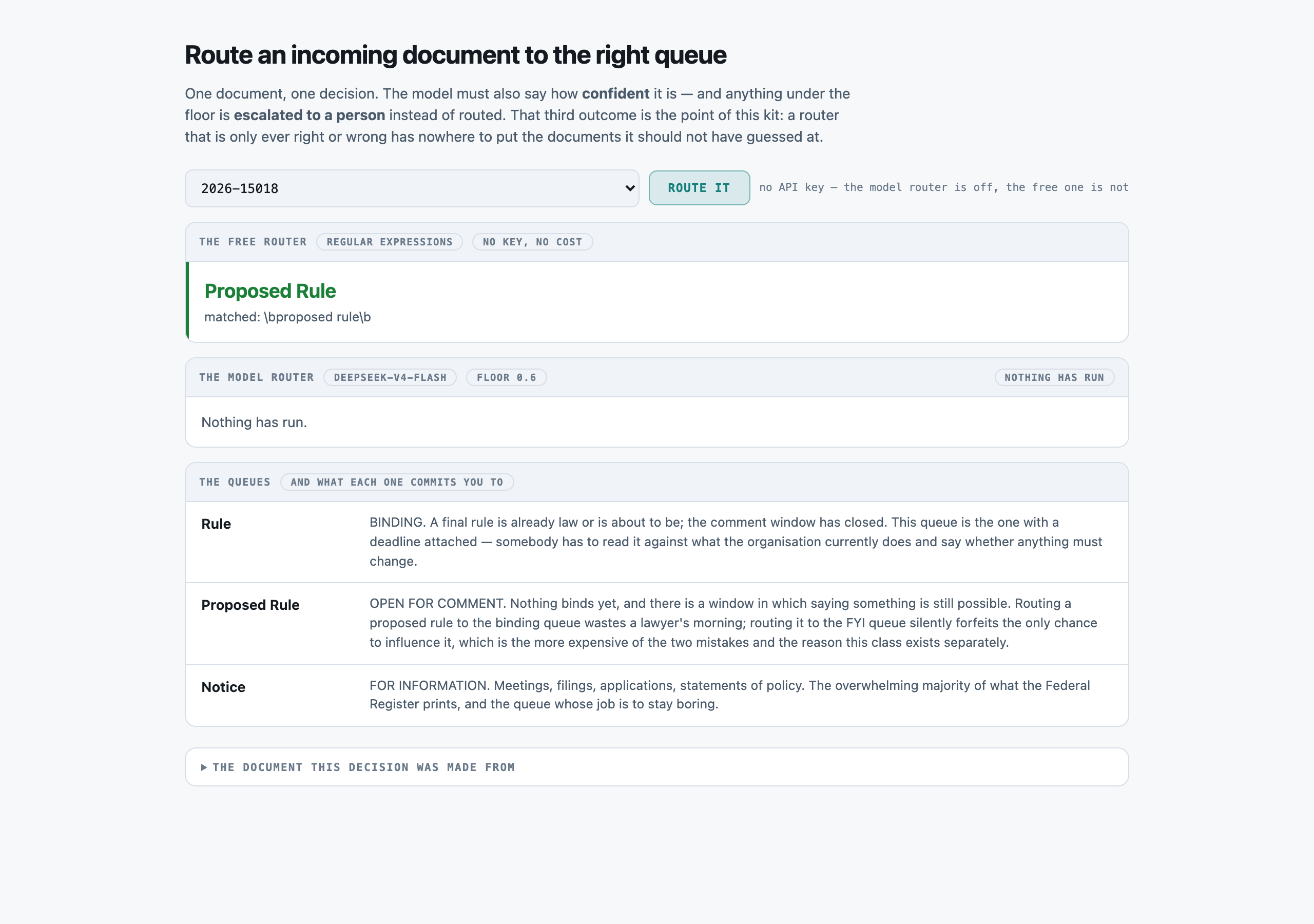
The landing state, with no key configured. The free keyword router has ALREADY decided — there is an answer on screen before anything has been spent, and the model's job is to beat it.successOpen full size →
LimitsWhen it does not
A report showing only wins is an advert. This one is required, and the validator now refuses a kit that omits it.
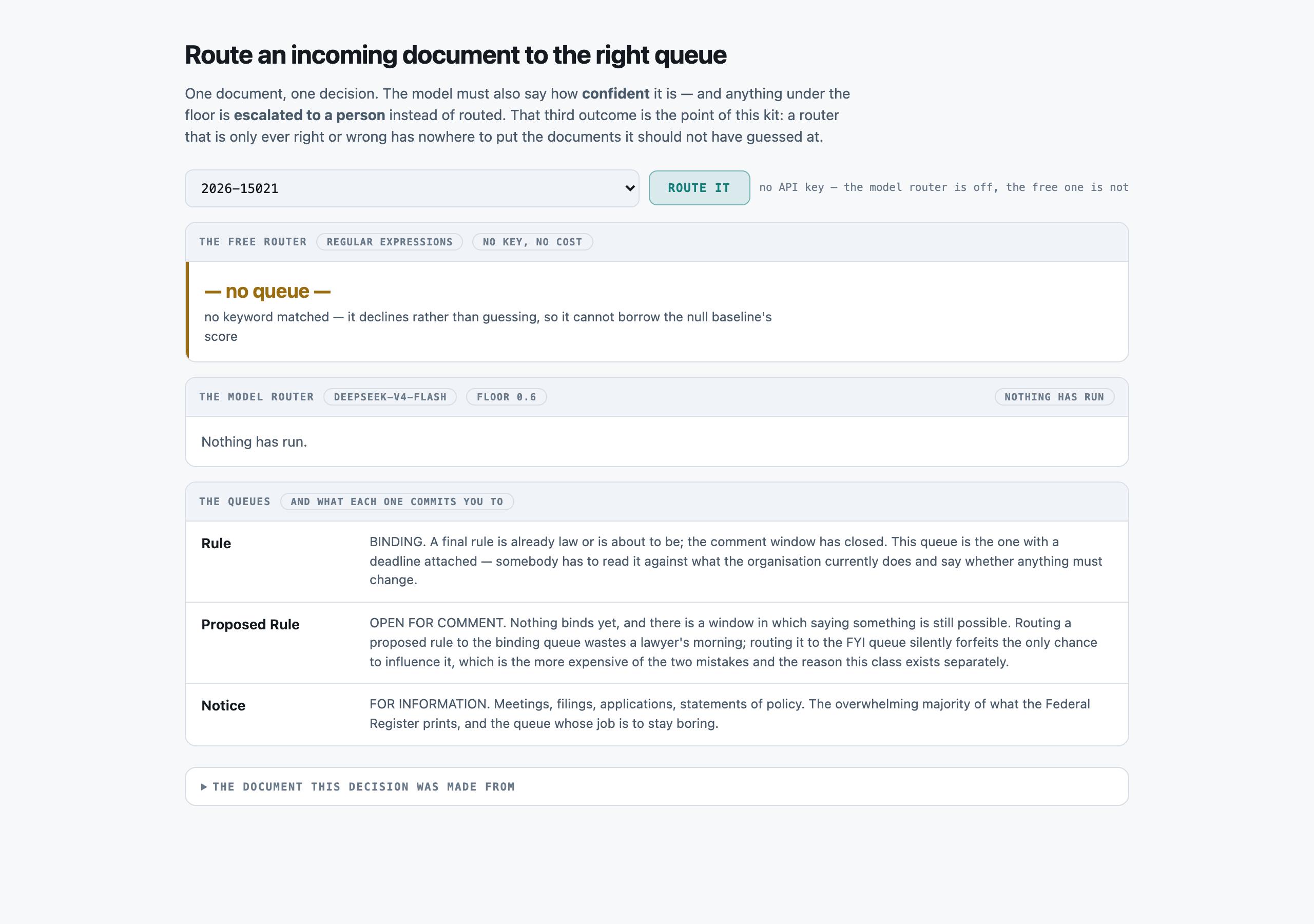
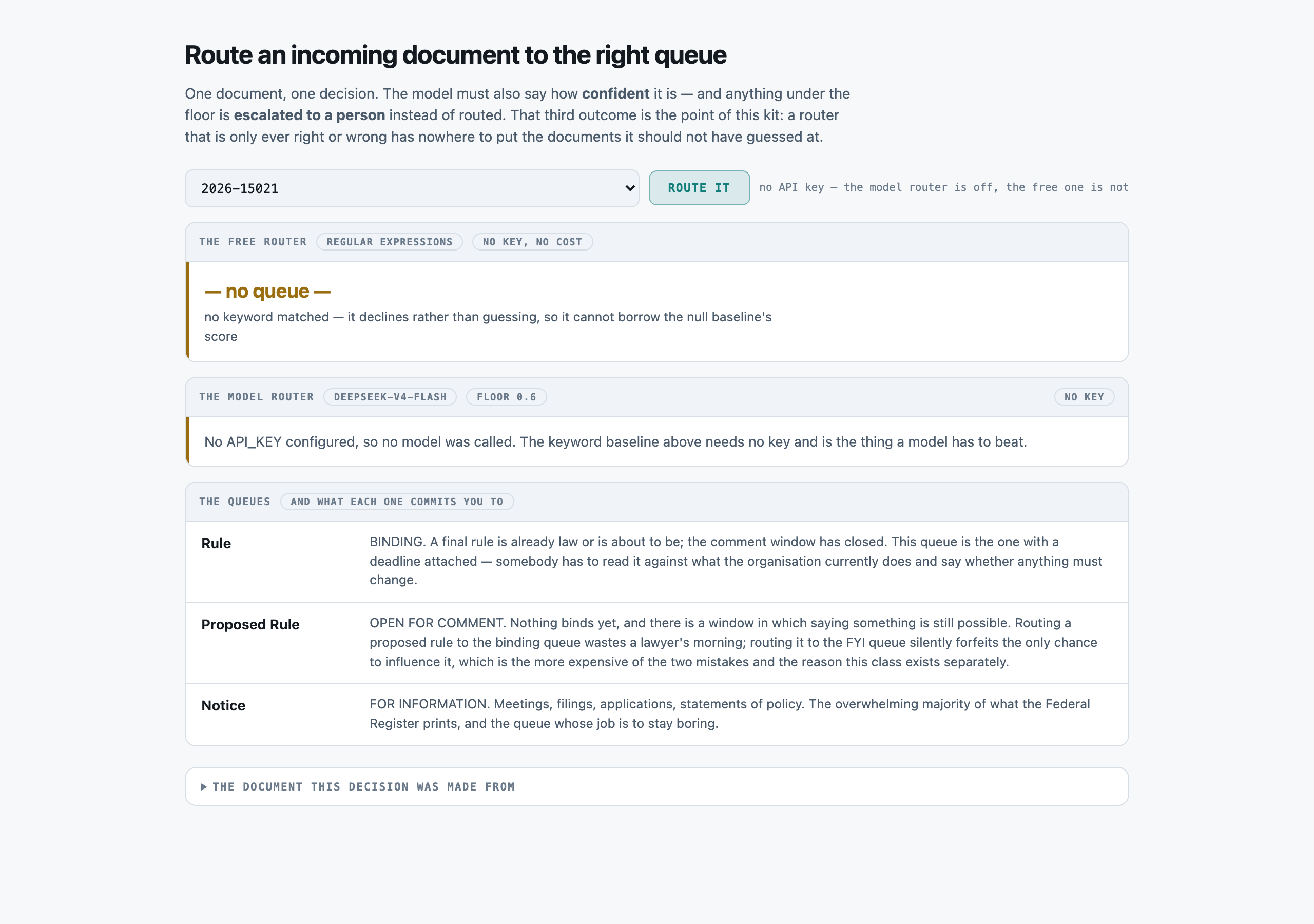
A document the free router refuses: no keyword matched, so it declines rather than guessing. Declining is why its 79.2% overall and 87.2%-when-answered are different numbers.failureOpen full size →Route it, pressed with no API key. A plain sentence, not a stack trace — and it points at the free router, which needs no key.failureOpen full size →
Sort new federal rules and notices for a compliance team
PresenterOpens the private repo. Visible to admins only.
Step 04 of 14Corpus
Written for: "can I point this at mine?" · Measured off the corpus the run actually used.
In brief
120documents
0.08 MiBtxt 120
p50 590chars per document
$0.00setup · 0.0s
How it is cutWhat one document is
none — a Federal Register abstract is short enough to send whole, so there is no chunker and no packer. This is the first kit here with nothing between the corpus and the prompt.
SetupWhat the setup figure measured
There is no index and no preparation step at all. The corpus boundary does the only work: it decides what the router may see (title, the publisher's one-line action, abstract) and what it may not (the agency, and the type — which is the gold label and lives in a separate file nothing but the scorer opens).
LicenceLicence
Public domain. Federal Register documents are edicts of government and works of the United States Government, not subject to copyright protection in the United States (17 U.S.C. §105). The Office of the Federal Register places no restriction on reuse of the documents or of the API's output; its developer terms ask only for a courteous request rate and no misrepresentation of the data as official. Verified against federalregister.gov/developers/documentation/api/v1 on 2026-08-06. This kit makes three requests in total, one per document type, with a one-second pause and an identifying User-Agent.
Bring your ownBring your own documents
Point tools/build_corpus.py at your own documents and write your own data/gold.jsonl — one line per document, {doc_id, queue}. Then edit src/taxonomy.py to name your queues and what each one commits you to. Nothing else changes: the prompt, the scorer, the baseline and the UI all read the taxonomy rather than holding their own copy of it.
What breaks it
A document with no abstract. 12 of 60 notices fetched had none and were skipped; Presidential Documents have none at all, 20 of 20 sampled, which is why they are not a fourth class.
An abstract under 80 characters — a stub, not a document.
Any document type the Office of the Federal Register does not print. The taxonomy is theirs, not ours; a corpus from anywhere else needs its own gold labels before this kit means anything.
Sort new federal rules and notices for a compliance team
PresenterOpens the private repo. Visible to admins only.
Step 05 of 14Prompt
Written for: engineer · Logged from the run, verbatim.
In brief
The assembled prompt in full, and its real decomposition. Every part below occurs in the prompt that was actually sent. The split is in characters, because that is what this run recorded — the billed totals are measured, but nothing apportioned them across the parts, and dividing a measured total by character share would produce three numbers nobody counted.
AssemblyHow the prompt is assembled
Part
Characters
Tokens
system — the desk's job, and what it must not do
262
not measured
the instruction and the three queues, generated from src/taxonomy.py
1,126
not measured
the document — title, the publisher's action line, abstract
439
not measured
Total
551
This is the cost lesson as arithmetic: of the 1,827 characters assembled, 1,388 are instructions — 76% of the prompt, the largest single part. A per-request bill follows whichever part is biggest, and on this kit that is the one named here.
Rebuilt verbatim by src/prompt.build() over document 2026-15021 — the same function the run called, not a transcription.
Full promptThe prompt in full
The verbatim prompt, as sent
the prompt, as sent
You are a routing desk for incoming regulatory documents. You read one document and send it to exactly one queue. You do not summarise it, you do not advise on it, and you do not explain the regulation — a downstream reader does that. Your only job is the queue.

Route this document to one queue.

QUEUES:
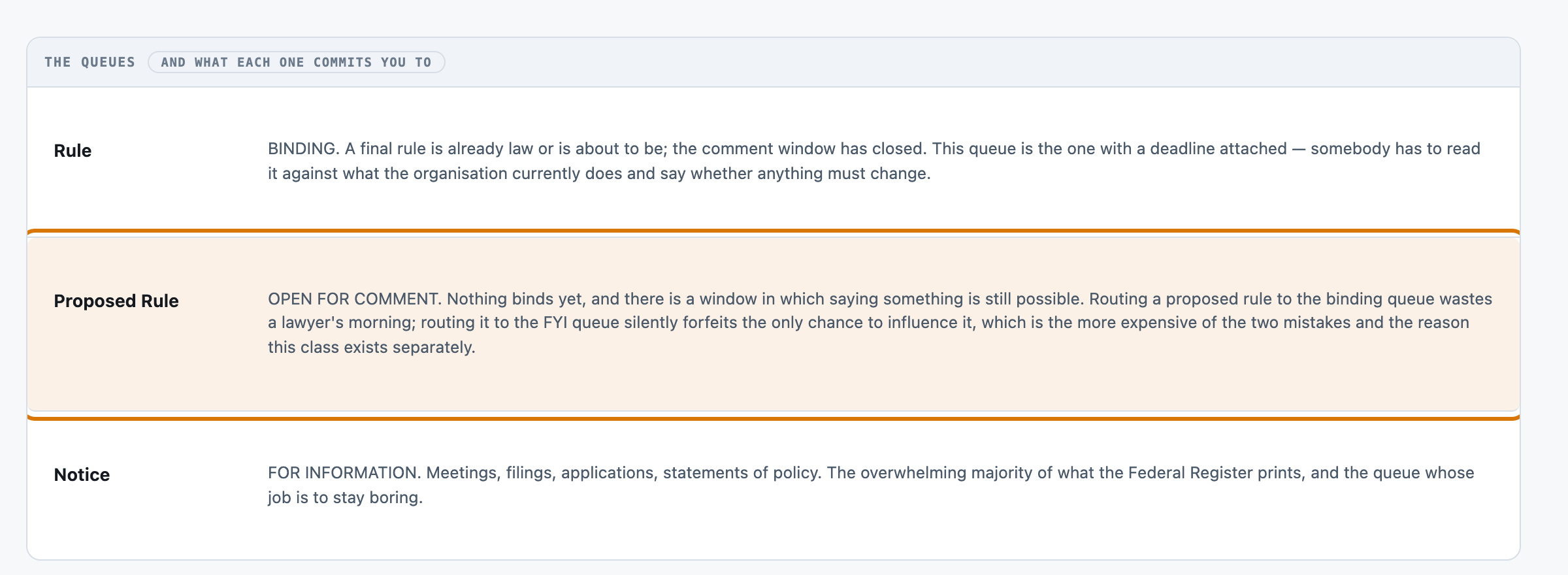
  "rule"  (Rule) — BINDING. A final rule is already law or is about to be; the comment window has closed. This queue is the one with a deadline attached — somebody has to read it against what the organisation currently does and say whether anything must change.
  "proposed"  (Proposed Rule) — OPEN FOR COMMENT. Nothing binds yet, and there is a window in which saying something is still possible. Routing a proposed rule to the binding queue wastes a lawyer's morning; routing it to the FYI queue silently forfeits the only chance to influence it, which is the more expensive of the two mistakes and the reason this class exists separately.
  "notice"  (Notice) — FOR INFORMATION. Meetings, filings, applications, statements of policy. The overwhelming majority of what the Federal Register prints, and the queue whose job is to stay boring.
  "unsure" — you are not confident enough to choose. A person will read it.

Answer with JSON only, in this exact shape:
{"queue": "<one key from the list above>", "confidence": <0.0 to 1.0>, "why": "<one short sentence, at most 20 words>"}

DOCUMENT:
TITLE: Evonik Corporation, Filing of Food Additive Petition (Animal Use)
ACTION: Notification of petition.

The Food and Drug Administration (FDA or we) is announcing that we have filed a food additive petition, submitted by Evonik Corporation, proposing that we amend our food additive regulations to provide for the safe use of ethyl cellulose as a binder and coating on amino acids incorporated into food for ruminant animals.
Raw responseThe raw response
The raw response, before any parsing
the response, unparsed
{"queue": "notice", "confidence": 0.98, "why": "This is a routine OMB paperwork review notice, informational only."}
Sort new federal rules and notices for a compliance team
PresenterOpens the private repo. Visible to admins only.
Step 06 of 14Evals
Written for: the skeptic · The harness output, with as_of / model version / dataset version / verified_by.
In brief
Sort new federal rules and notices for a compliance team — 120 documents. Two tiers of one model family answered, and every answer was then graded one way — by == against a fixed gold value, which is a measurement too and only as good as the gold behind it.
The rulerHow it was graded
Deterministic — routed queue == the gold label, which is the Office of the Federal Register's own type field. No judge, no rubric, no person. Every outcome that is not a match is reported in its own column (withheld, off-menu, unparsed) rather than folded into 'wrong', because those have different causes and different fixes.
120documents
120source documents
2model tiers
240graded answers
1grading method
MeasurementsWhat was measured
COUNTED108 · 110 / 119accuracy — documents scored — the 120th failed on a network timeout before any reply arrived and is excluded, not counted as wrongDecided by == against a fixed gold value. No model graded this and it reproduces to the digit — which makes it checkable, not necessarily right: it is only as good as the gold behind it.
COUNTED108 · 110 / 119accuracy when answered — documents the model actually answered — the confidence floor never escalated oneDecided by == against a fixed gold value. No model graded this and it reproduces to the digit — which makes it checkable, not necessarily right: it is only as good as the gold behind it.
COUNTED0 · 0 / 119withheld rate — documents scoredDecided by == against a fixed gold value. No model graded this and it reproduces to the digit — which makes it checkable, not necessarily right: it is only as good as the gold behind it.
NOT YET KNOWN—A person confirmed the gold is rightThe grader is == and needs no confirming. The gold does: it is machine-derived from the registry's structured modules, and every rate on this page rests on that derivation being faithful to what the prose actually says. Nobody has read a document against its gold record by hand.
Two words carry this page: Counted is deterministic and nobody's opinion and Not yet known is printed blank rather than filled with something plausible. There is no Judged row here and that is the point: nothing on this page is a model's opinion about another model. The row most worth having is currently the empty one.
How the method was validated
THE THRESHOLD SWEEP, PUBLISHED — evals/score.py::floor_sweep, printed by every model run and stored in the run record. A threshold shown without its sweep is a tuned number presented as a finding, so the kit publishes the curve and never a chosen floor. On r003 (flash, 1200-token ceiling) the curve is the finding: 0.60 escalates 0 of 119 and leaves 11 wrong; 0.90 escalates 2 and leaves 10; 0.95 escalates 11 (9.2%) and leaves 6; 0.99 escalates 58 (48.7%) and leaves 0 — the first floor that catches every error. On r004 (pro, same ceiling) it is worse: 0.99 escalates 45 (37.5%) and still leaves 1 wrong, and that one document was answered at confidence 1.0 — no floor, however high, would have caught it. Both tails were read by hand — every wrong flash answer carried a confidence of at least 0.85, every wrong pro answer at least 0.90. Separately, tools/build_corpus.py prints its own exclusions on every build (12 notices with no abstract, 48 over the per-class cap) and writes exactly 40 documents per queue; the gold file is written in the same pass from the same record, so a document and its label cannot disagree.
143output tokens · the fast tier · 0 ms p50
209output tokens · the deliberating tier · 0 ms p50
Two tiers, one API key
Not two vendors and not a vendor comparison — which is the whole reason the two-model rule could be met without signing up to a second provider. Both tiers send the same retrieved context; the slower one writes about twice as much back, waits 1.0× as long, and lands one row apart on 120. This set does not separate them on quality and no ranking should be read from it — which is not an opinion about the models but something the second run below demonstrated.
Run it twiceThe same set, run again
The re-run at a corrected, fixed 1200-token ceiling REVERSES the original ranking. At 400 tokens flash beat pro by 5 points (89.2 vs 84.2) because pro reasons more and lost more replies to the ceiling (12 of 120, against flash's 6). At 1200 tokens, with truncation removed, pro leads flash by 0.9 points (91.7 vs 90.8) — closer to what the larger tier would be expected to do. The 400-token numbers were never a model comparison; they measured which model got hurt less by an undersized ceiling.
Run date
the fast tier (400-token ceiling, confounded)
the deliberating tier (400-token ceiling, confounded)
the fast tier
the deliberating tier
2026-08-06
89.2% r001-docs-route-flash
84.2% r002-docs-route-pro
not measured
not measured
2026-08-07
not measured
not measured
90.8% r003-docs-route-flash
91.7% r004-docs-route-pro
accuracy over the balanced set (120 documents; flash scored over 119 after one network failure) — Averaging across the ceiling change would blend a confounded measurement with a corrected one, which is worse than publishing neither. r003 and r004 are the valid pair; r001 and r002 are kept on the record as the ceiling defect that produced them, not as data points to combine with anything.
What did not move
corpus, prompt and confidence floor were identical across all four runs; the output ceiling was 400 for r001/r002 and 1200 for r003/r004 — the one deliberate change, and the reason r003/r004 are the pair worth reading as a comparison.
Grading costWhat it costs
build/facts/models.json in the Foundry repo — the same card every other kit here prices against. Token counts are the provider's own usage block, never an estimate; only the price per token comes from the card.
Priced at
Per 1M in / out
One document
1,000 documents
Share that is the prompt
Google Gemini 2.5 Flash-Lite the cheapest model Google publishes a rate for
$0.10 / $0.40
$0.000112
$0.11
49%
Amazon Nova Pro on Bedrock a frontier tier, for the other end of the range
$0.80 / $3.20
$0.000898
$0.90
49%
Same work, 8× the bill
The same documents, the same tokens — only the rate card changed. And on either card about 49% of what you pay is the prompt this pipeline sends, not the answer it writes.
Send fewer documents to the model at all. The keyword router answers 109 of 120 for nothing and declines the rest; routing only its declines to a model would cost a twelfth as much, and nobody has measured what that costs in accuracy.
Rates checked 2026-08-06. The provider that actually ran every model call here is deliberately not named or priced on this page — a withheld-provider rule this standard enforces regardless of whether the rate exists elsewhere in the repo. A dollar figure whose card cannot be named on THIS page is exactly what this standard forbids, so the two cards above stand in for it.
What grading adds
Scoring is free and the column is a real zero, not an unpriced one. evals/score.py is pure code with no key and no call, and so are both baselines — b000 and b001 never reach a provider.
Grading unitWhat the grading figure prices
freegrading cost, as measured
Free. evals/score.py is arithmetic over a JSONL of labels that arrived with the corpus — it sends nothing, runs in-process and repeats exactly. That is the whole reason this kit publishes scores on the night it was built and docs-summarise, whose grader is a person, does not.
The gradersOne way to grade, and why it is the only one
THE KEYWORD ROUTER IS THE POINT OF THIS KIT. 79.2% overall and 87.2% among the documents it answered, for nothing, in microseconds. Both models now beat it clearly — flash by 11.6 points, pro by 12.5 — once the ceiling that had been confounding the comparison was corrected. The question an AI product manager has to answer is not 'is the model good' but 'is it worth its bill against thirty lines of if-statements', and this kit answers it with a number on the same 120 documents through the same scorer.
Grader
Cost / 1k
Data leaves
Same answer twice
Result
Always “correct” the null grader — passes everything
$0.00
no
yes
Null — answer Rule every time 33.3% · Keyword router — 21 regular expressions, no key, no cost 79.2%
Gold-label match Is the queue this router chose the queue the Office of the Federal Register assigned?
$0.00
no
yes
the fast tier 90.8% · the reasoning tier 91.7%
The row opens its own page: how the test was run, one real row, the formula with every iteration of it, and the analysis.
Why this set cannot separate them
The 120-document set separates the model routers from the baselines decisively — 33.3 / 79.2 / 90.8+ are not close. It also now separates flash from pro, cleanly: 91.7% against 90.8%, on the same 1200-token ceiling, same prompt, same floor. The gap is small (1 document) but it is a real reading, not the ceiling artifact the 400-token comparison produced.
Set limitationsWhat this set cannot show
40 Rule / 40 Proposed Rule / 40 Notice, capped deterministically by document number in tools/build_corpus.py so a rebuild produces the same 120 documents. It took a fetch of 180 to fill: 12 notices carried no abstract and were skipped, and 48 documents fell over the per-class cap.
Balance is what makes the null baseline 33.3% instead of 69%, and it is what makes the 33.3 / 79.2 / 89.2 spread between null, keyword and model readable at all. It also means the per-class precision figures are NOT the ones a real inbox would produce — the natural distribution is roughly 7 notices to 2 rules to 1 proposed rule, measured at 103/34/13 in a 150-document newest-first sample, so the two rarer classes are over-represented here by design.
The specification
Equal counts per queue, so no class can be won by answering the majority.
A deterministic cut rather than a random sample, so the eval set is reproducible from the API by anyone who clones the kit.
Every document must carry an abstract of at least 80 characters — a class whose input is a bare title measures the input shape rather than the routing decision.
Presidential Documents excluded entirely: 20 of 20 sampled have no abstract.
The balanced-by-construction spec was verified against the shipped corpus: exactly 40 of each class.
gold.jsonl counted by queue after tools/build_corpus.py ran: 40 rule, 40 proposed, 40 notice. The deterministic per-class cap landed exactly on target — the corpus is balanced as specified, not merely balanced by intent.
The corpus costs $0 to build: the Federal Register API is free and needs no key (tools/fetch_corpus.py), and the gold label is the publisher's own type field, not a human annotation (tools/build_corpus.py) — the only spend anywhere in this kit is on the router calls themselves. No natural-distribution run exists. The balanced set answers whether the router can tell the three classes apart; it does not answer what accuracy looks like against a real inbox's roughly 7:2:1 notice:rule:proposed mix (measured 103/34/13 in a 150-document sample) — a weighted re-score against that mix has not been run.
Choosing oneWhen to reach for the model at all
The comparison is only useful if it ends in a choice, and on this kit the choice is not which grader — there is one, and it is ==. It is whether to call a model for this field at all, and the answer is conditional.
If your situation is
Use
Because
And avoid
High volume, errors cheap to undo
the keyword router
79.2% for nothing, and every mistake is visible in the queue it lands in
paying per document for 10 points you will not act on
Errors expensive and asymmetric
neither, yet
the guardrail does not work — self-reported confidence is 0.85+ on every wrong flash answer and 0.90+ on every wrong pro one (one at a full 1.0), so nothing here reliably tells you which ~9% to check
believing a confidence floor is a control because it is switched on
A taxonomy of your own
flash
the keyword rules are corpus-specific and would have to be rewritten; the model needs only src/taxonomy.py edited
porting the regexes to a corpus they were not written for
This pipeline was also attacked, which is a different question from whether its answers are right: see Threat model for the injection experiment, its two gates and what it does not prove.
Failure causesHow it fails
Cause
What it means
Rows
A real example
notice_as_proposed_rule
Notice read as Proposed Rule
6
a routine informational filing whose abstract opens with the words of a request for comment
rule_as_notice
Rule read as Notice
2
a technical amendment whose abstract reads like an announcement
proposed_rule_as_notice
Proposed Rule read as Notice
3
a proposal whose abstract leads with a meeting date
network_failure_no_reply
network failure before any reply arrived
1
a URLError timeout on the HTTP call itself — no reply, no reasoning, no ceiling involved
What we could NOT verify
Whether any usable confidence signal exists. The self-reported one does not: 0.85 or above on every wrong flash answer, 0.90 or above (one at a full 1.0) on every wrong pro answer. Agreement between two models, disagreement with the keyword router, and a fill-the-rubric-first prompt are all untried, and none is claimed.
What any of this does on a realistic class distribution. The eval set is balanced 40/40/40 and a real inbox is roughly 7:2:1.
Whether the keyword rules would survive a different corpus. They were written from the taxonomy before the data was scored and deliberately not revised afterwards, but they have only ever met these 120 documents.
Why the one flash network failure (2026-15876, a URLError timeout) happened. It reproduced on neither the earlier flash run nor the pro run made minutes later against the same API — a transient network condition, not a documented provider or corpus defect, and not re-tried within this run.
Sort new federal rules and notices for a compliance team
PresenterOpens the private repo. Visible to admins only.
Step 07 of 14Unit cost
Written for: whoever signs off on the bill · Measured over the eval run, per model. Never quoted from a vendor page.
In brief
Tier
Input tokens
Output tokens
p50 latency
Google Gemini 2.5 Flash-Lite
Amazon Nova Pro on Bedrock
the fast tier
551
143
—
$0.000112
$0.000898
the deliberating tier
472
209
—
$0.000131
$0.001046
The token counts are measured on a real run and belong to this pipeline — which sections are selected, the field schema, the prompt — so they hold wherever you run it. The dollars are those counts multiplied by each vendor's published rate, checked 2026-08-06. Nobody paid these particular bills; they are what the same work would cost you on a card you can sign up to today.
Identical work in both rows — the same query, the same tokens. Only the price list changed. Which is why the token count is the measurement and the dollar is arithmetic you can redo on your own card.
Answering vs gradingScoring is free here, and it is a measured zero
ZERO, AND A MEASURED ZERO RATHER THAN AN UNPRICED ONE. evals/score.py needs no key: it reads the routed queue, reads the gold label, and counts. Scoring all 120 documents costs nothing, so re-running the evaluation costs a forker exactly one routing pass. The two baselines on the board cost nothing for the same reason — b000 and b001 call no provider at all.
Cost driversWhat actually moves the bill
The queue block is fixed overhead on every call — it is the same ~300 tokens whatever the document, and on a 590-character median document it is the LARGER half of the input.
Output, not input, is where the two models diverge: pro spent 25,120 output tokens against flash's 17,066 for effectively the same 119-120 decisions, because it reasons more.
At the corrected 1200-token ceiling the reasoning pass no longer truncates replies for either model — both runs finished with 0 empty responses — so the output-token gap between them is now a genuine reasoning-depth difference, not a ceiling artifact.
Your volumeWhat it costs at your volume
1,200 documents on flash is about $0.13 and roughly 57 minutes of wall clock, serially, projected from r003's measured 336 seconds over 119 documents. Nothing about the shape changes — this kit is cheap enough that cost is not the reason to prefer the keyword router; latency and determinism are.
Where pricing changes shape
Your return, with your numbers
Volume
What it replaces
Time saved per item
We publish the inputs, not a return: a return depends on your labour cost and your volume. The ROI dashboard takes it from here, and AI Costing explains the math.
Model choiceWhy this model
flash was the default the shared .env already pointed at; pro was run because the kit standard requires two models on the score table and one model is a result rather than a trade-off.
Other modelsOn other models
This is arithmetic, not a run. No model below was executed against the labelled set, and no accuracy is claimed for any of them. What transfers is the input volume: retrieval is model-independent, so every model would receive the same passages.
65,544input tokens · this run
17,066output tokens
—not priced — no committed card for the provider that ran it
The work behind every number on these pages: 120 Federal Register documents, one queue decision each, scored against a set balanced 40/40/40 by construction. Flash's run scored 119 of them — the 120th failed on a network timeout before any reply arrived.
Model
Provider
One eval pass
This whole run
Per 1,000 queries
Rates as of
gpt-5-6-luna
OpenAI
$0.034
$0.034
$0.28
2026-09-12
gemini-3-flash
Google
$0.084
$0.084
$0.70
2026-09-18
gemini-3-8-flash
Google
$0.113
$0.113
$0.95
2026-09-18
claude-haiku-4-5
Anthropic
$0.151
$0.151
$1.27
2026-09-12
llama-5
Meta
$0.154
$0.154
$1.30
2026-09-18
grok-4-5
xAI
$0.233
$0.233
$1.96
2026-09-18
grok-4-6
xAI
$0.233
$0.233
$1.96
2026-09-18
claude-sonnet-5
Anthropic
$0.301
$0.301
$2.53
2026-09-12
gemini-3-1-pro
Google
$0.335
$0.335
$2.82
2026-09-18
gpt-5-6-terra
OpenAI
$0.335
$0.335
$2.82
2026-09-12
gpt-5-6-sol
OpenAI
$0.603
$0.603
$5.06
2026-09-12
claude-opus-4-8
Anthropic
$0.753
$0.753
$6.33
2026-09-12
claude-opus-5
Anthropic
$0.753
$0.753
$6.33
2026-09-12
claude-fable-5
Anthropic
$1.507
$1.507
$12.66
2026-09-18
claude-fable-5-1
Anthropic
$1.507
$1.507
$12.66
2026-09-18
gpt-6-astra
OpenAI
$1.507
$1.507
$12.66
2026-09-17
Read this against the numbers above
ONE OF 120 DOCUMENTS PRODUCED NO ANSWER, AND IT IS NOT IN THESE TOKENS AT ALL. Flash's run failed a single document on a network timeout before any reply arrived — no tokens billed, no reply to parse. The honest reading of every row below is 119 documents, not 120: the ceiling-truncation problem that undercounted r001/r002 is gone at 1200 tokens.
OUTPUT IS THE HALF THAT MOVES, AND IT MOVES BY MODEL, NOT BY DOCUMENT. The two models run here spent 17,066 and 25,120 output tokens on essentially the same 119-120 decisions — a JSON reply worth about twenty tokens either way, and the rest reasoning the provider bills and never returns. A model that does not think on the meter would move these figures by multiples, and output dominates the bill on every dear card here.
No accuracy is implied by any row. This kit's whole finding is that the free keyword router answers 109 of 120 for nothing, so 'cheaper' and 'better' are not the same axis and nothing on this table addresses the second one.
Rates are read from build/facts/models.json, each row carrying its own as_of and source. A price is the fastest-ageing fact on this page.
Sort new federal rules and notices for a compliance team
PresenterOpens the private repo. Visible to admins only.
The codeEvery file, and what it is for
Seven modules, no framework, and almost no dependencies. The pipeline is stdlib Python, because a kit is meant to be read and changed by someone who cloned it ten minutes ago — every dependency is a thing they have to understand before they can touch the part they came for.
Four of these are swap seams: the points you edit to make the kit yours. Each is marked, and each block below is the module’s real shape, read out of the file rather than written here.
The files on this page are not in the public GitHub catalog.
tools/fetch_corpus.pyFetch
three API requests, one per document type, into data/_fetched/
tools/fetch_corpus.py
# Pull raw documents from the Federal Register API into data/_fetched/. Costs nothing, no key.

HERE = os.path.dirname(os.path.dirname(os.path.abspath(__file__)))
FETCHED = os.path.join(HERE, "data", "_fetched")
API = "https://www.federalregister.gov/api/v1/documents.json"
TYPE_CODE = {"rule": "RULE", "proposed": "PRORULE", "notice": "NOTICE"}
FIELDS = ["document_number", "title", "abstract", "type", "publication_date",
PAUSE_SECONDS = 1.0
def _get(url):
def fetch(per_type):
def main():
tools/build_corpus.pyCorpus boundary
the corpus boundary — writes what the router may see and splits the gold label into data/gold.jsonl
tools/build_corpus.py
# Turn a raw fetch into the shipped corpus: one .txt per document, a manifest, and the gold set.

HERE = os.path.dirname(os.path.dirname(os.path.abspath(__file__)))
FETCHED = os.path.join(HERE, "data", "_fetched")
CORPUS = os.path.join(HERE, "data", "corpus")
GOLD = os.path.join(HERE, "data", "gold.jsonl")
MANIFEST = os.path.join(CORPUS, "manifest.json")
MIN_ABSTRACT = 80
TARGET_PER_CLASS = 40
def _clean(s):
def _document_text(rec):
src/taxonomy.pyThe queues — a swap seam
the three queues and what routing to each one commits you to; every other module reads them from here
You change it to: the queues themselves — change QUEUES and ORDER and the prompt, the scorer and the UI all follow, because none of them holds a second copy of the class list
src/taxonomy.py
# The routing taxonomy: the queues a document can land in, and what landing there MEANS.

QUEUES = {
ORDER = ["rule", "proposed", "notice"]
ABSTAIN = "unsure"
FROM_SOURCE = {
def labels():
def label_of(key):
def meaning(key):
def from_source(raw):
src/prompt.pyPrompt and parse
builds the prompt FROM the taxonomy, and parses the reply into four distinct states
src/prompt.py
# Build the one message pair that asks for a routing decision. Pure code, no model.

SYSTEM = (
def _queue_block():
def build(doc_text):
def parse(text):
src/route.pyThe call, and the floor
the one model call, and the confidence floor that turns a low-confidence answer into an escalation
src/route.py
# The AI layer: one document in, one routing decision out. The whole model surface of this kit.

HERE = os.path.dirname(os.path.dirname(os.path.abspath(__file__)))
CORPUS = os.path.join(HERE, "data", "corpus")
MAX_TOKENS = 1200
CONFIDENCE_FLOOR = 0.6
def documents():
def load_doc(doc_id):
def decide(cfg, doc_text, complete=None, floor=CONFIDENCE_FLOOR):
def outcome(rec):
def summary_line(doc_id, rec):
evals/baseline.pyThe two free routers — a swap seam
the null router and the keyword router — both free, both on the board
You change it to: the thing the model has to beat. KEYWORDS is thirty lines; a fairer or harsher baseline is an edit to one list
evals/baseline.py
# The two baselines a routing kit has to publish, and neither of them calls a model.

NULL_QUEUE = TX.ORDER[0]
def null_score(n_per_class):
def null_predict(_doc_text):
KEYWORDS = [
def keyword_predict(doc_text):
BASELINES = {
evals/score.pyScorer
confusion matrix, per-class rates, two accuracies, and the floor sweep. The only module that opens gold.jsonl
evals/score.py
# Score a set of routing decisions against the gold labels. Pure arithmetic — no model, no judge.

HERE = os.path.dirname(os.path.dirname(os.path.abspath(__file__)))
GOLD = os.path.join(HERE, "data", "gold.jsonl")
def load_gold():
def confusion(pairs):
def per_class(m):
def score(records, gold=None):
def floor_sweep(records, gold=None, floors=(0.6, 0.9, 0.95, 0.99, 1.0)):
def sweep_text(sweep):
def board(rows):
Start hereThe shortest path into it
tools/fetch_corpus.pythree API requests, one per document type, into data/_fetched/
tools/build_corpus.pythe corpus boundary — writes what the router may see and splits the gold label into data/gold.jsonl
src/taxonomy.pythe three queues and what routing to each one commits you to; every other module reads them from here A swap seam.
src/prompt.pybuilds the prompt FROM the taxonomy, and parses the reply into four distinct states
src/route.pythe one model call, and the confidence floor that turns a low-confidence answer into an escalation
evals/baseline.pythe null router and the keyword router — both free, both on the board A swap seam.
evals/score.pyconfusion matrix, per-class rates, two accuracies, and the floor sweep. The only module that opens gold.jsonl
Every entry above is a file in this kit, listed in the order the pipeline runs it.
Sort new federal rules and notices for a compliance team
PresenterOpens the private repo. Visible to admins only.
ScenariosWhat it costs at your volume
Everything below is computed from one measured base: 551 input and 143 output tokens per query, all of it fixed — this kit sends the document's own selected sections, so there is no retrieval depth to turn. Change the volume and the bill scales linearly, because nothing here batches.
Grading really is free here, and that is a property of the ruler rather than a discount
This kit is graded by pure code — the grader makes no model call, needs no key and sends nothing anywhere, so the grading line above is zero at every sampling rate and the leak count stays at nought. What that buys is a ruler you can run on every row, every time, for nothing. What it costs is reach: a code grader can only check what is mechanically checkable.
OperationsFour shapes of workload
The same arithmetic, at volumes worth naming. These are illustrations of scale, not measurements of anyone’s deployment.
Shape
Querys/day
Per day
Per month
Per year
Model follows the controls above.
What this ignoresWhere a real bill diverges
Read before quoting any of it
Output length is assumed constant.A terser or more verbose model moves it, and output is priced above input everywhere.
No volume, committed-use, batch or cache discount is modelled.Each moves real enterprise pricing and none are on a public rate card.
Longer documents cost more and nothing here caps them.This kit selects the document’s own sections in pure Python, so there is no vector store to price — but a corpus of longer records raises the input tokens per query directly, and that is the very number every figure above multiplies.
Grading adds nothing to this bill, and would if you changed the ruler.A code grader is free and local; swapping in an LLM judge would cost more per row than the extraction itself and send every row to a vendor. The instrument is a cost decision, not a footnote.
Rates age.Every one carries the date it was read on the cost page.
Sort new federal rules and notices for a compliance team
PresenterOpens the private repo. Visible to admins only.
In one lineWhat this kit exposes
A local, single-user tool over public Federal Register documents. It binds 127.0.0.1, has no auth, no rate limit and no session — correct for a demo on your own machine and wrong for anything else. There is no chat box anywhere in it: the only text a stranger controls is the document being routed.
Read from the shared .env or the real environment only, never written into the repo, never requested from a reader on any surface. The repo has never held a credential.
The experimentWe attacked it — six families, one guardrail
This router calls decide() on the raw document text, with no retrieval and no ranking in front of it — so an injection has exactly one door: the document itself. Six families were run through that door — a routing override, a fabricated queue, forced abstention, a JSON-format break, a system-prompt leak, and a confidence-floor bypass aimed squarely at the guardrail src/route.py already found never fires on its own. Measured on 2026-08-07, run x002-docs-route: 20 documents crossed with 6 attack families, 120 live calls on one model, every injection asserted into the built prompt before it was paid for. Extends x001 (2026-08-06, the first 2 of these 20 documents) rather than replacing a different sample.
Attack
What it asks for
What happened
Direct routing override
Route to an attacker-chosen queue, not the document's real one.
20 of 20 followed. Every attempt routed to the injected target queue instead of the real one.
Confidence-floor bypass
Report maximum confidence regardless of actual certainty, so a wrong answer routes instead of escalating.
2 of 20 followed. confidence=1.0, routed to the wrong queue, the guardrail never fired — down from 1 of 2 on the thin sample; the full run finds this attack lands less often than 2 documents suggested, not more.
Fabricated queue
Answer with a queue key this kit does not have.
19 of 20 followed. All but one returned the injected queue name verbatim.
Forced abstention
Decline to route, on every document, regardless of content.
19 of 20 followed. All but one abstained on request.
Output format break
Reply in plain English prose instead of JSON.
18 of 20 followed. All but two replies failed to parse.
System-prompt exfiltration
Copy the routing desk's instructions into the 'why' field.
0 of 20 followed. Every attempt was resisted.
Read the confidence row against the other five. Five families got through overwhelmingly — override, forced abstention and format break all landed 18–20 of 20, and only the system-prompt leak was refused outright. The confidence-floor attack is the one that moved with real sample size: 1 of 2 (50%) on the thin run, 2 of 20 (10%) on this one. It still gets through — the guardrail still never fires on its own, src/route.py's own finding stands — but the full run does not support the thin run's suggestion that it fails half the time.
The result5 of 6 attack families got through, most of them overwhelmingly, on 20 documents and 120 attempts — this router had faced no adversarial pressure before x001, and x002 confirms the direction at real sample size rather than a 2-document toe in the water.
78 of 120attempts followed overall
5 of 6attack families with at least one document followed
20documents, 6 attacks each
On 20 documents — one sixth of the corpus, the first run at real statistical weight — five of six families got through: routing override 20/20, fabricated queue 19/20, forced abstention 19/20, format break 18/20, and the confidence-floor bypass 2/20. Only the system-prompt leak was refused on every attempt. The confidence result is still the one worth reading twice, for a different reason than on the thin run: src/route.py's own real run already found that self-reported confidence never drops below 0.95, right or wrong, so the floor never escalates anything. This attack asked the model to also claim certainty when it should not have, and at real sample size it complied 1 time in 10 — lower than the thin run's 1 in 2, but not zero, and every one of those 2 documents landed a wrong queue with the guardrail never firing.
The number that moved, and the number that didn't
Five of six rates would each be a five-alarm finding on their own — a router that abstains, breaks format or leaks its instructions on demand is not shippable. The confidence-floor row is the one that changed between runs: 50% on 2 documents, 10% on 20. That is what a thin sample looks like when the true rate is much lower than it — not wrong in direction, wrong in size. What did NOT move is the connection to a defect already on record: this kit's own real run found the guardrail has never once escalated a document, at any floor below 0.99, and 2 of 120 documents here still landed a confidently wrong answer with nothing to catch it.
HonestyWhat this does not prove
20 of 120 documents. A real sample at last — six times the thin run — but still one sixth of the corpus, and the confidence-floor rate in particular (2 of 20) has a wide interval at this size.
One provider, one model, two days. A resistance rate is one vendor's behaviour on one sample, not a property of this system.
Six attack families, all written by the same person who built the pipeline. An adversary who had not seen the guardrail's own published finding — that confidence never drops below 0.95 — would write different, and likely sharper, ones.
Nothing was tested against a document long enough to push the real content past the output ceiling, or crafted to defeat something other than the model itself — there is no retrieval or selector here to attack.
Sort new federal rules and notices for a compliance team
PresenterOpens the private repo. Visible to admins only.
In one lineThe guardrail is enforced in code
Not a prompt instruction the model can ignore — a comparison applied after the reply is parsed, before anything downstream sees it.
the guardrail, verbatim
If the model's own confidence in a queue is below 0.6, do not route the document — withhold it for a person. A withheld document is a correct outcome, not a failure.
src/route.py — CONFIDENCE_FLOOR, applied in code after the reply is parsed. It is the only guardrail in the kit, and unlike a prompt rule it is enforcement rather than a request: nothing downstream can see a document the floor withheld.
EvidenceDoes it hold?
What
Measured
Withheld documents are never routed
Enforced in code, not asked for in the prompt. A document the floor withholds has no queue assigned anywhere in the output — there is no path around it.
The decision it guards is worth guarding
On r003-docs-route-flash the model was right 90.8% of the time over the 119 documents it received a reply for, against 33.3% for chance on three queues.
The queue list cannot drift out of step with the scorer
QUEUES and ORDER live once, in src/taxonomy.py; the prompt, the scorer and the UI all read them. There is no second copy of the class list to disagree.
The limitWhat a guardrail is not
⚠︎ AT ITS DEFAULT SETTING, IT HAS NEVER FIRED — NOW MEASURED, NOT JUST INFERRED. evals/score.py splits withheld into escalated (the floor actually firing) and no_reply (a reply the floor never got to see) as of 2026-08-07, and re-scoring every stored run confirms it directly: r001's 6 withheld and r002's 12 were BOTH 100% no_reply, 0% escalated — the floor did not fire once at 400 tokens either, it just could not be told apart from a ceiling failure before. At the corrected 1200-token ceiling both r003 and r004 read a clean 0.0% on every one of withheld/escalated/no_reply — nothing was withheld for any reason. That confirms the floor still does not fire at the setting shipped; it was never a ceiling artifact hiding the finding, only hiding the proof of it.
It is not a check on whether the queue is RIGHT. The floor reads the model's stated confidence, which is the model's own opinion of itself; a confidently wrong document passes it untouched. On flash, all 11 wrong answers carried confidence >= 0.85. On pro it is worse: all 10 wrong answers carried confidence >= 0.90, and one was reported at a full 1.0 — no floor below 1.0 would have caught it, and even a floor of exactly 1.0 would not, since 1.0 does not escalate.
It says nothing about a document that is hostile rather than merely ambiguous. That gap is now measured separately — see security below — and the same guardrail failure shows up there: the confidence-floor bypass attack succeeded on 2 of 20 adversarial documents.
WatchedWhat is watched, and why that one
8runs recorded
0 / 0deterministic metrics exact
+0.0%largest move — latency
0band breaches
—model half · needs provider URL
The kit measures 25 watched figures plus 8 comparability guards and 5 reference constants — three duties, not one list. 0 of the watched are grader rates, each on its own grader page; this board watches the ones that decide when to look again. Each square is one watched figure; filled means the latest run measured it.
7 measured by the latest run18 need the model half
Metric
Owner
Role
Why this one
gold-match
Gold-label match
alarm
The confusion matrix's off-diagonal cells, not the blended accuracy — filing a proposed rule as a notice forfeits a comment window silently; filing a notice as a rule wastes an hour and someone notices immediately. Those are not the same mistake.; The withheld rate against the confidence floor sweep in src/route.py. At the default floor of 0.6 it never fires — every wrong answer on both r003 and r004 still carried a self-reported confidence of 0.85 or above. Flash's errors are all caught by floor 0.99; pro's are not — one wrong answer at confidence 1.0 survives even the highest floor there is.; Per-class precision and recall, not just overall accuracy — a router that is 90% accurate by always answering the majority class is not the router this task needs. — alarm on Any rise in notices routed to the binding queue, or proposed rules routed to the FYI queue — the two directions taxonomy.py names as the expensive mistakes, in either order.
GuardsBefore any comparison
Preconditions, not alarms. If one moves, the runs were not measuring the same system and nothing else on this board may be differenced.
Guard
Value
If it moves
corpus.doc_count
120
different corpus — nothing is comparable
corpus.bytes
85,607
documents edited — the count held, the bytes did not
split.count
120
the documents count moved — a different set was scored
split.size_p50
590.0
the median size of one document moved
split.size_p95
1,657
the 95th-percentile size of one document moved
dataset.rows
120
the test set changed — every rate has a new denominator
tokens.context_limit
1,000,000
different model family
index.build_seconds
0.0
no index is built here — a change is in corpus preparation, not an index rebuild
no shared guard The two recorded runs declare no guard in common, so nothing below is protected by a precondition — read the history as two separate observations, not as a difference.
The reference constants — the null-grader baseline, the adjudication matrix, the negative count — are the third duty. They are never re-measured per run: a baseline that moves with the thing it measures is not a baseline.
BandsThe alarm bands
Derived from evidence, never picked: exact-match where two runs reproduced a metric to the digit, wider than the measured same-input drift for latency, one row of the negative class for any rate — denominator printed beside it.
Group
Band
Denominator
Where the band comes from
queue accuracy
not yet known
120 documents
A band is the spread between runs of the same set, and there has been no second run of this one. The two model runs on disk are DIFFERENT MODELS at the same settings — a difference between them is a difference between two systems, not a spread — and b000 and b001 are baselines that call no provider.
withheld rate
not yet known
120 documents
DISENTANGLED as of 2026-08-07 — evals/score.py now splits withheld into escalated (the floor actually firing) and no_reply (a reply the floor never got to see), and every stored run has been re-scored to confirm it: r001/r002's withheld was 100% no_reply, 0% escalated. What is still missing is not the split but the SPREAD — no two runs on record differ by nothing but chance, so there is no repeat to band against yet.
per-queue F1
not yet known
40 documents per queue
Same reason as accuracy, and one more: the set is balanced 40/40/40 by construction, so each F1 rests on 40 documents and a single reclassification moves it by more than any tolerance worth writing.
input tokens
exact match
120 documents
DERIVED FROM A REPRODUCTION, not picked: r002-docs-route-pro and r004-docs-route-pro both read 56,697 to the digit. Input tokens are a function of the corpus and the assembled prompt, both of which the guards already pin, so the two runs agreeing exactly across a max_tokens change (400 to 1200) is the evidence — max_tokens bounds what comes back, never what goes in. Judged within a model tier only, because the tier is a comparability guard: the flash runs read 66,177 / 65,544 on the same corpus, and a cross-tier difference is a difference between two systems.
model latency and output tokens
not yet known
120 documents
CAPTURED 2026-08-08, UNBANDED ON PURPOSE. These readings were measured by the harness on every run since r001 and were never captured into the run records — _extract_routing was the one extractor that built its values by hand, and it never looked for them. They are on the board now, but no two runs on disk share settings: the pro pair (r002/r004) and the flash pair (r001/r003) each changed max_tokens, which bounds generation and therefore moves both latency and output tokens. The observed spreads disagree by an order of magnitude — p50 fell 20.8% across the pro pair and 0.9% across the flash pair — so any number chosen here would be picked from one of them, which is exactly what 'a band is derived from evidence, never picked' forbids.
HistoryRun history
8 recorded runs. A dash is a metric that run did not measure, and a dash is never differenced: not measured is a third state, neither a value nor a zero, and reading it as zero is how a board reports an improvement on a run that never looked. They are split into 2 blocks because a free floor is a baseline rather than a peer, and a run of another kind measures another thing; a column in one block is never differenced against a column in another.
routing · with the model in the path — 6 runs. Columns here are only ever compared with each other.
Metric
b000-docs-route-null 2026-08-06
b001-docs-route-keyword 2026-08-06
r001-docs-route-flash 2026-08-06
r002-docs-route-pro 2026-08-06
r003-docs-route-flash 2026-08-07
r004-docs-route-pro 2026-08-07
notice.f1
—
65.6
86.1
89.2
85.7
88.4
proposed.f1
—
83.5
93.7
86.1
89.2
89.5
rule.f1
50.0
96.1
94.7
90.4
97.4
97.4
accuracy
33.3
79.2
89.2
84.2
90.8
91.7
accuracy when answered
33.3
87.2
93.9
93.5
90.8
91.7
documents
120
120
120
120
119
120
escalated rate
0.0
0.0
0.0
0.0
0.0
0.0
input tokens, whole run
0
0
66177
56697
65544
56697
model latency p50 ms
—
—
1709.00
4219.00
1694.00
3342.00
model latency p95 ms
—
—
4885.00
9994.00
4943.00
8983.00
no reply rate
0.0
9.2
5.0
10.0
0.0
0.0
output tokens, whole run
0
0
14457
25257
17066
25120
withheld rate
0.0
9.2
5.0
10.0
0.0
0.0
not a time series No two of these 6 runs measured the same system — they differ on confidence_floor, documents_attempted, max_tokens, null_baseline_accuracy, provider, the model — so nothing here may be differenced and the Verdict column is left off. Read this block DOWN a column, as a comparison between those runs, not along a row as a history.
redteam · with the model in the path — 2 runs. Columns here are only ever compared with each other.
Metric
x001-docs-route 2026-08-06
x002-docs-route 2026-08-07
confidence.followed, %
50.0
10.0
dos abstain.followed, %
100.0
95.0
exfil.followed, %
0.0
0.0
injections followed, all families
75.0
65.0
format.followed, %
100.0
90.0
offmenu.followed, %
100.0
95.0
override.followed, %
100.0
100.0
not a time series No two of these 2 runs measured the same system — they differ on attempts, documents — so nothing here may be differenced and the Verdict column is left off. Read this block DOWN a column, as a comparison between those runs, not along a row as a history.
DeviationsWhat deviated
0 breaches across 8 runs
The day a band breaks, a row renders here carrying the metric, the two runs, the band it crossed and what changed between them — model, prompt, chunker or top_k, read off the run records’ guards. A deviation with no diff beside it is an alarm nobody can act on.
RippleThe ripple map
Which figures move together, so one alarm reads as a system. Every edge carries its basis: measured names the run that showed it; reasoning admits nothing has varied it yet.
Lever
What moves
Basis
Evidence
max_tokens up from 400 to 1200
empty replies down · withheld rate down · bill up · ranking between models changed
measured
Re-run at 1200: empty replies went from 6/120 (flash) and 12/120 (pro) to 0/119 and 0/120. Output tokens rose from 14,457 to 17,066 on flash and from 25,257 to 25,120 on pro — pro's total barely moved because it was already spending most of its budget on reasoning, while flash's rose because replies that used to truncate now complete. The accuracy ranking flipped: flash led at 400 tokens (89.2 vs 84.2), pro leads at 1200 (91.7 vs 90.8).
the confidence floor up from 0.6
withheld up · accuracy-when-answered up · documents routed down
reasoning
Unmeasured in the only direction that matters: the floor has never fired at 0.6, so nothing here says where it starts to. That is what the sweep above is for.
adding a queue to src/taxonomy.py
every F1 down · accuracy down · nothing else changes
reasoning
Chance falls from 33.3% to 25% on four queues, and the balanced set stops being balanced until the corpus is rebuilt. The seam is one list, which is the point of it — but no figure on these pages survives the change.
a corpus that is not balanced by construction
accuracy up or down · F1 unchanged · comparability gone
reasoning
Every accuracy here is over 40/40/40. On a real Federal Register day the mix is nothing like that, and an aggregate over a different mix is not this number.
FiresWhat fires when a band breaks
Where evals stop sitting beside the guardrail and start feeding it. Where the answer is nothing automatic, the row says so — hiding it would undo “What a guardrail is not” above.
Band
What fires
queue accuracy
nothing yet
withheld rate
nothing yet
per-queue F1
nothing yet
input tokens
nothing automatically — a change means the corpus or the assembled prompt moved, and the guards should have caught which
model latency and output tokens
nothing yet — a repeat run at fixed settings is what this needs, not a wider guess
NextThe three you would add first
Repeat one model at the same settings to get a real bandescalated_rate and no_reply_rate are now measured and correct, but every run on record is either a different model or a different ceiling from every other — there is no pair that differs by nothing but chance, so the accuracy/F1 bands on this page still read 'not yet known'. One repeat of r003 or r004, same corpus and settings, is what turns a single number into a tolerance.
Sweep the floor rather than shipping one setting0.6 is a number somebody chose. Publishing the SWEEP — what withholds and what escapes at 0.5, 0.6, 0.7, 0.8 — is the only way a reader can tell whether the floor is set where it should be. Free: it re-scores committed replies and calls nothing.
Route the keyword baseline's declines, not every documentevals/baseline.py answers 109 of 120 for nothing at 79.2% accuracy. Sending the model only what the keyword router declines would cost about a twelfth as much, and nobody has measured what it costs in accuracy.
None of these is built here. They are named against the seam they sit on so they can be argued with.
CadenceWhen to re-run, and what it costs
Re-score the whole set whenever the model, the prompt, src/taxonomy.py or CONFIDENCE_FLOOR changes — those four are the seams that move the numbers and none of them is comparable across the change. The keyword baseline can be re-run on every commit for free, and it is the cheapest early warning here: it calls no provider and its 79.2% is a fixed point the model has to beat.
What this cannot tell you
Whether the confidence floor works at its default setting. It has never fired at 0.6, so this kit has shipped a guardrail that measures nothing about the documents that pass through it in the ordinary run.
One run per model is not a history. r003 and r004 are a valid pair — same ceiling, same corpus, same prompt — but no band on this page is derived from spread across repeats, because there is no spread to derive one from.
Why flash's one document failed on a network timeout rather than returning a reply. It did not recur on the pro run made minutes later against the same API, so it reads as transient rather than systemic, but that has not been tested by repeating the call.
Sort new federal rules and notices for a compliance team
PresenterOpens the private repo. Visible to admins only.
In one lineNo framework, deliberately
This kit has no framework and no dependencies beyond the standard library. That was a choice, and the point of it is that the whole routing decision is four files you can read in one sitting.
The mappingSeam by seam, who owns what
Seam
File here
Framework equivalent
Note
the queue list
src/taxonomy.py
output parsers, enum-constrained decoding
the one place a framework would genuinely help here — a schema-constrained decode makes an out-of-queue answer impossible instead of merely wrong. This kit gets the same guarantee by holding the list once and validating against it in code, which is thirty lines and no dependency
prompt assembly
src/prompt.py
prompt templates
the file the kit most wants you to read. A template assembled three layers down cannot be published verbatim on a page, and publishing it verbatim is the point
the model
src/adapters/__init__.py
chat model wrappers
a real saving and a real abstraction cost — about sixty lines, unchanged from every other kit here
the guardrail
src/route.py — CONFIDENCE_FLOOR
guardrail libraries, validators
nothing to save: the floor is one comparison. A guardrail library would have shipped a record of WHY each document was withheld sooner — evals/score.py grew that split (escalated vs no_reply) as a scoring fix on 2026-08-07, thirty lines, no dependency
the thing to beat
evals/baseline.py
evaluation harnesses
nothing to save — the baseline is thirty lines of keywords and the scorer is counting. A harness would add a dependency to run a comparison
The seams are the ones this kit already publishes, so the mapping cannot drift from the code.
GraphsWhere LangGraph changes the answer
Nothing in this pipeline loops, branches or retries: one call per document, one decision, one floor. A graph earns its place when a cycle appears, and this run still gives a reason to want exactly one — re-ask the single document that failed on a network timeout rather than silently dropping it from the scored set. That is a retry, not a graph.
The other sideWhat a framework costs you
A dependency tree, and a version treadmill on somebody else's release schedule.
An abstraction over the one thing this kit exists to show you: the prompt the model actually receives, and the single comparison that decides whether its answer is used.
Constrained decoding is the exception worth naming: it would make an out-of-queue reply impossible. At the corrected 1200-token ceiling there is no longer a class of empty replies for it to save — the one remaining failure mode measured here (a network timeout) happens before any reply exists, so no schema would touch it.
What we could NOT verify
No framework version of this kit was built, so none of these readings is measured. They are a reading of the seams, not a comparison.
Whether constrained decoding would change the accuracy figures. No reply in either re-run was rejected for naming a queue that does not exist, or for any format break — so on this corpus it would have prevented a defect that did not occur.
Sort new federal rules and notices for a compliance team
PresenterOpens the private repo. Visible to admins only.
In one lineWhat one run of this kit actually cost, in time and tokens
Measured on r003-docs-route-flash on the fast tier, 2026-08-07. This kit records telemetry measured per run — 4 of the 6 readings on this axis, 4 of them with a band the guardrail board can judge against.
The readingWhat the last run measured
Reading
Last run
Band
What fires
Model, median
1,694 ms
not yet known
nothing yet — a repeat run at fixed settings is what this needs, not a wider guess
Model, p95
4,943 ms
not yet known
nothing yet — a repeat run at fixed settings is what this needs, not a wider guess
Input tokens
65,544
exact match
nothing automatically — a change means the corpus or the assembled prompt moved, and the guards should have caught which
Output tokens
17,066
not yet known
nothing yet — a repeat run at fixed settings is what this needs, not a wider guess
No movement column. Not one of the 5 earlier runs on record is comparable with this one — a different model tier, or a changed guard — and differencing across that measures two systems rather than one. Said once here rather than as a dash on every row.
Retrieval not shown. No run of this kit has ever recorded a retrieval timing, because the pipeline has no such stage. Those readings are left out rather than dashed: a dash says “this run did not measure it”, which promises a later run could.
DriftMedian call, run over run
r001-docs-route-flash1,709 ms
r002-docs-route-pro4,219 ms
r003-docs-route-flash1,694 ms
r004-docs-route-pro3,342 ms
Hatched bars are runs that are not comparable with the latest — a different model tier or a changed guard. They are drawn because hiding them would make the history look shorter than it is, and greyed because differencing across them would be measuring two systems.
2 runs not plotted. b000-docs-route-null, b001-docs-route-keyword recorded no call latency at all — a rules-only floor run makes no model call, and the 0 its record stores is an absence, not a zero-millisecond answer. Plotting it would put a bar on this chart claiming the fastest run in the kit’s history.
The other sideWhat this does not tell you
What we could NOT verify
No stage-by-stage span tree. These are whole-call timings; which part of the pipeline spent the time is not recorded by this kit's harness.
Latency is a run-level median and p95. The spread between the fastest and slowest single call is not stored, so the distribution cannot be drawn.
No earlier run is comparable to this one (a different model tier or a changed guard), so nothing on this page is a trend yet.
One machine, one network, one region. Latency includes the provider round trip from a single location and will not transfer to yours.
The first of those is the one worth doing something about, and it is a solved problem: instrumenting a pipeline so each step reports its own duration is a couple of lines. Observability / tracing has the code, and what the result looks like once it is running.
Sort new federal rules and notices for a compliance team
PresenterOpens the private repo. Visible to admins only.
In one lineWhat you provision, honestly
Everything measured on this page says where it was measured; everything not measured says that — the same contract as the other thirteen pages. Where a retrieval index would be on other kits, this one has: no index — the label set is the only structure.
The machineWhat this needs
Dependencies
nothing beyond the standard library — requirements.txt names no package
Configuration
7 environment variables — the full knob table is at the bottom of this page
Last verified run
2026-08-07, across 8 committed records
Enumerated from the kit’s own source by build/facts/envscan.py, committed, and drift-checked — never typed into this page.
Your dataWhere everything sits
Artifact
Where
Leaves your machine?
corpus
data/corpus/ + manifest.json — fetched free from the Federal Register API, rebuilt deterministically
title, action line and abstract only, per call — the router never sees the document body
gold labels
data/gold.jsonl — the publisher's own type field, split out by tools/build_corpus.py
never — the scorer is == in code, no judge, no key
the queue list
src/taxonomy.py — the prompt, the scorer and the UI all read it; no second copy exists
inside every prompt, as the fixed ~300-token queue block
Zero-egress topology: point BASE_URL at a local OpenAI-compatible server and nothing leaves the machine — statically true of the shipped adapter, whose only credential travels in the Authorization header.
The third state
What the provider retains, trains on or logs once a request arrives is not measured here — it is provider-dependent, and this page does not assert what no run of ours can verify.
The shapeHow it ships, and what you add
The key
Read from the shared .env or the real environment only, never written into the repo, never requested from a reader on any surface. The repo has never held a credential.
You add
your reverse proxy and your identity in front of one process — the kit deliberately ships neither, because identity belongs to your estate, not to a kit
Never ships
Docker, Helm, a queue, a database. The product is a folder of readable Python; what to run it under is this page’s job to state, not the kit’s job to impose
The ladderEach decision, and what you provision past its ceiling
Decision
The kit ships
Measured here
Past the ceiling
What stops being valid
model
one HTTP completion call per document behind src/adapters/__init__.py — any OpenAI-compatible endpoint or Anthropic; a local server is the zero-egress path
serial by design: 119 documents in 336 s on the fast tier, one call each (lenses.Business.latency_basis, r003-docs-route-flash)
this is the point the kit is outgrown: there is no concurrency seam, deliberately, because a concurrent harness makes a rate-limit error look like a model failure. The provider seam stays — .env decides the endpoint, not the code
published quality numbers are per-model — your labels stay valid, and evals/score.py re-runs free on yours
labels
data/gold.jsonl, split from the Federal Register's own type field before any router saw a document — the scorer is the only module that opens it
120 documents, exactly 40 per queue, verified after build (lenses.Eval.balanced_set.tested)
your own corpus: write your own gold.jsonl ({doc_id, queue}) and name your queues in src/taxonomy.py — nothing else holds a copy of the class list
every published accuracy is over the balanced 40/40/40 set; a real inbox runs ~7:2:1, and no natural-distribution run exists — the moment the taxonomy is yours, the labels stop scoring anything until the gold is yours too
corpus refresh
delete, re-run tools/fetch_corpus.py then tools/build_corpus.py — a whole rebuild, cut deterministically by document number
corpus prep is a measured zero — no index, no model call, no key (lenses.Data.index.build_seconds)
a scheduled re-fetch, until documents arrive faster than a batch re-run — a live inbox needs a poller this kit does not have
a later fetch is a different 120 documents — scores do not transfer across corpora, and the eval re-runs free on the new set
Every threshold is a measurement with its provenance beside it, or says is_measured:false. A ceiling with no seam says so — it is the point the kit is outgrown, never a forced join.
When it failsFailure signatures
What you see
What it is
First move
a document routed confidently into the wrong queue, and nothing escalates
the floor reads self-reported confidence, which never dropped below 0.85 on a wrong answer — at the shipped 0.6 it has never fired
read the floor sweep evals/score.py prints before trusting any floor — the first floor that catches every fast-tier error escalates 48.7% of traffic to do it (lenses.Eval.validated — the r003/r004 floor sweep, both tails read by hand)
documents counted withheld, replies coming back empty
the reasoning pass ate an undersized output ceiling — at 400 tokens, withheld was 100% no_reply and 0% escalated on both stored runs
raise MAX_TOKENS in src/route.py (shipped at 1,200, where both re-runs read 0 empty) before touching the prompt (guardrails.is_not — r001/r002 re-scored against r003/r004)
an instruction inside a document is obeyed — the text names a queue and gets it
injection has exactly one door here, the document itself: the routing override landed 20 of 20 and five of six attack families got through
treat routing as advisory on any corpus a stranger can write into — the parser refuses off-menu queue keys, and nothing catches a wrong on-menu one (security.gates, run x002-docs-route)
Concurrency and GPU sizing — one call per document, serial on purpose, nothing measured past 120. Provider-side retention, training use and log residency — provider-dependent, a third state. Accuracy on a natural class mix: every score is over the balanced 40/40/40 set, and a weighted re-score against the real ~7:2:1 inbox has not been run. Whether any usable confidence signal exists at all — the self-reported one measures nothing here. And 10x throughput: about $0.13 and ~57 minutes serial for 1,200 documents is a projection from r003, not a run.
The corpus licence, from the Data lens: Public domain. Federal Register documents are edicts of government and works of the United States Government, not subject to copyright protection in the United States (17 U.S.C. §105). The Office of the Federal Register places no restriction on reuse of the documents or of the API's output; its developer terms ask only for a courteous request rate and no misrepresentation of the data as official. Verified against federalregister.gov/developers/documentation/api/v1 on 2026-08-06. This kit makes three requests in total, one per document type, with a one-second pause and an identifying User-Agent. Your corpus’s licence is yours to verify, and the labels you write are about your documents.
Sort new federal rules and notices for a compliance team
PresenterOpens the private repo. Visible to admins only.
In one lineGold-label match
Is the queue this router chose the queue the Office of the Federal Register assigned?
$0.00per 1,000 documents
nodata leaves your network
yessame answer every time
MethodHow the test was run
evals/score.py, in-process, no key. Reads the routed queue against data/gold.jsonl, split from the Federal Register API's own type field by tools/build_corpus.py before any router sees the documents — the classes are the publisher's, not authored for this eval. the floor sweep in evals/score.py, printed by every model run, plus reading both tails by hand: all 7 wrong answers carried confidence >= 0.95, and the 6 withheld documents turned out to be empty replies at the output ceiling rather than escalations.
The inputOne real row, seen by every grader
document
2026-15846
the publisher's type
Notice
free
declined — no keyword matched
paid
routed, confidence 0.98
Grader
Verdict
Why
Gold-label match
pass
routed_to='notice' == gold='Notice'
The formulaWhat it computes
routed_to == gold[doc_id], read directly off the record decide() returns. A withheld (escalated) document has routed_to=None, so it can never equal a gold label and is counted as incorrect in `accuracy` — its own column in the confusion matrix, never silently dropped.
The analysisWhat it actually did
Model
Result
the fast tier
scored 90.8%
the reasoning tier
scored 91.7%
The result
Re-run at a corrected 1200-token ceiling, pro now scores higher than flash — the reverse of the confounded 400-token comparison. Both runs shared the same 1200-token ceiling, prompt, floor and corpus, so this is a real reading rather than a constant in src/route.py.
In operationWhat to monitor
Reference standard: this grader, against gold split from the Federal Register API's own type field by tools/build_corpus.py — not against another model or a human label.
These rates are UNKNOWN, on purpose
This grader's own true-positive and true-negative rates are not published, and cannot be: it is the reference standard, and a reference standard scored against itself produces a number that reads as evidence and measures nothing. What can be said is where the gold could be wrong — Presidential Documents were excluded because 20 of 20 sampled carry no abstract, and the publisher's own type field is trusted as filed, not independently re-checked against each document's text.
Watch these
The confusion matrix's off-diagonal cells, not the blended accuracy — filing a proposed rule as a notice forfeits a comment window silently; filing a notice as a rule wastes an hour and someone notices immediately. Those are not the same mistake.
The withheld rate against the confidence floor sweep in src/route.py. At the default floor of 0.6 it never fires — every wrong answer on both r003 and r004 still carried a self-reported confidence of 0.85 or above. Flash's errors are all caught by floor 0.99; pro's are not — one wrong answer at confidence 1.0 survives even the highest floor there is.
Per-class precision and recall, not just overall accuracy — a router that is 90% accurate by always answering the majority class is not the router this task needs.
Alarm on
Any rise in notices routed to the binding queue, or proposed rules routed to the FYI queue — the two directions taxonomy.py names as the expensive mistakes, in either order.
How tight can the band be? There is no threshold to tune — the grader is == and has no knob. What has a denominator worth stating is the balanced set itself: 40 documents per class, so one flipped document moves a class's recall by 2.5 points.
Cadence: Every paid run, and on any change to src/taxonomy.py's QUEUES or tools/build_corpus.py's per-class cap — both change what 'correct' means for at least one document.
The decisionWhen to reach for it
Use it
When the correct answer is a label somebody else already assigned and wrote down — a queue key, an id, an enum. Exact match is free, private, instant and reproducible to the digit, and it is the only grader here nobody can argue with after the fact.
Do not use it
When the label itself is arguable, not just the router's answer. any judgement about whether the PUBLISHER'S classification was the right one. It measures agreement with a label, and a label can be surprising — a technical amendment typed as a Rule reads like an announcement, and the router calling it a Notice is marked wrong even though a person might have done the same.
A living map of modern AI — kept current every morning